TREADMILL OPERATIONS
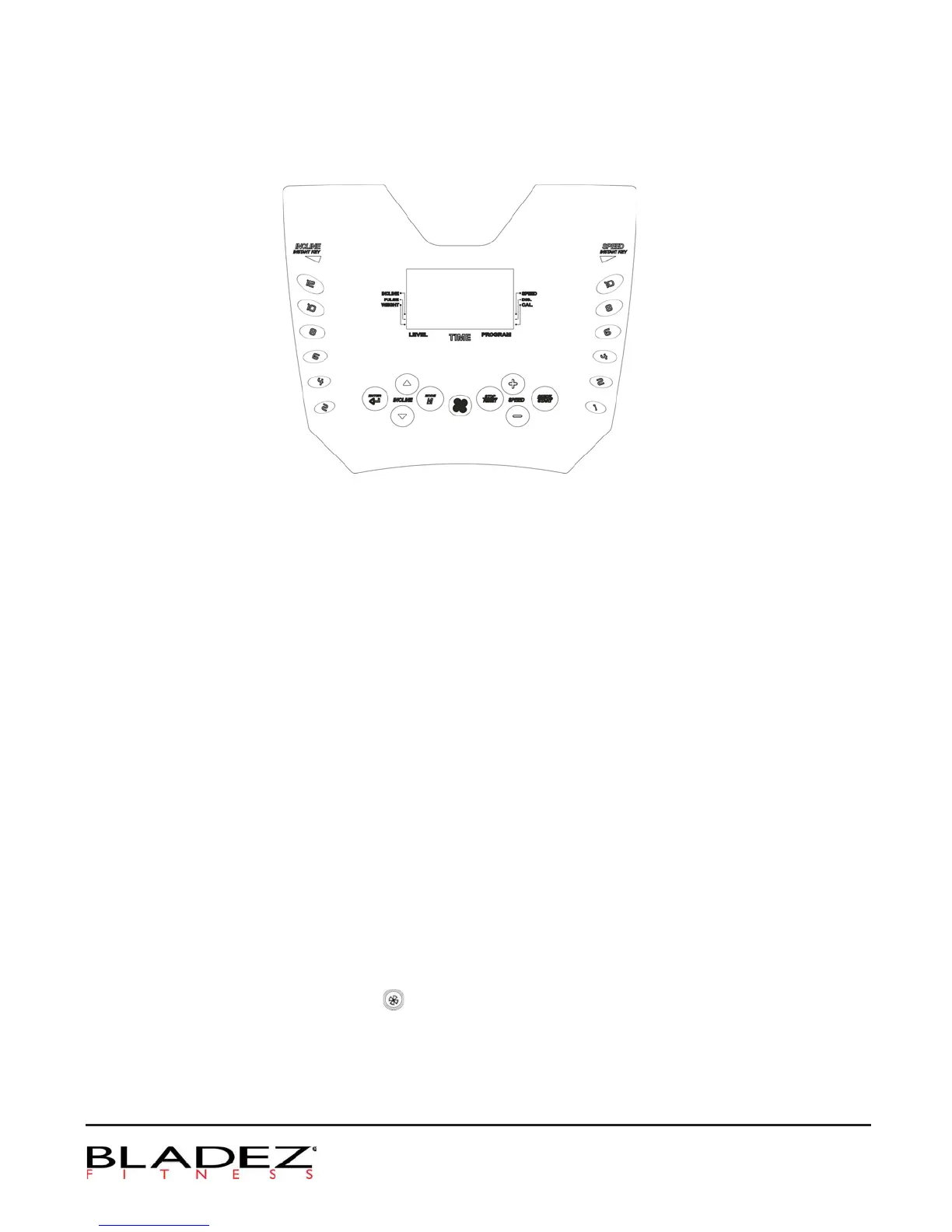
I. Display Console:
1.
If the SAFETY KEY is removed, the console will display a downward arrow and the treadmill
cannot be used. If the SAFETY , the window will display KGS (LBS). WeightKEY is attached
window flashes and displays the pre-set value of 70KG(150LBS) 23. This can be adjusted from
to 130KG (50 to 286LBS). Press ENTER and the window will turn to Start / Ready status. The
matrix window displays a heart- shaped profile. The aim of setting weight is to properly calculate
Calories expenditure of the workout. This can be only done after starting. It does not need to be
set in PROGRAM. It means you can use the value after starting. You must reset the weight value.
2. If the SAFETY KEY is removed during the workout, the console will sound and the treadmill will
stop running. By returning the SAFETY KEY to its place, all values will return to the initial position.
3. Under the common Start / Ready status, PULSE window will display HP if the hand pulse grips are not
accessed. If you place your hands on the pulse sensor, the PULSE window starts to display heart
rate reading sensed through the hand grips.
II. Operation Instruction:
1. Under Start/Ready position, you can press Mode directly to access the programs for edit
2. Under Start/Ready position, press Start to begin in Manual mode.
3. If equipped with fan, you can press
to start or stop fan. Pressing once to start; press twice to stop.
III. Edit Mode:
1.
Under Start/Ready position, press Mode to access Programs then press UP/DOWN arrow keys to
14
navigate through available programs.


 To Next Page