7
CONSOLE OPERATION
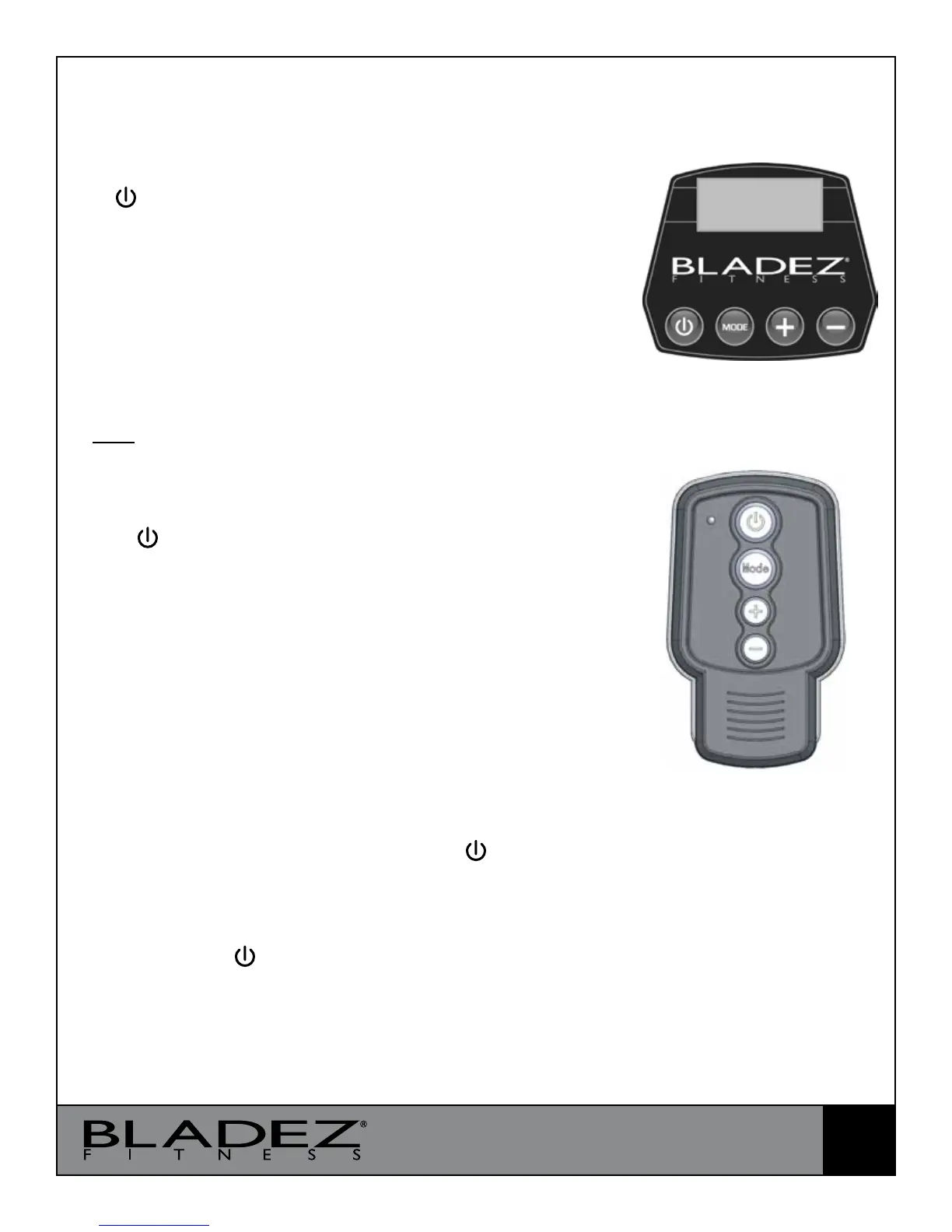
CONSOLE BUTTONS
1. : Start or Stop
2. MODE : Select/Conrm
3. + : Increase frequency and time
4. - : Decrease frequency and time
GETTING STARTED
1. Attach the power cord to the socket on the rear panel and
plug into a 120VAC wall outlet. Turn on the power switch.
Note: If not being used for a long time please turn o the power
switch and/or unplug the power cord.
2. As power is applied, the console will display a ‘5.00’. Press
the “ Start/Stop” button to start the time exercise. is is a
default time exercise with a 5 minute duration at 30Hz.
3. Pressing the “MODE” button (either on the remote or on
the console) and the display will be ashing. en use the “+
/ -“ buttons to navigate through other time exercise choices or
preset programs.
4. ere are also other time exercises: 1, 3, & 10 all with setting
of 30Hz as default which could be selected with “+ / -“ buttons
while the display is ashing.
5. Press “MODE” to accept, then press “ Start/Stop” to
begin. During the time exercise for 1, 3, 5, & 10, press “+” to
increase or “-“ to decrease the intensity (26Hz – 45Hz.)
6. Pressing the “ Start/Stop” button will toggle the machine
to pause or resume during the exercises.
Remote Control
Console


 To Next Page