Timer Functions
This appliance is supplied with an inbuilt timer, which can be used as a minute minder or a cooking zone
timer. It has the following features:
The timer can control up to 4 cooking zones at a time as well as the minute minder.
The cooking zone timer does not work in conjunction with the boost function.
The minute minder works independently of all other functions.
Minute Minder Function
Press the Timer button once (while any other function is running, but not while the decimal points are flashing)
and the Minute Minder function will be selected (the timer display will show “00”, which is the current time
setting, and the decimal point will be lit). Within 10 seconds, use the “+” & “-“ buttons to adjust the time (up to
a maximum of 99 minutes). Once the time is set, either press the Timer button again to deselect the minute
minder, or press an Active/Deactivate Button to use a cooking zone and the timer will start to count down
(note if no cooking zone is operating, the appliance will go to the Stand-By-Mode, but the timer will continue to
be displayed and count down). The set time can be adjusted by pressing the Timer button once again to
select the function and then adjusted with the “+” & “-“ buttons.
Once the set time has elapsed, the timer display will flash “00”, and an audible alarm will sound. Press any
button to stop.
The minute minder does not affect any other function.
Cooking Zone Timer Function
A timer can be set for each cooking zone separately, but only those that are operating (with a power level
between 1 & 9). Pressing the Timer button twice (so the decimal point is lit) bypasses the minute minder &
starts the cooking zone timer function.
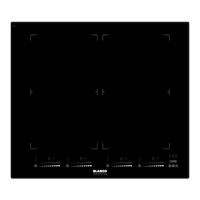
There are four cooking zones & each is represented by a Cooking Zone Indicator at one corner of the timer
display. If one cooking zone is operating (power between 1 & 9), the corresponding Cooking Zone Indicator
will flash. While the decimal point of the timer display is lit, use the “+” & “-“ buttons to adjust the timer for that
cooking zone. The Cooking Zone Indicator will continue to flash & the timer display will count down until zero,
at which point an alarm will sound and the power level display will go to “00” (turning the cooking zone off).
Turn the alarm off by pressing either the Active/Deactivate Button for the cooking zone, or the Timer button
(the Cooking Zone Indicator for that cooking zone will turn off).
When 2 or more cooking zones are active, the Timer button can be pressed to cycle through the different
cooking zones (starting at the left front cooking zone & cycling clockwise). The Cooking Zone Indicator of the
active timer will flash, while cooking zones that have timers running will have their Cooking Zone Indicator
continuously lit. When the cooking zone is selected (the corresponding Cooking Zone Indicator is flashing),
the timer can be adjusted for that cooking zone (as above). After 10 seconds inactivity, the timer display will
change to show the shortest timer time and the Cooking Zone Indicator of the cooking zone it is for will flash
(with all other active cooking zones with timers continuously lit). The settings of cooking zones can now be
adjusted as previously explained. As each timer function reaches zero, an alarm will sound, and the timer
display will flash “00”. Once the alarm has been turned off, the timer display will switch to the next shortest
time & continue from there.
Note that timer settings can be adjusted at any time by activating the correct timer function & adjusting with
the “+” & “-“ buttons. If the setting is set to 0, the timer function is turned off, but the cooking zone will continue
to run.
8



 To Next Page