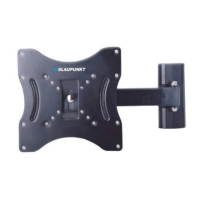
This document is the owner's manual for a Blaupunkt Universal TV wall mount, model number 330319, designed for televisions ranging from 22 to 40 inches. The manual provides essential information for safe and proper installation and use of the product.
Function Description:
The Blaupunkt Universal TV wall mount is designed to securely attach a flat-panel television to a wall, providing a space-saving solution and an optimal viewing experience. The mount is pre-assembled to simplify the installation process, making it accessible for users to set up without extensive technical knowledge. It supports both solid wall and stud wall installations, offering flexibility based on the user's home construction. The design includes tilt adjustment capabilities, allowing users to adjust the TV's vertical angle for better viewing and to reduce glare. Security bolts are incorporated to ensure the TV remains firmly attached to the wall plate after installation.
Important Technical Specifications:
- Model Number: 330319
- Maximum Load: 75 kg (approximately 165 lbs)
- Compatible TV Size: 22" - 40" flat-panel televisions
- Weight of Mount: 2.45 kg (approximately 5.4 lbs)
- Distance from Wall: 50 mm (approximately 2 inches)
- Pitching Angle: 0° to -10° (tilt adjustment)
Usage Features:
The manual emphasizes ease of installation, comparing it to "putting up a shelf." The process is broken down into three main steps:
- Attaching the TV brackets to the TV: This is the crucial first step, ensuring compatibility before any drilling into the wall. The left and right brackets are attached to the TV using two screws each, ensuring they are equally spaced and centered. The tilt adjustment handles should face outwards.
- Solid Wall Installation: For solid walls, the wall plate serves as a template to mark six drill holes (four on top, two on bottom). A spirit level is recommended to ensure the holes are level. Holes of 10mm diameter and 50mm depth are required, into which six plastic anchors are firmly inserted. The wall plate is then attached using six self-tap screws through metal washers and into the plastic anchors, with the bubble level at the top. All screws must be tight, and the wall plate should fit tightly to the wall.
- Stud Wall Installation: For stud walls, an electronic stud finder is used to identify and mark the locations of two interior wall studs. The wall plate is used as a template to mark and drill four holes with a 3/16" diameter drill bit. The manual specifically advises against installation in hollow core concrete blocks, recommending only solid blocks with concrete anchors. The wall plate is then installed by screwing four self-tap screws through metal washers into each hole, ensuring a tight fit.
- Mounting the TV onto the Wall Plate: Once the wall plate is securely installed, the tilt adjustment handles on the TV brackets are loosened. The TV brackets are carefully hung onto the wall plate. The manual advises not to fully loosen the handles until the bracket is securely connected and suggests having assistance for safe attachment. After adjusting the TV to the desired position, the adjustment handles are re-tightened. Finally, security bolts at the bottom of each bracket are fully loosened before installation and then fully tightened to secure the TV brackets to the wall plate.
Important Notes and Safety Instructions:
The manual highlights several critical safety instructions and notes to ensure user safety and product longevity:
- Read Instructions: All safety and operating instructions must be read before installation.
- Retain Instructions: The manual should be kept with the product for future reference.
- Heed Warnings: All warnings on the product and in the operating instructions must be followed.
- Follow Instructions: All operating and user instructions must be followed.
- Installation: Install in accordance with the manufacturer's instructions.
- Attachments: Do not use attachments not recommended by the manufacturer, as they may cause hazards.
- Environmental Conditions: The apparatus should not be exposed to dripping or splashing, humid atmospheres (like bathrooms), direct sunlight, close proximity to radiators, other heat-radiating stereo equipment, dusty areas, areas with constant vibration, or humid/moist places.
- Ventilation: Do not block ventilation.
- Open Flames: Do not place near candles or other naked flames.
- Operation: Operate the product only as instructed.
- Defective Parts: Never use defective parts or replace parts with different specifications. Incorrect installation may cause injury; consult a qualified professional if in doubt.
- Wall Type Considerations: It is crucial to consider the type of wall for mounting. A stud-finder should be used to locate wooden battens/studs and to avoid hidden pipes or wires. The mount should not be installed on drywall/plasterboard or paneled walls unless all wall plate screws are fixed into a wooden batten/stud. For brickwork or solid masonry, suitable wall plugs and screws must be used.
- Responsibility: The user is responsible for ensuring the wall structure and fixings can support the screen and mount in a normal working environment.
- Strength Check: Check the strength of the installation before installing the screen. Consult a qualified contractor if there are any doubts.
- WARNING: Correct installation is extremely essential and falls outside Blaupunkt's responsibility. The provided fastening material is exclusively for solid wood, bricks, concrete, or solid-wood columns with a maximum of 3 mm wall finishing. For other materials (e.g., hollow bricks), consult an installer or specialist supplier. Always follow the installation and use instructions for the apparatus being installed (e.g., LCD/LED/plasma screen).
Maintenance Features:
The manual does not explicitly detail maintenance features but implies that proper installation and adherence to environmental guidelines will ensure "years of trouble-free performance." The guarantee section suggests that defects due to faulty materials or workmanship are covered, but damage from inexpert repair or improper operation would invalidate the guarantee, indirectly highlighting the importance of correct usage for product longevity.
Guarantee:
The product comes with a twelve-month guarantee from the date of original purchase, covering defects due to faulty materials or workmanship. To claim, the receipt of purchase is required. The guarantee is subject to the following provisions:
- Valid only within the boundaries of the country of purchase.
- Product must be correctly installed and operated according to the User Manual.
- Product must be used solely for domestic purposes.
- Invalidated if the product is re-sold or damaged by inexpert repair.
- Blaupunkt disclaims liability for incidental or consequential damages.
- The guarantee is in addition to, and does not diminish, statutory or legal rights.

 Need help?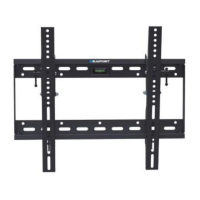

 To Next Page
 General