EasyManua.ls Logo

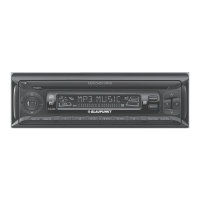
Blaupunkt Munich 100 - User Manual

Blaupunkt Munich 100
13 pages
Print Icon
To Next Page IconTo Next Page
Loading...
CAR RADIO
MUNICH 100
Operating and Installation Instructions

Questions and Answers

  • G
    gabrielle59Aug 2, 2025
    What to do if my Blaupunkt Munich 100 Car Receiver is unable to connect to radio stations?
    • C
      Curtis LewisAug 2, 2025
      If your Blaupunkt Car Receiver isn't connecting to radio stations or the automatic selection isn't working, check these things: * Ensure the antenna cable is correctly connected. * If the signal is weak, try selecting stations manually.
  • J
    Julie AlexanderAug 7, 2025
    How to troubleshoot a Blaupunkt Car Receiver with no power?
    • M
      Martin ReyesAug 7, 2025
      If your Blaupunkt Car Receiver has no power, there are a couple of things you can check: * First, make sure your car ignition is turned on. If it's off, switch the key to the “ACC” position. * If the ignition is on and there's still no power, the fuse might be broken. In that case, you should replace the fuse.
  • S
    Sherry RiveraAug 11, 2025
    Why is there no sound coming from my Blaupunkt Car Receiver?
    • L
      Laura MurrayAug 12, 2025
      If you're not getting any sound from your Blaupunkt Car Receiver, here are a couple of things to check: * First, make sure the volume isn't too low. Adjust it to your desired level. * If the volume is up and you still don't hear anything, check the wiring connections to make sure they're correctly connected.
  • W
    William FisherAug 17, 2025
    Why can't I load or eject discs from my Blaupunkt Munich 100?
    • E
      edwin67Aug 17, 2025
      If you're having trouble loading or ejecting discs from your Blaupunkt Car Receiver, consider the following possible causes: * Make sure there isn't already a disc inside the CD slot. Remove it before inserting a new one. * Ensure you're inserting the disc in the correct direction, with the label facing upward. * Clean the disc surface before inserting it into the player, as a dirty disc may not be detected. * If the temperature inside the car cabin is too high, allow the car cabin and player to cool off until it returns to normal temperature. Alternatively, leave the player off for about an hour before using it again.
  • R
    Ryan PerezAug 22, 2025
    What causes breaking or skipping sound in my Blaupunkt Car Receiver?
    • R
      ryanstevenAug 22, 2025
      If the sound from your Blaupunkt Car Receiver is breaking or skipping, here are a couple of things you can check: * Make sure the installation angle is less than 30 degrees. If it's more, adjust it. * The disc might be defective or dirty. Try cleaning the disc or inserting a new one.
  • W
    wtorresAug 27, 2025
    How to fix Blaupunkt Car Receiver operating keys that aren't functioning?
    • P
      Pamela BuckAug 28, 2025
      If the operating keys on your Blaupunkt Car Receiver aren't working, it could be due to a chipset technical error. Try pressing the reset button to reset the unit.

Summary

CAUTIONS

PLACING THE DEVICE IN OPERATION

Focuses on installation and initial setup precautions.

Road Safety

Emphasizes safe usage while driving and volume control.

General Safety Notes

Covers general safety aspects like power, modifications, and temperature.

KEY FUNCTION - PART 1

VOLUME;MODE

Controls volume and selects audio modes/settings like Bass, Treble, EQ.

USB

Describes file search and playback functions via USB.

BND;AMS

Used for changing radio bands and auto memory stations.

Power;MUTE

Controls power on/off and sound muting.

CD Slot

Location for inserting audio CDs.

EJECT

Function to eject inserted discs.

I<<

Used for seeking down or previous track/rewind.

AUX-IN

Connects external audio devices via 3.5mm jack.

RESET

Resets the device to default factory settings.

MOD;CLK

Switches media modes and sets the clock.

KEY FUNCTION - PART 2

1;>II

Preset station, Pause/Play, and song selection.

2;INT

Preset station and track introduction/preview.

3;RPT

Preset station and repeat song/all functions.

4;RDM

Preset station and random/shuffle play.

5;-10

Preset station and skip to previous 10th track/folder.

6;+10

Preset station and skip to next 10th track/folder.

>>1

Auto seek up, end call, skip song, fast forward.

SD SLOT

Slot for inserting SDHC memory cards.

FEATURE

Display

Details on the display's red backlight and fixed panel design.

Audio

Specifies amplifier output, RCA preout, and auto equalizer.

Tuner

Covers FM/AM presets, local seek tuning, and RDS.

Media Playback

Lists supported formats (MP3/WMA), USB/SDHC, Aux input, Bluetooth.

Accessories

Mentions the included remote control.

OPERATION

RADIO

Details on radio bands, presets, sensitivity, and frequency ranges.

CD;USB;SDHC

Information on supported media formats and playback.

BLUETOOTH

Enables Bluetooth connectivity for sound and hands-free calls.

Pre-pair Bluetooth

Instructions for preparing mobile phones for Bluetooth pairing.

Bluetooth Pairing

Step-by-step guide for pairing a mobile phone via Bluetooth.

GENERAL SPECIFICATIONS

Voltage Supply

Specifies the operating voltage range.

Current Consumption

Details on operational and standby current draw.

Amplifier

Provides output power ratings for the amplifier.

Tuner

Lists tuner wavebands and frequency ranges.

Pre-amp out

Specifies the output voltage for pre-amplifier channels.

Input sensitivity

Details the sensitivity for the front AUX-IN.

Dimension & weight

Provides physical dimensions and weight of the unit.

INSTALLATION INSTRUCTION

SAFETY

Crucial safety guidelines for mounting and wiring.

CAUTION

Important warnings regarding battery disconnection and drilling.

Supplied mounting hardware

Lists the components included for installation.

DISMANTLE INSTRUCTION

Removal Process

Step-by-step guide for removing the car radio unit.

Battery Disconnection

Procedure for safely disconnecting the vehicle battery.

WIRING DIAGRAM

Connector Pinout

Details the function of each pin in connectors A and B.

Connection Notes

Important guidelines for correct wiring and ventilation.

TROUBLESHOOTING

SYMPTOM;CAUSE;SOLUTION

Table addressing common issues like no power, disc errors, and sound problems.

SUPPORTED AUDIO FORMAT

Lists supported file formats (MP3, WMA) and their bit rates.

Blaupunkt Munich 100 Specifications

General IconGeneral
CategoryCar Receiver
BluetoothYes
Display TypeLCD
MP3 PlaybackYes
Remote ControlYes
Power Output4 x 50 Watts
Tuner BandsFM/AM
USB PortYes
AUX InputYes (Front)
EqualizerYes

Related product manuals