EasyManua.ls Logo

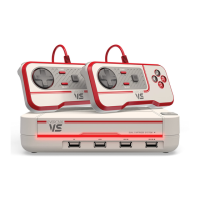
Blaze EVERCADE VS - Console Rear and Controller Components; Ports and Button Layouts

Blaze EVERCADE VS
35 pages
Print Icon
To Next Page IconTo Next Page
To Previous Page IconTo Previous Page
Loading...
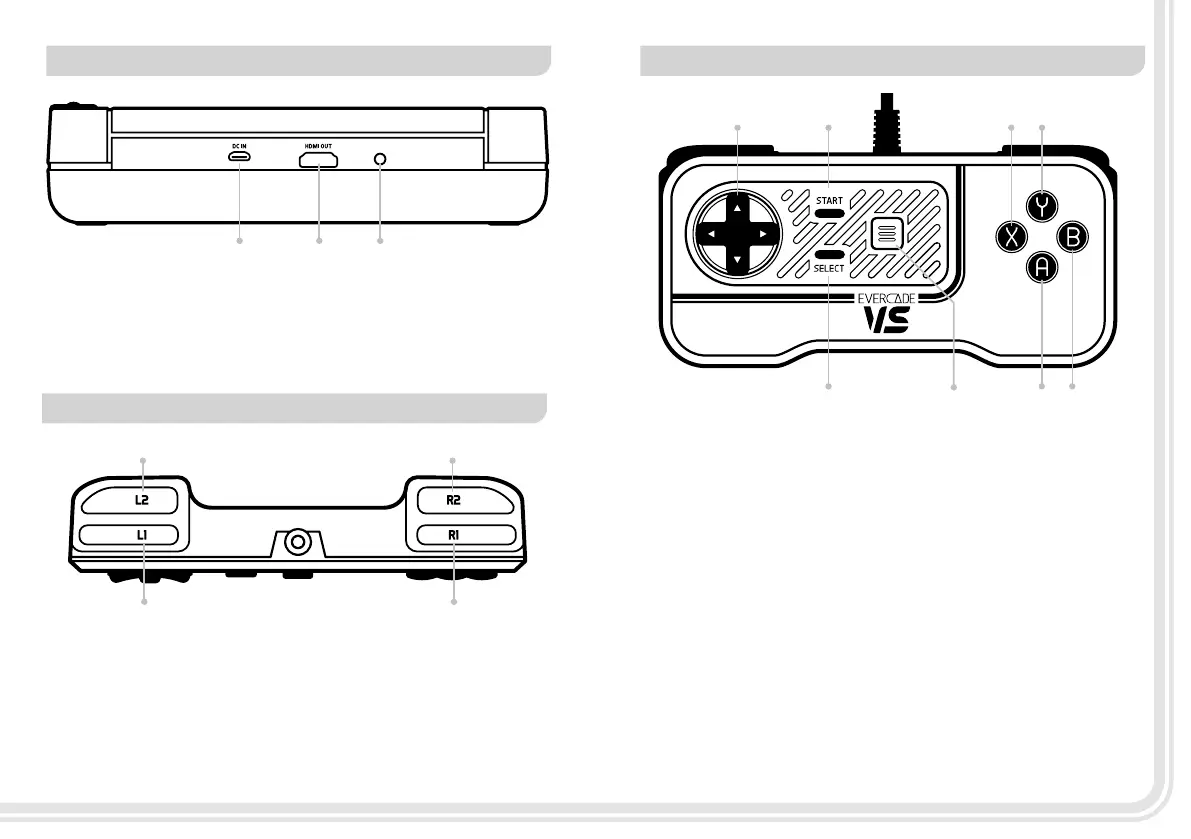
REAR OF CONSOLE
TOP OF CONTROLLER
FRONT OF CONTROLLER
4 2
1 3
5 6
31
2 4
7 8
1 2 3
1. Micro USB Power Port:
For use with supplied Micro USB Power cable
2. HDMI Out Port:
For use with a HDMI cable to connect to TV
(not included)
3. Reset Button:
For use for console recovery (service only)
1. L1 Shoulder Button
2. L2 Shoulder Button
3. R1 Shoulder Button
4. R2 Shoulder Button
1. Direction Pad (D-Pad):
Control movement during gameplay
2. Menu Button:
Opens player menu
3. Start Button:
Start in game function
4. Select Button:
Select in game function
5. A Button:
A action button
6. B Button:
B action button
7. X Button:
X action button
8. Y Button:
Y action button
0504

Other manuals for Blaze EVERCADE VS

Related product manuals