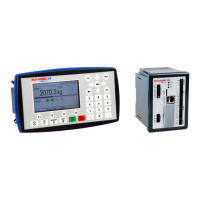
G4 Multi Channel Weighing Instrument
1-3
Instrument modes.
In normal operation mode the G4 Instrument is presenting the measurement values on
the front panel graphical display. One or more weighing channels can be shown
simultaneously. The user can configure the display via set-up parameters.
During parameter set-up the instrument will continue normal operation. However if
hardware set-up parameters have been changed the instrument will be restarted.
The operator will always be notified before the instrument is restarted.
Parameter setting.
In the instrument all operating functions are controlled by set-up parameters with
numerical values, string values, or pre-selected values from a list of alternatives.
Parameter set-up is performed by the keys at the front panel of the instrument and/or
by using the buttons displayed on the touch display.
Presentation.
The instrument can present measured or calculated values, status of levels, parameter
settings etc. at the front panel. An extensive system of menus gives the possibility to
present various information about the instrument.
Measured or calculated values, status of levels and so on, can be transferred to
external equipment via the different communication interfaces (some are optional).
Scale Batching program option.
There is a batching function within the instrument, which is enabled with an option
code, which can be bought from the instrument supplier. The batching option gives the
possibility to perform individual batching with each scale. See the separate ‘Scale
Batching Program Option’ ‘Technical Manual Supplement’ available for the batching
option.
Flow Rate program option.
With the Flow Rate program option enabled the instrument can calculate the flow rate
based on the weight. The flow rate is calculated and set-up individually for each scale.
Flow rate can be shown on the display, sent to (optional) analog outputs and read
through any of the available communication alternatives in the instrument. An option
code is required to enable this program option. See the description of the flow rate
calculation in this manual.
Remote Access.
It is possible to access the instrument through the Ethernet connection. Using a Web
Browser on the connected PC most set-up and maintenance functions are available on
the PC. This possibility will simplify commissioning and service. It will make it possible
to access instruments from outside the local network (internet) providing the network
allow this.


 To Next Page