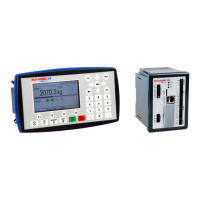
G4 Multi Channel Weighing Instrument
5-1
5. Operation
General
G4 instrument with strain gauge transducers is designed mainly for weighing and
batching purposes. The measurement values are displayed at the front panel, and can
also be transmitted to a master computer/PLC.
The measurement values can also be presented as the output signal from an analog
output module.
Some functions in the instrument can be controlled by digital input signals, and digital
outputs from the instrument can be used to indicate actual status of instrument, scales,
levels and so on. The number of inputs and outputs may be expanded by connection of
additional I/O modules.
Power supply
The instrument is powered by 24 VDC or 110/230 VAC and should not be turned off
during weekends and over-night. Continuous power supply to electronics and
transducers prevents moisture condensation in the units.
Power-up sequence
As the G4 instrument is started it enters the Starting up state.
If any error is detected during power-up, the sequence stops and an error code
will be displayed. If the error is not fatal it will be possible to enter the menu system to
correct possible set-up errors.
If the detected error is fatal, it will only be possible to select restart unless the error is a
database file problem. If the start-up error is a database file error it will be possible to
select between deleting the database file, entering program upgrade or restart.
Deleting the database or upgrading the program (also upgrading to the present
program version) will result in a new database to be created which may make the
instrument usable again. Note that settings will be default after creating a new
database. If the fatal error persists please contact your supplier.
If no errors are detected, the instrument can enter normal operation (automatic
start-up), displaying actual weight values, possibly together with other instrument
information.
If ‘Manual start-up’ is selected, the instrument enters the ‘Wait for start’ state,
displaying a message ‘Waiting for start command. Press START to continue!’.
When the operator presses the ‘START’ button on the screen, the instrument will
switch over to normal operation unless a warm up time is set and there is still a
remaining warm up time. In this case the ‘Warming up’ message will be
displayed. See below.
If a warm up time has been set the message ‘Warming up.’ will be displayed
together with the remaining time. When the warm up time has expired the
instrument will switch over to normal operation automatically.


 To Next Page