EasyManua.ls Logo

Blink Focos - User Manual

Blink Focos
14 pages
Print Icon
To Next Page IconTo Next Page
Loading...
Blink Focos
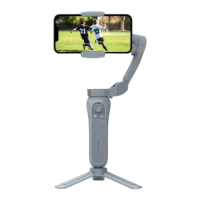
Sports Tracking Gimbal User Manual
Question and Answer IconNeed help?

Do you have a question about the Blink Focos and is the answer not in the manual?

Summary

Before Use

Quick Start Guide

Instructions for initial setup and first use of the Blink Focos gimbal.

Introduction

Auto Tracking

Details on the sports tracking and recording system and app download.

Phone Stabilizer

Using the gimbal as a phone stabilizer with a separate app.

Component Diagram

Getting Started

Charging

Instructions for charging the Blink Focos gimbal via USB-C.

Mounting Smartphone

Guidance on how to securely mount a smartphone onto the gimbal holder.

Choosing a Recording Location

Recommendations for optimal placement for sports tracking performance.

Using Blink Focos

Buttons and Controls

Detailed explanation of the power button, mode button, and shutter functions.

Adjusting the Gimbal

Steps for adjusting the gimbal for optimal shooting orientation and balance.

Using Blink Focos App

Guide to connecting and operating the gimbal using the Blink Focos mobile application.

Specifications

Cautions

Storage and Maintenance

Guidelines for storing and maintaining the gimbal to ensure its longevity.

Summary

Before Use

Quick Start Guide

Instructions for initial setup and first use of the Blink Focos gimbal.

Introduction

Auto Tracking

Details on the sports tracking and recording system and app download.

Phone Stabilizer

Using the gimbal as a phone stabilizer with a separate app.

Component Diagram

Getting Started

Charging

Instructions for charging the Blink Focos gimbal via USB-C.

Mounting Smartphone

Guidance on how to securely mount a smartphone onto the gimbal holder.

Choosing a Recording Location

Recommendations for optimal placement for sports tracking performance.

Using Blink Focos

Buttons and Controls

Detailed explanation of the power button, mode button, and shutter functions.

Adjusting the Gimbal

Steps for adjusting the gimbal for optimal shooting orientation and balance.

Using Blink Focos App

Guide to connecting and operating the gimbal using the Blink Focos mobile application.

Specifications

Cautions

Storage and Maintenance

Guidelines for storing and maintaining the gimbal to ensure its longevity.

Blink Focos Specifications

General IconGeneral
Camera Resolution1080p HD
Two-Way AudioYes
StorageCloud storage (subscription required)
Operating Temperature-4°F to 113°F (-20°C to 45°C)
Field of View110 degrees
Night VisionYes
Battery LifeUp to 2 years
ConnectivityWi-Fi
TypeWireless security camera
Motion DetectionYes
Weather ResistanceIP65 weatherproof
CompatibilityWorks with Alexa