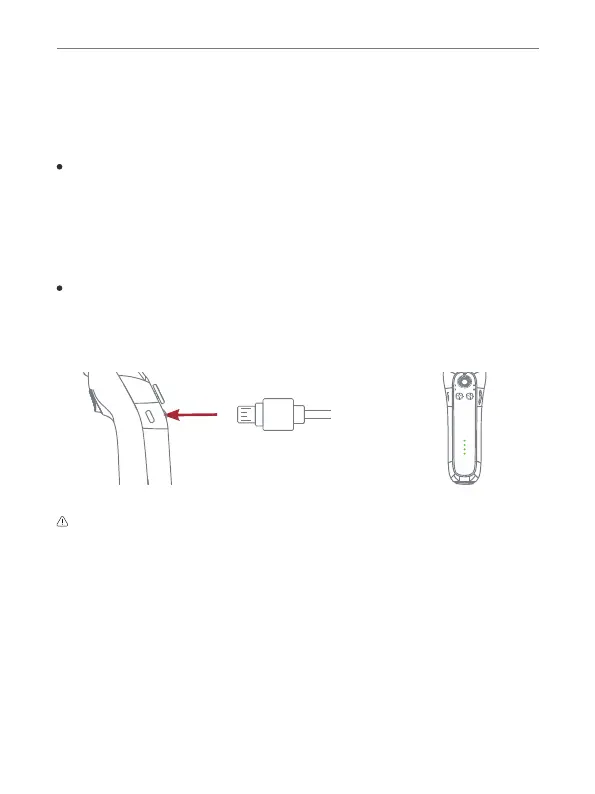
Charging
5
Getting Started
Mounting Smartphone
1. Mount the phone on the holder.
2. It is recommended to remove the phone case before mounting because:
(1) The phone will have a better grip with the holder;
(2) The phone will dissipate heat better (overheating phones at high
temperatures could result in a shutdown).
Blink Focos User Manual
Charging CompletedThis product can be operated during charging.
To charge Blink Focos, connect a USB adapter (not included) to the USB-C
charging port using the charging cable (included). This device supports fast
charging. It is recommended to use a 5V/2A adapter.
Charging time: 80 mins.
Max. runtime: 4 ~ 5 hours
When charging Blink Focos, the blue power indicator lights should flash.
If not, check if the adapter and the cable are right. All 4 power lights will turn
into blue once charging is completed.


 To Next Page