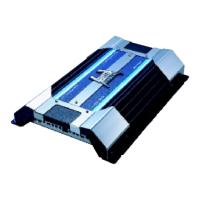
9.LED Indicator
-
POWER : This GREEN LED will illuminate when the amplifier is turned
"ON". If it fails to illuminate, check the power connections to
the Amplifier and fuses.
- PROTECTION : The amplifier protection circuitry will disable the amplifier
if input overload, short circuit or extremely high
temperature conditions are detected. When the
protection mode is in operation, the LED indicator on the
side panel will be illuminated, indicating the amplifier has
gone into a self preservation mode.
If you observe that the Protection LED is lit, please check the system
carefully to determine what has caused the protection circuit to engage.
The amplifier can be reset by turning the remote power off and then on
again. If the amplifier shut down due to a thermal overload condition,
please allow it to cool down before restarting. If the amplifier shut down
because of an input overload or short circuit, be sure to repair these
conditions before attempting to power up the amplifier again.
10.B- TERMINAL (CHASSIS GROUND)
To avoid unwanted ignition noise caused by ground loops, it is essential
that the Amplifier be grounded to a clean, bare, metal surface of the
vehicles chassis.
11.REMOTE POWER ON
To remote wire car stereo. This amplifier is turned "ON" remotely when
vehicle's stereo is turned "ON".
Note: IF YOUR RADIO DOES NOT HAVE +12 VOLT OUTPUT LEAD WHEN
TURNED ON, THE "REMOTE" TERMINAL ON THE AMPLIFIER CAN BE
CONNECTED TO VEHICLES ACCESSORY CIRCUIT WHICH PROVIDES
+12V WHEN THE CAR IS ON.
Features & Controls
Features & Controls
6



 To Next Page