
 To Next Page
M
Matthew TerryAug 16, 2025
What to do if my Blizzard Lighting Equipment has no power?
- JJeffrey CannonAug 16, 2025
If your Blizzard Lighting Equipment has no power, check the fuse, AC cord, and circuit for any malfunctions.

What to do if my Blizzard Lighting Equipment has no power?
If your Blizzard Lighting Equipment has no power, check the fuse, AC cord, and circuit for any malfunctions.
What to do if Blizzard Lighting Equipment fixture is not responding?
If your Blizzard Lighting Equipment is not responding or responding erratically, ensure all connectors are seated properly and securely. Use only DMX cables, install a terminator, and check all cables for defects. You may also try resetting the fixture.
What to do if Blizzard Lighting Equipment has no light output?
If your Blizzard Lighting Equipment has no light output, check to ensure the fixture is operating under the correct mode, such as sound active, auto, or DMX, if applicable. Contact service for more information.
Why does my Blizzard Lighting Equipment auto-shut off?
If your Blizzard Lighting Equipment is automatically shutting off due to high heat, check the fan in the fixture. If the fan has stopped or is moving slower than normal, clear any obstructions. If problems persist, return the unit for service.
How to fix no response to audio on Blizzard Lighting Equipment?
If your Blizzard Lighting Equipment is not responding to audio, first verify that the fixture is in “Sound Active” mode. If it is, adjust the audio sensitivity as needed.
What causes intermittent lamp in Blizzard Lighting Equipment?
If your Blizzard Lighting Equipment lamp is intermittent, it may have reached the end of its life. Check the lamp for proper installation, and relamp if necessary.
Why is the beam dim on my Blizzard Lighting Equipment?
If the beam from your Blizzard Lighting Equipment is dim, check the optical system and clean any excess dust or grime. Also, ensure that the 220V/110V switch is in the correct position, if applicable.
Why is the movement slow on my Blizzard Lighting Equipment?
If your Blizzard Lighting Equipment exhibits slow movement, verify that the 220V/110V switch is in the correct position, if applicable. Also, check that the speed channels are set appropriately.
What to do if the remote doesn’t work on Blizzard Lighting Equipment?
If the remote for your Blizzard Lighting Equipment isn’t working, verify that the remote control cable is installed properly and securely. Also, verify that the remote is the correct type (CA-9 or other as applicable).
Why is my Blizzard Lighting Equipment fixture moving on its own?
If your Blizzard Lighting Equipment is moving on its own, verify the proper mode of operation. Check if the fixture is in “Auto” mode.
A quick overview of DMX channels and their functions for the fixture.
Recommended cables and specifications for DMX data transmission.
Step-by-step instructions for establishing DMX control of the fixture.
Safe and proper methods for mounting and rigging the lighting fixture.
Overview of the fixture's front panel controls and LCD display.
Detailed breakdown of the menu options and their functions on the control panel.
Comprehensive guide to DMX channel assignments and their effects.
 General
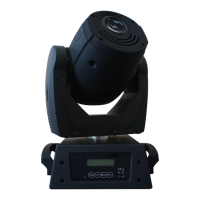
| Fixture Type | Moving Head |
|---|---|
| Light Source | LED |
| LED Lifespan | 50, 000 hours |
| Beam Angle | 15° |
| Strobe | Yes |
| Pan | 540° |
| Tilt | 270° |
| Control Protocol | DMX512 |
| Operating Modes | DMX, auto, sound active, master/slave |
| Dimming | 0-100% |
| Control | DMX |
| Power Supply | AC100-240V, 50-60HZ |