EasyManua.ls Logo

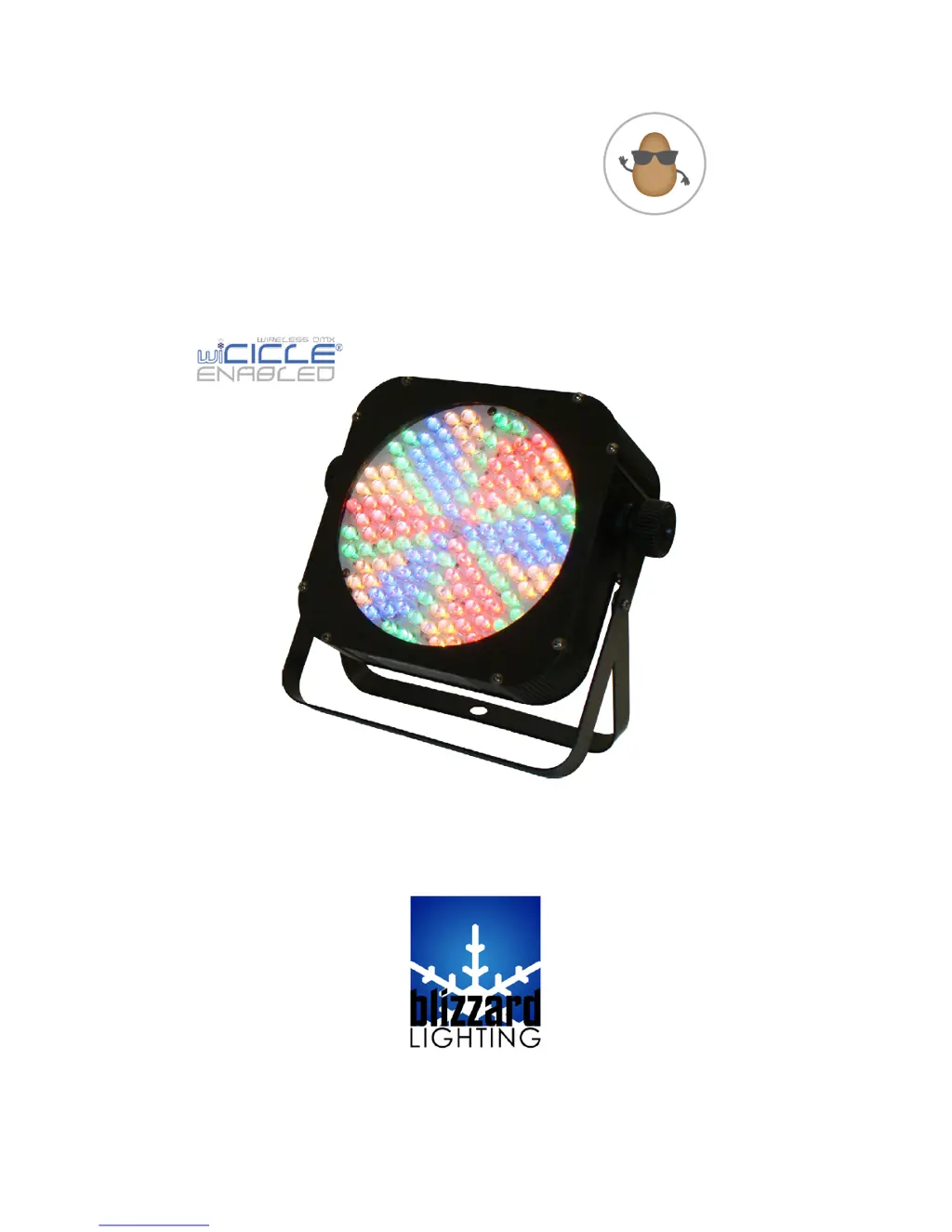
Blizzard Lighting the puck - User Manual

Blizzard Lighting the puck
20 pages
Print Icon
To Next Page IconTo Next Page
Loading...
Blizzard Lighting, LLC
www.blizzardlighting.com
Waukesha, WI USA
Copyright (c) 2013
C
O
U
C
H
P
O
T
A
T
O
-
R
E
M
O
T
E
C
O
N
T
R
O
L
S
E
R
I
E
S
-
THE
PUCK
RGBA

Other manuals for Blizzard Lighting the puck

Questions and Answers

  • W
    Wanda DelacruzSep 23, 2025
    What to do if Blizzard Lighting Equipment remote doesn’t work?
    • K
      Kendra WaltersSep 23, 2025
      If the remote for your Blizzard Lighting Equipment doesn’t work, verify the remote control cable is installed properly and securely. Also, verify the remote is the correct type (CA-9 or other as applicable).
  • P
    pgarzaAug 23, 2025
    Why is my Blizzard Lighting Light Fixture beam so dim?
    • N
      nealwilliamAug 23, 2025
      A dim beam in your Blizzard Lighting Light Fixture could be due to a dirty optical system. Clean any excess dust or grime. Also, if applicable, check that the 220V/110V switch is in the correct position.
  • G
    gbarnesAug 25, 2025
    What to do if my Blizzard Lighting Light Fixture has no power?
    • V
      Vincent AndradeAug 25, 2025
      If your Blizzard Lighting Light Fixture has no power, check the fuse, AC cord, and circuit for any malfunction.
  • D
    David RichardsonAug 27, 2025
    Why does my Blizzard Lighting Light Fixture keep blowing fuses?
    • A
      Abigail BairdAug 27, 2025
      If your Blizzard Lighting Light Fixture is experiencing blown fuses, inspect the AC cord and circuit for damage. Also, verify that moving parts are not restricted and that the unit’s ventilation is not obstructed.
  • L
    Luke FoleyAug 27, 2025
    How to fix a Blizzard Lighting Light Fixture that shuts off automatically?
    • E
      Edward RiosAug 28, 2025
      If your Blizzard Lighting Light Fixture shuts off automatically, especially if it's stopped or moving slower than normal, check the fan. Clear any obstructions from the fan, or return the unit for service.
  • J
    Julie WaltonSep 18, 2025
    How to fix slow movement on Blizzard Lighting Equipment?
    • J
      Jessica WilliamsSep 18, 2025
      If the movement of your Blizzard Lighting Equipment fixture is slow, verify that the 220V/110V switch is in the correct position, if applicable. Also, check that the speed channels are set appropriately.
  • D
    Daniel WelchSep 15, 2025
    What to do if Blizzard Lighting Equipment has no response to audio?
    • L
      Lisa OrtizSep 15, 2025
      If your Blizzard Lighting Equipment fixture isn't responding to audio, verify that the fixture is in “Sound Active” mode and adjust the audio sensitivity, if applicable.
  • D
    Deborah MendozaSep 16, 2025
    Why is my Blizzard Lighting Equipment fixture moving on its own?
    • D
      Dr. Francisco White DDSSep 17, 2025
      If your Blizzard Lighting Equipment fixture is moving on its own, verify the proper mode of operation. Check if the fixture is in “Auto” mode.
  • S
    Shane AtkinsSep 6, 2025
    What to do if Blizzard Lighting Equipment fixture is not responding?
    • C
      cody23Sep 7, 2025
      If your Blizzard Lighting Equipment fixture is not responding or responding erratically, ensure all connectors are seated properly and securely. Use only DMX cables. Install a terminator. Check all cables for defects, and try resetting the fixture.
  • V
    Victor McmillanSep 3, 2025
    What to do if my Blizzard Lighting Light Fixture remote doesn't work?
    • W
      williamsmithSep 4, 2025
      If the remote for your Blizzard Lighting Light Fixture isn't working, verify that the remote control cable is installed properly and securely. Also, verify that the remote is the correct type (CA-9 or other as applicable).

Summary

Getting Started

Powering Up Safely

Guidance on connecting power, voltage selection, and grounding requirements.

Safety Instructions

General Safety Precautions

Essential safety guidelines covering installation, usage, and maintenance.

Environmental and Handling Safety

Precautions for ambient temperature, ventilation, and safe handling.

Repair and Troubleshooting Safety

Advice on avoiding self-repair and handling operational issues safely.

Remote Control Operation

Remote Control Button Functions

Explains the purpose and operation of each button on the remote control.

Synchronizing the Remote

Step-by-step guide to pairing the remote control with the fixture.

Setting DMX Address and Channel Mode

Instructions for configuring DMX address and channel modes via the remote.

Setup and Cabling

Fuse Replacement Procedure

Step-by-step instructions for safely replacing the fixture's fuse.

DMX Connectivity and Cables

Setting Up DMX Control Chain

Detailed guide on connecting fixtures in a DMX chain for control.

Fixture Linking and Mounting

Master;Slave Fixture Linking

Instructions for configuring fixtures to operate in Master/Slave mode.

Safe Mounting and Rigging Practices

Guidelines for securely mounting fixtures, including clamp selection and safety cables.

wiCICLE System Setup

Connecting and Powering wiCICLE Units

Steps to connect and power the wiCICLE® transmitter and receiver units.

Operating Adjustments

DMX Control Configuration

Steps for setting up and operating the fixture in DMX mode.

Master;Slave Mode Configuration

Detailed instructions for setting up Master and Slave fixtures.

Custom Color Configuration

Troubleshooting Guide

Fixture Performance Issues

Solutions for common problems like auto-shut off, dim beams, and no light output.

Power and Connectivity Troubleshooting

Steps for resolving issues related to power, fuses, and DMX communication.

Blizzard Lighting the puck Specifications

General IconGeneral
Beam Angle25°
IP RatingIP20
Power Consumption60W
Operating Voltage100-240VAC, 50-60 Hz
ControlDMX, Sound Active
DMX Channels4
Operating ModesStandalone, Master/Slave
Control ProtocolDMX512
Color TemperatureNot applicable

Related product manuals