Page 7
Puck Couch Potato RGBA Manual Rev. C Copyright (c) 2013 Blizzard Lighting, LLC
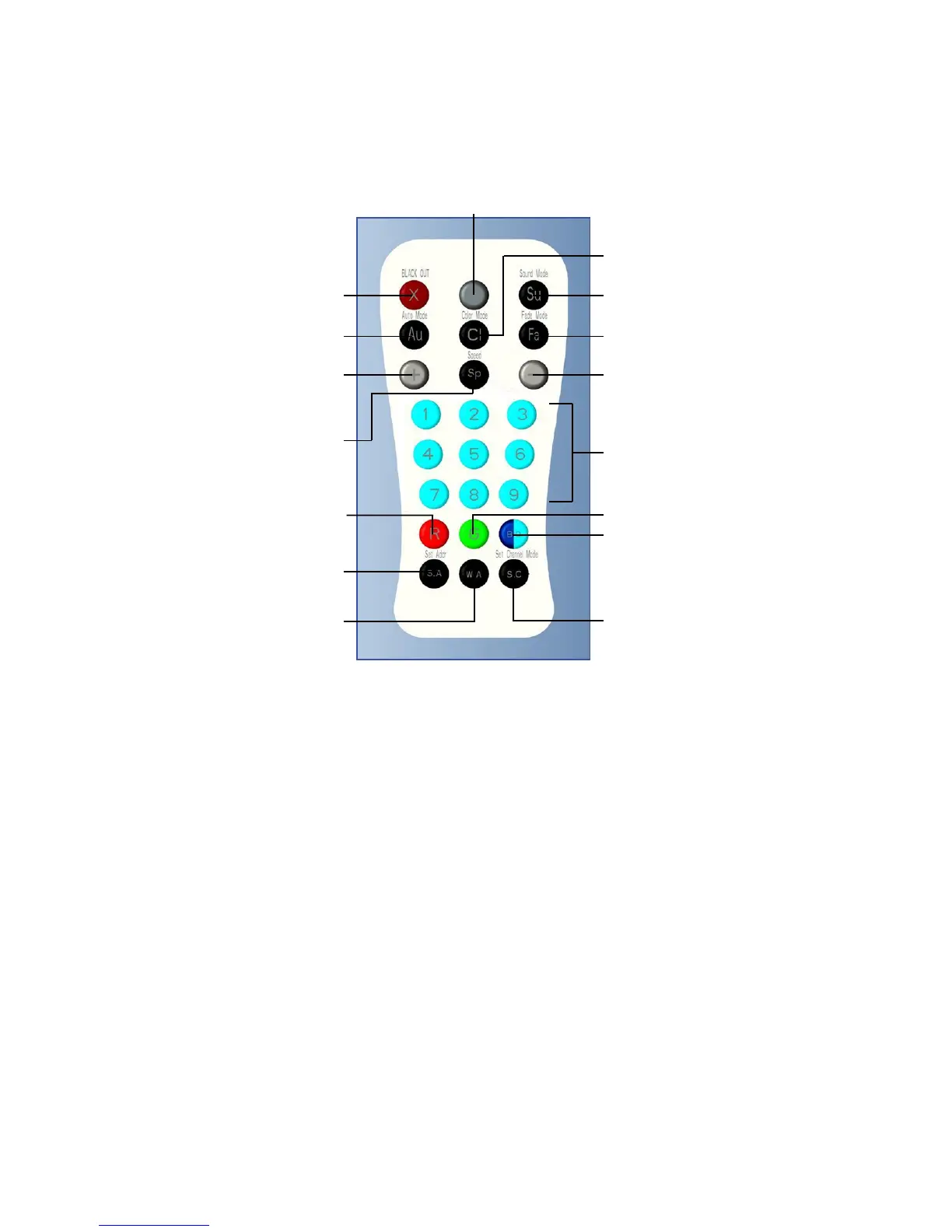
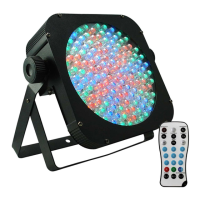
Figure 3: The Remote Control
Black Out
Auto Mode
ValueUp
Master Dimmer (Press & Hold)
Values:(000-255)
Sound Active
Fade Mode
ValueDown
AdjustSpeed
of Auto/Fade
(1-8)
Built-In
Colors (1-9)
& Set DMX
Address
Red (000-255)
DMX Address
(Hold for 2
Seconds)
Amber
(000-255)
Color Macros
Set DMX
Channel Mode
(Hold for 2
Seconds)
Blue (0-255)
Note: You must rst synchronize the remote control with the xture.
1. Press the <MENU>buttononthextureuntilthedigitaldisplayshowsAddr, and
then press the <ENTER> button for 5 seconds. The digital display then shows
rFrt,
accompaniedbyashes.Thenpointtheremotecontrolattheinfraredreceiverinthefront
ofthextureandpressanybutton.Theremoteisnowsynchronizedtocontrolthexture.
(Eachxturecanstoreuptothreeremotecontrolcodes)
2. Clear the remote code: press the <MENU>buttononthextureuntilthedigitaldisplay
shows
Addr, then press <ENTER> for 5 seconds, the digital display then shows rFrt, then
press the <MENU> key to clear the stored remote control code.
3. To set DMX address: Push the remote control <S.A> key 5 seconds, and the digital
display will show
Addr(ashing),thenpressthenumberkeystoentertheaddresscode
you wish to use, or use the <+/-> buttons to scroll through your choices.
4. To select a DMX channel mode: Push the remote control <S.C> key 2 seconds, and the
digital display will show
ChNd(ashing),thenpressthenumberkeys<1>, or <2> to
select from the 2 different channel modes, or use the <+/-> buttons to scroll through your
choices.
5. You can set R/G/B/A/W colors with the remote by pushing either the Red <R> button
for red, the Green <G> button for green, the Blue <B.O> button for blue, and the black
<W.A>buttonforamber.Eachcolor’sintensityisthenadjustableusingthe<+/-> buttons
(0-255).
Note: Make sure to point the remote control directly at the receiver on the
product which is on the front of the unit.
Color Mode


 To Next Page