28 29
Troubleshooting
Error description Possible cause and remedies
No power, even though the
device is switched on
- The power cable is not connected
- The socket is defective
- The power cable is faulty - fault must be repaired by a technician
- The power supply is defective - Fault must be repaired by a technician
No sound - The device is not switched on
- No input signal
- A wrong input is selected on the device
- Mute button pressed or volume control set too low?
Loud hum - Your device is too close to another device or the TV
The optional remote
control is not working
- Check if the batteries are correctly inserted
- Are the batteries empty? Please replace them with new ones
- Point the remote control towards the receiver on the device
- Remove any objects between the remote control and the device
- Check if the distance between the remote control and the device is more than 5 meters
Buttons do not work (de-
vice or remote control)
- Turn the unit o and then on again.
- Alternatively, disconnect the device from the power supply and then plug it again. (The
device can be influenced by external current influences)
Error messages and troubleshooting (network)
Report Cause Repairing
No connection 1. Incorrect Password
2. Correct password, no contact to the
router
1. Enter the correct password
2. Disable Mac filter on the router
Format Error The file format is not recognized Make sure that the stream in WMA, MP3, AAC+ or FLAC
is encoded with no more than 48 KHz.
Netzwerk Error Incorrect information is received from the
network
Data from the server is unreadable, possibly restart the
Block B and router.
Network not
available
Problems connecting the router Switch on or restart the router, possibly check WLAN
reception at the location.
Network timeout No answer from network The selected station can not be received at the time,
please change the channel
Update failed Soware update failed Check your network settings or try at a later time
again.
Technical Data
Power 2x 15 Watt
Signal to noise ratio
> 65 dB
Frequency Response
37 Hz - 20 KHz @ -3dB
Internetradio über 25.000 Sender weltweit
Station memory
10 (4 Device)
File formats
AAC | AAC+ | MP3 | WAV | WMA | FLAC
Streaming Bluetooth | DLNA | UPnP mit UNDOK™ App
Network WLAN 2,4 & 5 GHz and Bluetooth
Power consumption „O“
0,1 Watt
Power consumption
„Network-standby“ < 2 Watt
Power consumption
„operation“ 36 Watt (max.)
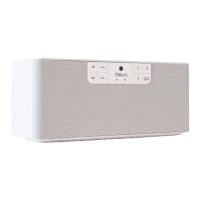
W | H | D 290 x 125 x 120 mm
Weight 1,8 kg
Care and transport
Care and cleaning of the appliance
Before you clean it, disconnect it from the power supply. Use only clean and dry cloths to clean your appliance.
If the appliance is very dirty, you can clean the unit with a damp cloth and mild cleaning fluid. Never use liquids
such as gasoline, alcohol, petroleum or other solvents.
Transport The unit
Please keep the packaging and the instructions for use so that you can pack the unit properly for transporting
or shipping. The original packaging is designed so that you can safely transport or ship the device. Please keep
this manual for future reference.


 To Next Page
 Loading...