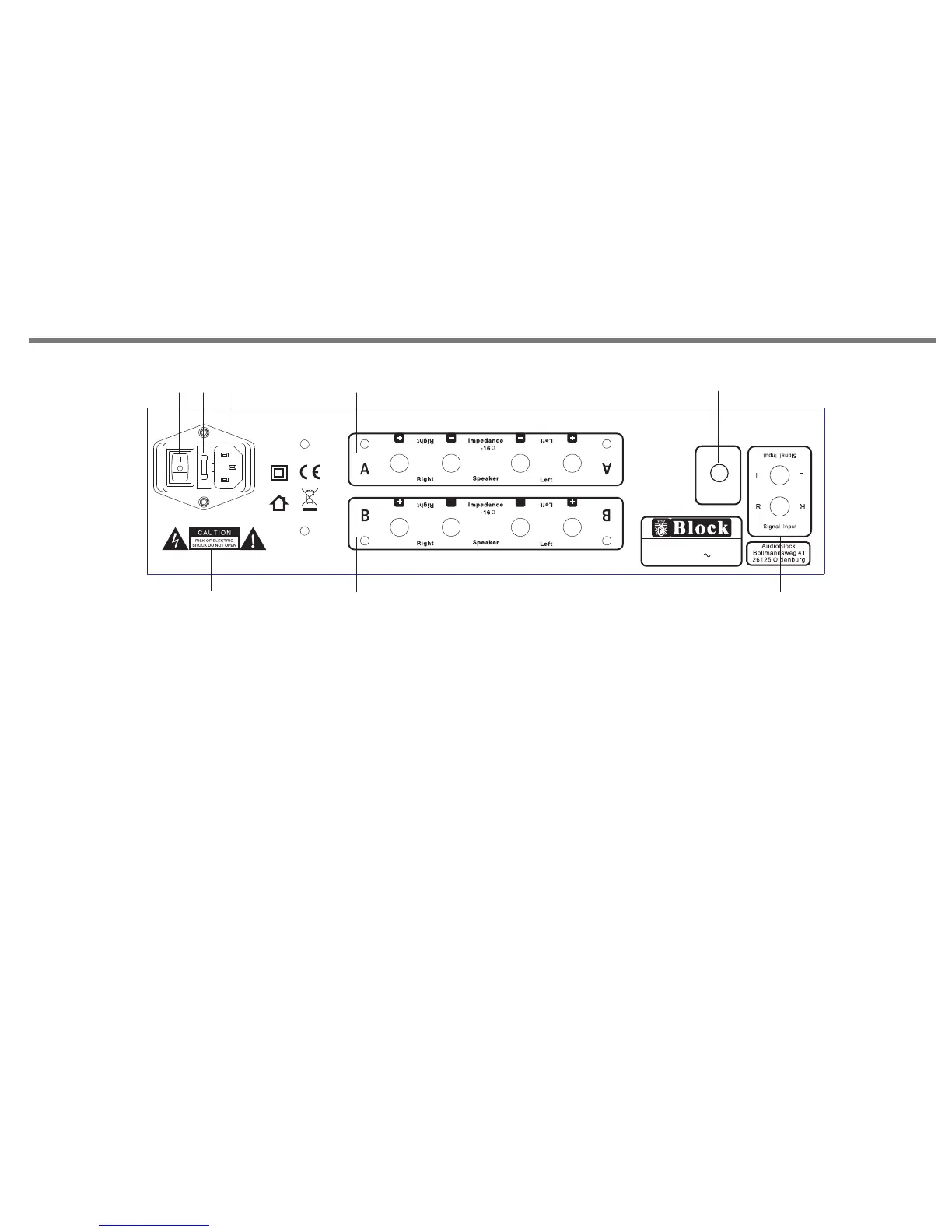
REAR PANEL CONNECTIONS
P16
1. POWER SWITCH: Switches mains power on/off to internal
components, however please note that mains power is still
applied to this unit even though this switch may be off.
2. FUSE HOLDER: fitted with 20mm T 4A fuse inside.
" IMPORTANT:"
Remove the mains plug from the mains socket before attempting
to check/ replace the fuse located on this fuse holder.
3. MAINS CABLE INLET JACK: Please ensure that the input cable strain relief
bush is intact and has not been damaged.
4. WARNING ICONS: Please be aware that this unit contains high voltages,
and should not be opened, please refer to page 2 of this manual.
5. LOUDSPEAKER A OUTPUTS . Please ensure that +/- connections are
made properly between rear of the amplifier and loudspeakers. Ensure
wires are not frayed or touching.
6. LOUDSPEAKER B OUTPUTS . Please ensure that +/- connections are
made properly between rear of the amplifier and loudspeakers. Ensure
wires are not frayed or touching.
7. ANALOG SIGNAL INPUT JACK.
8. BALANCE CONTROL KNOB.
FUSE : T4A 250 V
8
8
1 2
3
4
5
6
7
Mode l: A 10 0
Hi-F i Ste re o Pow er Ampl ifi er
Powe r Rat ing: AC 230V 5 0Hz
Max Po wer C onsumpti on: 5 00W
Bala nce
R
L
Bala nce
R
L
8


 To Next Page