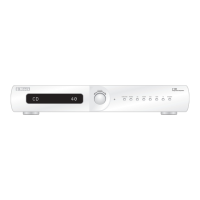
FRONT PANEL CONTROLS
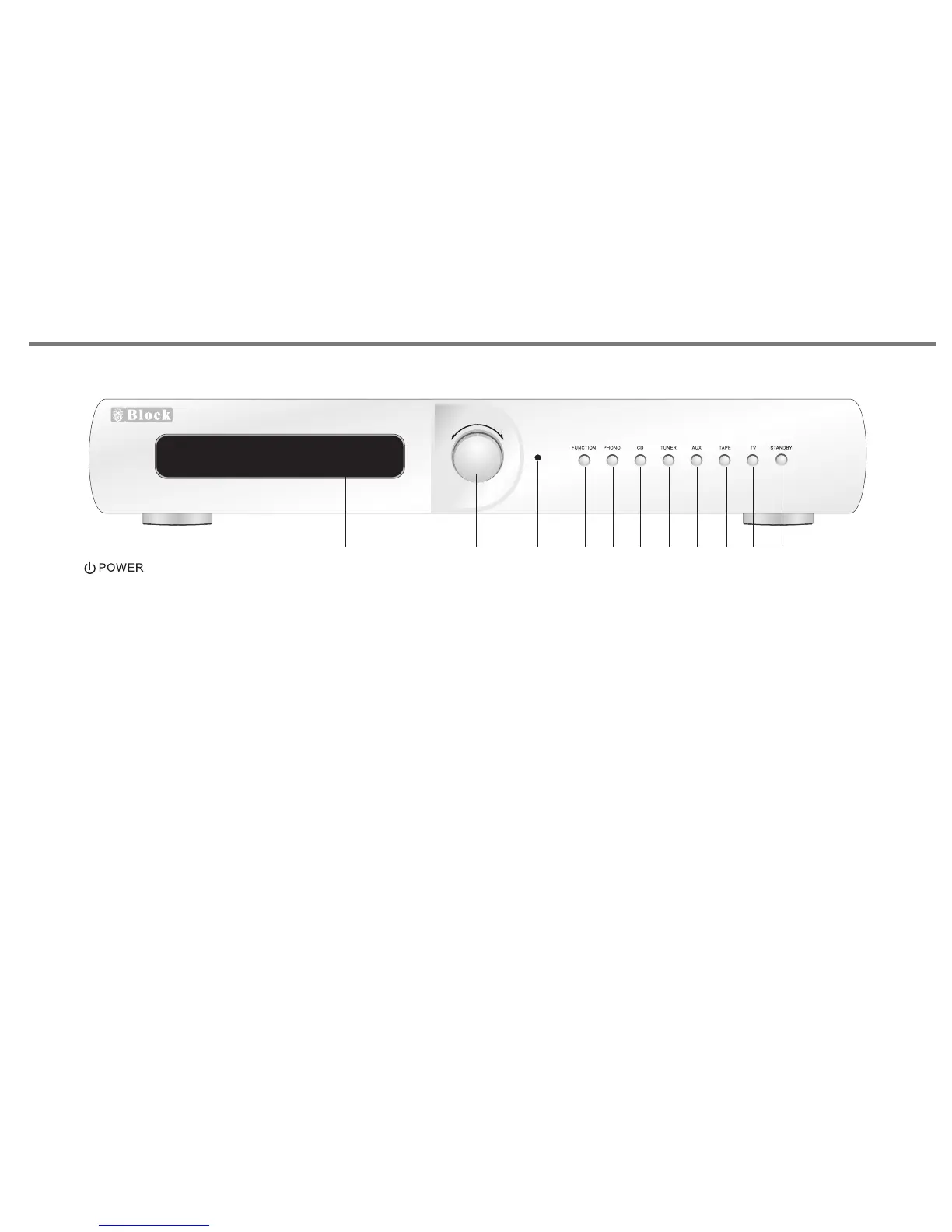
1. VFD DISPLAY. Will give the indication of level control and
input source selected.
2. ROTARY CONTROL KNOB. This allows adjustment of
parameters such as volume, bass, treble, balance.
3. LED INDICATOR, it will be turn on in red colour when the unit
is in standby mode.
4. FUNCTION BUTTON. Allows access to menu features such
as bass, treble, balance, reset.
5. PHONO INPUT SELECTOR SWITCH.
6. CD INPUT SELECTOR SWITCH.
7. TUNER INPUT SELECTOR SWITCH.
8. AUX INPUT SELECTOR SWITCH.
9. TAPE INPUT SELECTOR SWITCH.
10. TV INPUT SELECTOR SWITCH.
11. STANDBY BUTTON. Press this button to turn to standby
mode, press again return to normal mode.
P16
CON TRO L
CD 4 0
V 100
Integrated Ampl if ie r
POWER SWITCH ON REAR PANEL,
TURN IT ON BEFORE USE THE UNIT.
1 2
3
4
5 6
7
8 9 10
11


 To Next Page