19
Dryer / User manual
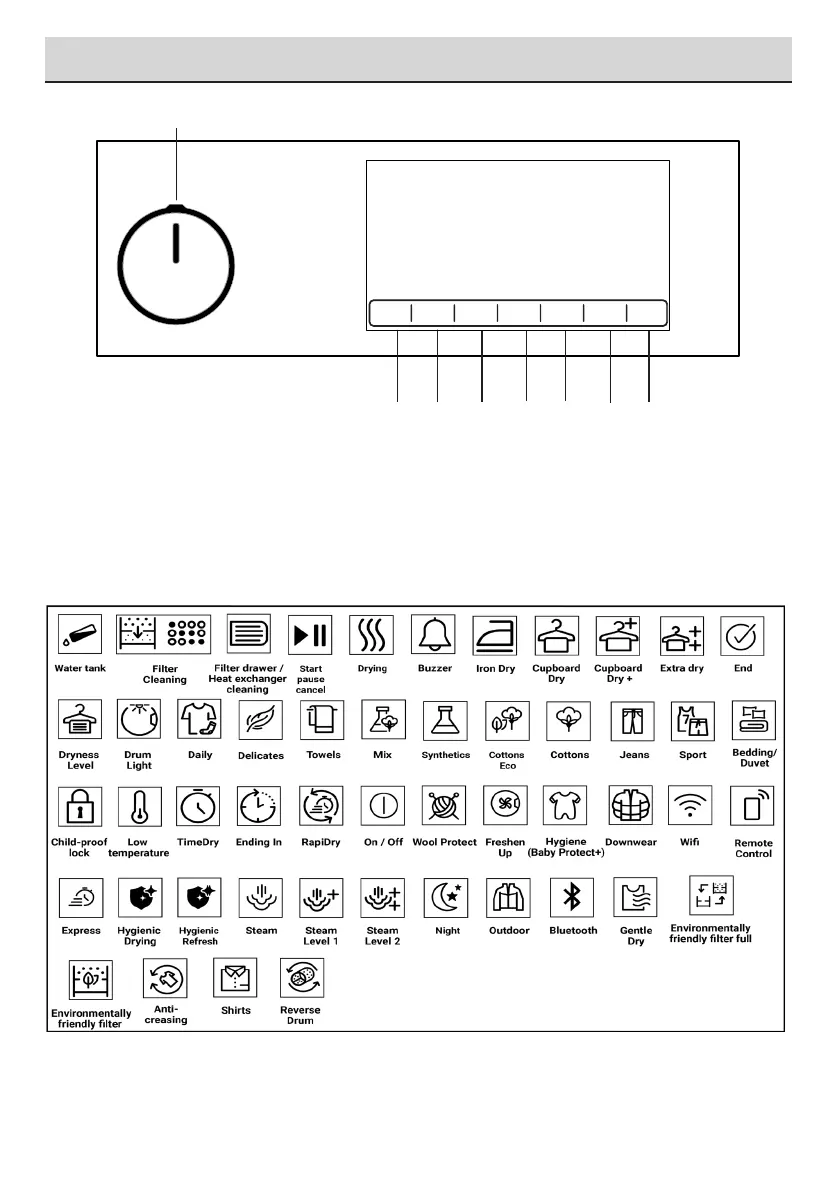
6.1 Control Panel
6 Running the product
3
4
5
2
6
7
8
1. On/Off/Program Selection button.
2. Start / Stand-by button.
3. End time selection button.
4. Time program selection button.
5. Low temperature selection button.
6. Audible warning and child lock selection
button.
7. Wrinkle prevention selection button/ Drum
light button.
8. Dryness level selection button.
6.2 Symbols



 To Next Page