EasyManua.ls Logo

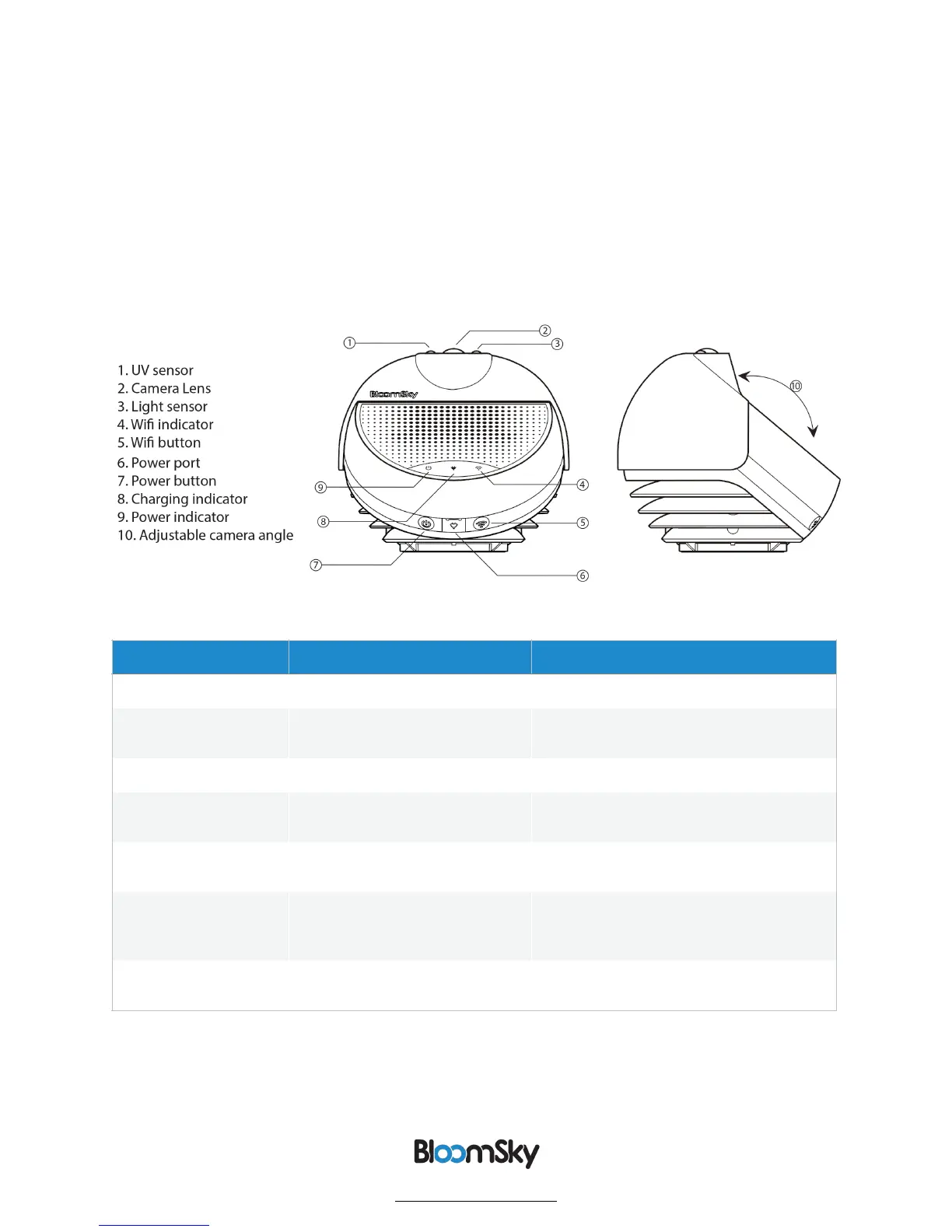
BloomSky SKY1 - In the Box; Your Outdoor Station; Indicator Lights

Default Icon
12 pages
Print Icon
To Next Page IconTo Next Page
To Previous Page IconTo Previous Page
Loading...
Indicator Light
Status
Meaning
Power Indicator
Flashes green 1 time
Device is powering up.
Flashes green 3 times, every 3
seconds
Low battery.
Charger Indicator
Solid Red
Device is charging
Wi-Fi Indicator
Flashing Red (with a solid green
power indicator)
Waiting for a network to be configured.
Wi-fi setting mode.
Flashing Orange (with a solid
green power indicator)
Station is connecting to Wi-Fi.
Flashing Green
A network has been successfully
configured and the device is in “Real-Time
Mode.” Used for completing setup.
Solid Green for 10 seconds
Device is in normal working mode and
busy transmitting a picture.
BloomSky TM
www.bloomsky.com
of 4 12

Other manuals for BloomSky SKY1