13
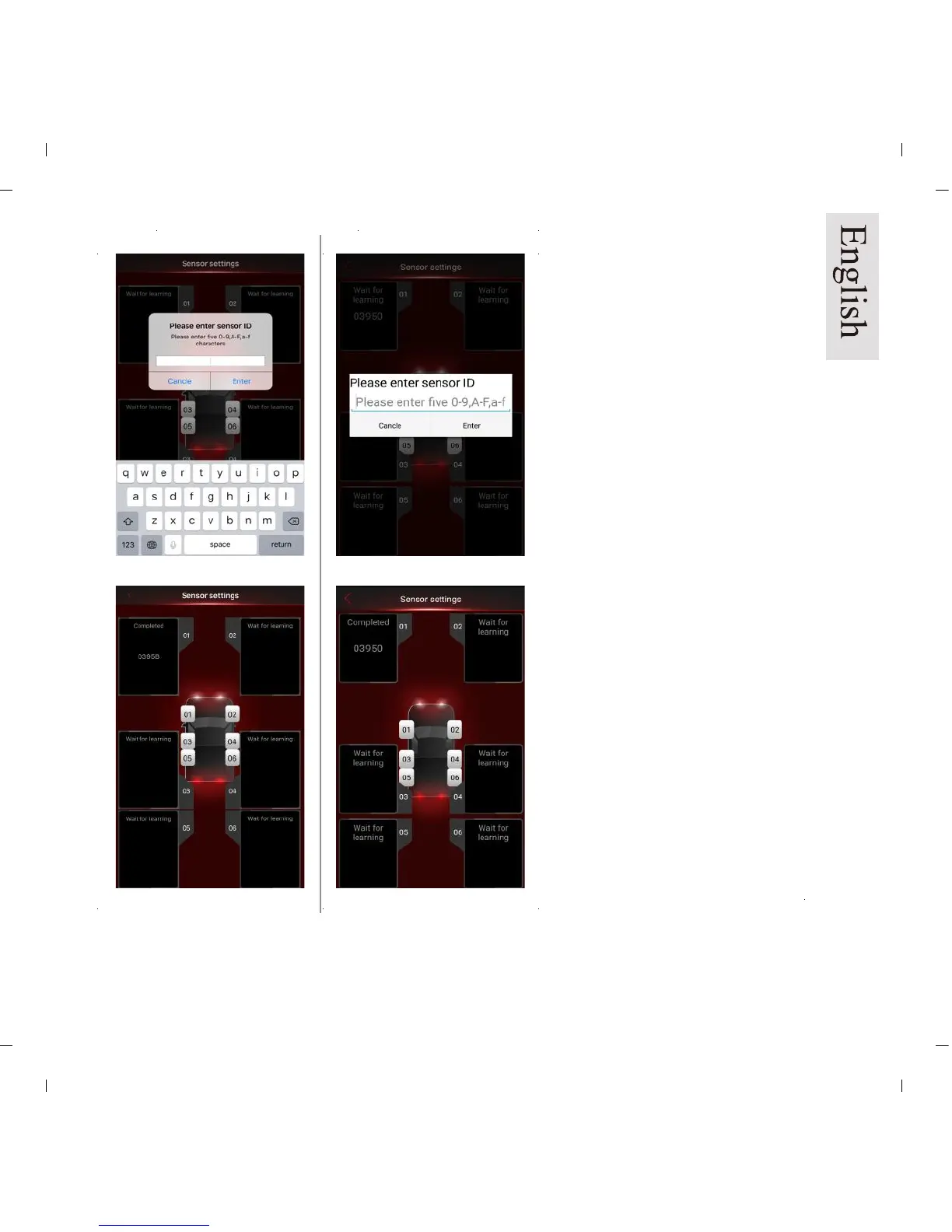
3. Manual learning is now
complete. The ID should show in
the data field for the tire previously
chosen. Repeat process for the
balance of tires.
2. Choose tire “1” and key in the
five character sensor ID (Please
refer to last page: ID sticker),
which might include “0-9”, “A-F”,
or ”a-f”, when a blank space pops
up. (Pic 13a/b) The sensor ID is
also etched on the top of each
sensor.
4. Press and hold on the data field
to clear the existing ID’s.
iOS version Android version
Pic 13a
Pic 14a
Pic 13b
Pic 14b


 To Next Page