14
iOS version Android version
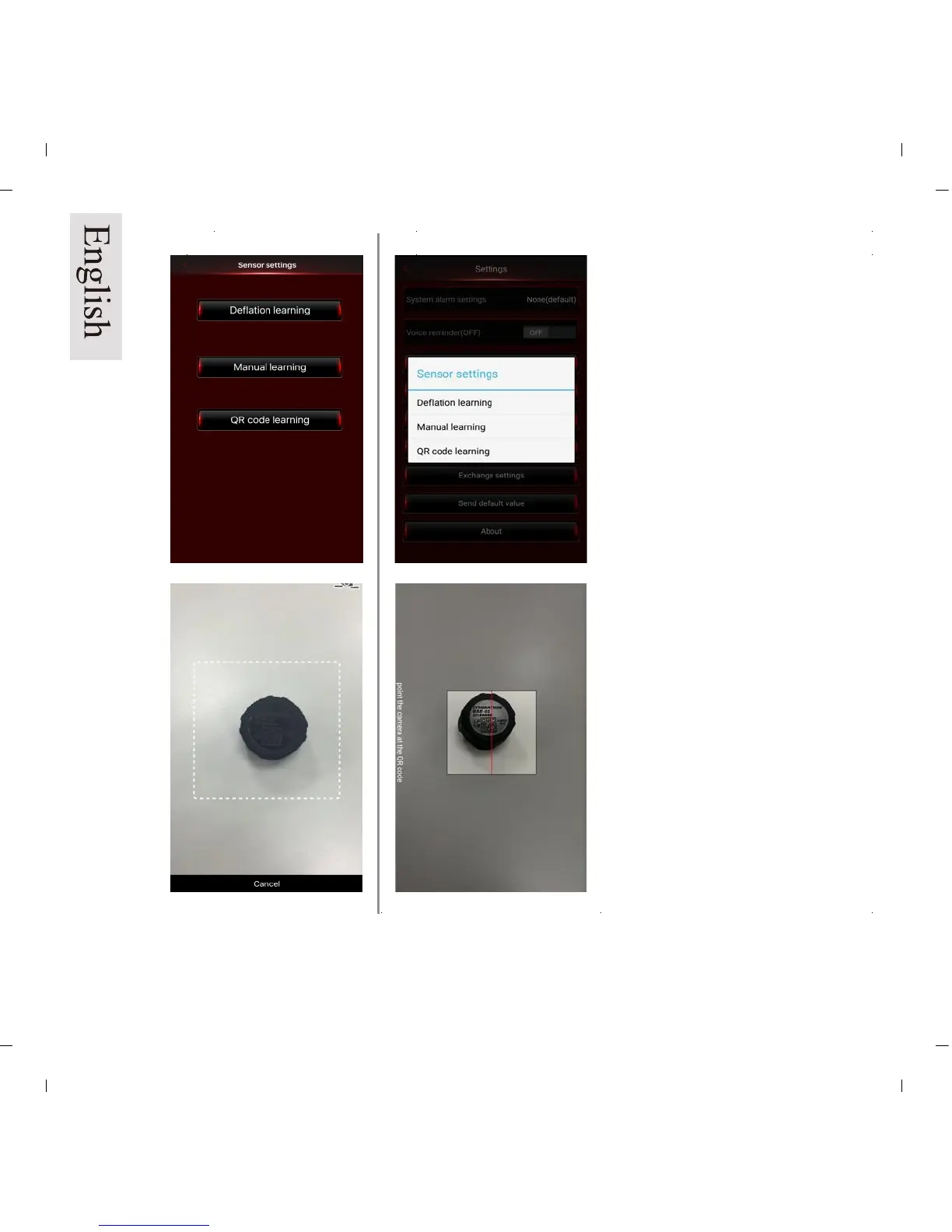
Pic 15a
Pic 16a
Pic 15b
Pic 16b
QR Code set up:
Select QR Code Settings. (Pic 15a/b)
Choose tire 1 (LF)
The APP will scan QR code,
showing new ID number on the
data field. (Pic 16a/b) repeat for
balance of sensors.
NOTE: Make sure camera is
properly focused on the top of
the sensor.


 To Next Page