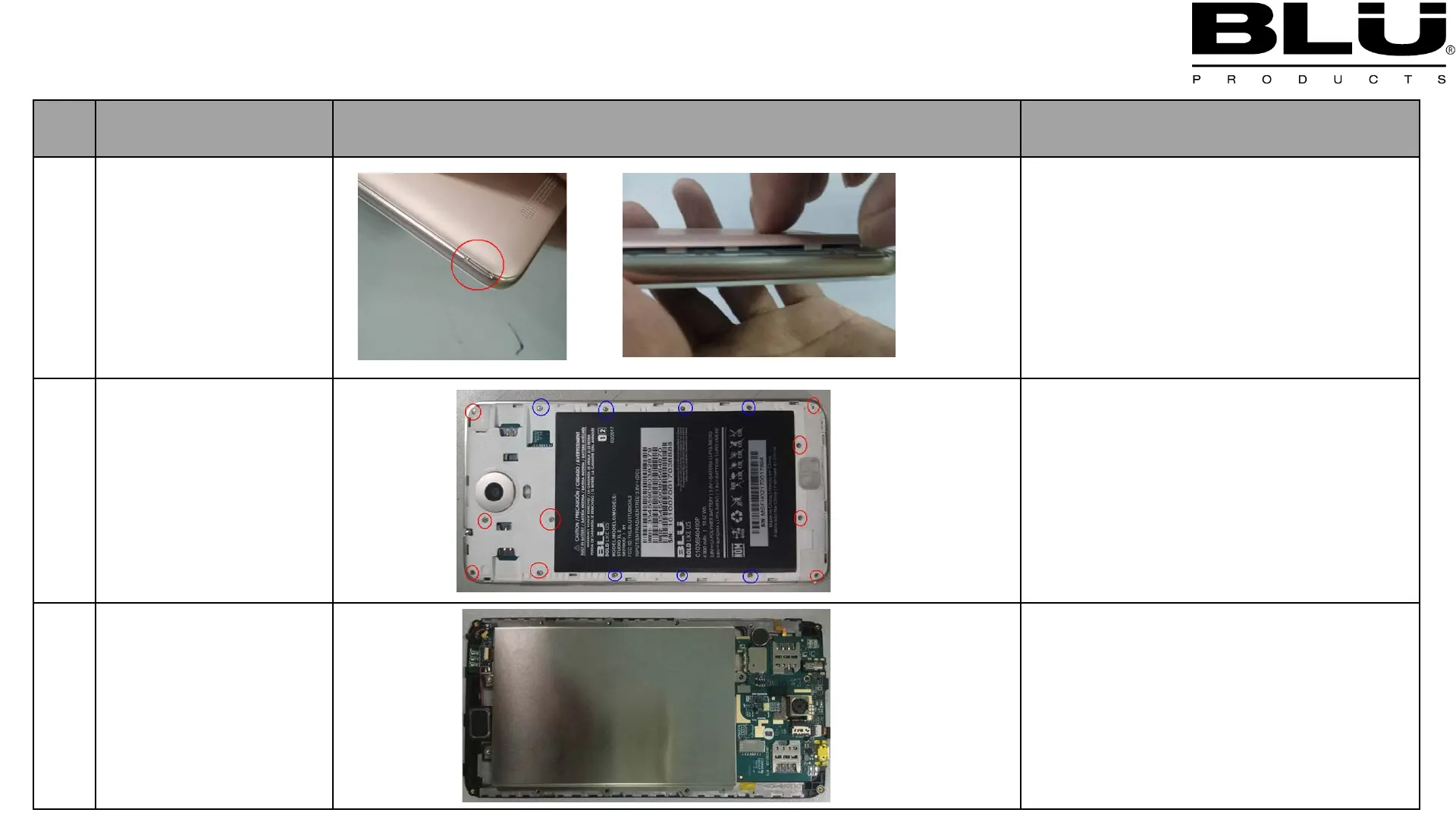
Chart 5 Disassembling procedure and Assembling procedure
name
and note
1
Remove C cover
1.Using your fingernail insert into gap
between phone and C cover ,and
sliding along the around of phone to
release hook, then C-cover will be
removed.
2
Remove battery and
Remove 16pcs
screws
1.Remove 16pcs screws with screw
drivers, there are two kinds of screws
that have been marked with red and
blue circle separately.
3
Remove B cover
1.Using your fingernail insert into gap
between A cover and B cover ,and
sliding along the around of A cover to
release hook, then B-cover will be
removed.
5.1 Disassembling procedure



 To Next Page