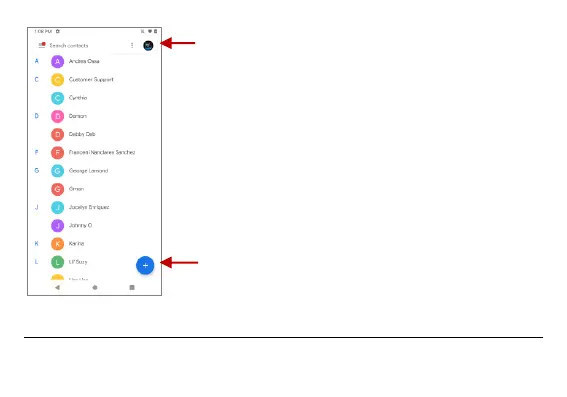
Note: Saving your contacts to your
Google account facilitates both storage
and synchronization with multiple
entries across different handsets and
tablets. When synchronizing your
Gmail with a new phone, all your stored
Google contacts are automatically
synced with the new phone



 To Next Page