14
CONTROLS
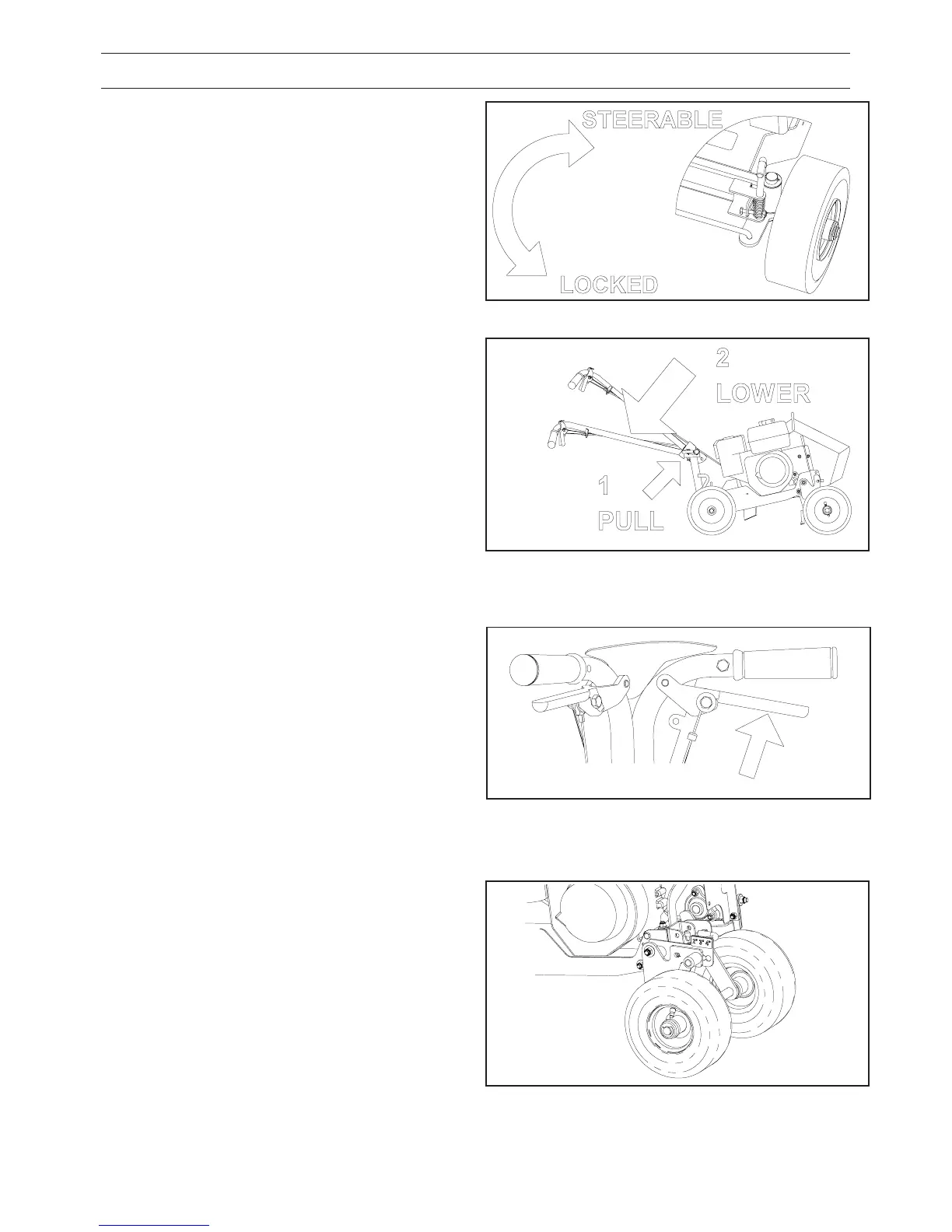
Steering/Locking Handle:
This setting is chosen at the rear axle. See Figure 1.
Lift and rotate the lever clockwise to steer unit
and counter clockwise to lock steering.
Handle Lock: See Figure 2.
FIGURE 1
FIGURE 2
Throttle Lever: Pull right pistol to apply full throttle.
FIGURE 3
Depth Control Setting Plate: Choose a depth
position setting, and pin axle lock in desired posi-
tion. See Figure 4.
FIGURE 4
Pull and hold lever, raise or lower the handle to de-
sired position, then release lever. The lever can be
locked back to allow a “floating” handle position if
desired.
The engine has a contained centrifugal clutch, so
increasing engine RPM above 2000 will engage the
drive. Releasing the throttle lever brings engine back
to idle speed and disengages drive.
Place the unit into transport position. Pull the clevis
pin out and slide the height plate until the desired
depth lines up with the 2”, 3” or 4” deep decal. Re-
place the pin, the 1/2” pin should line up with the
desired setting. Three depth positions are available,
2”, 3”, 4” deep.



 To Next Page