87
3000 Series Product
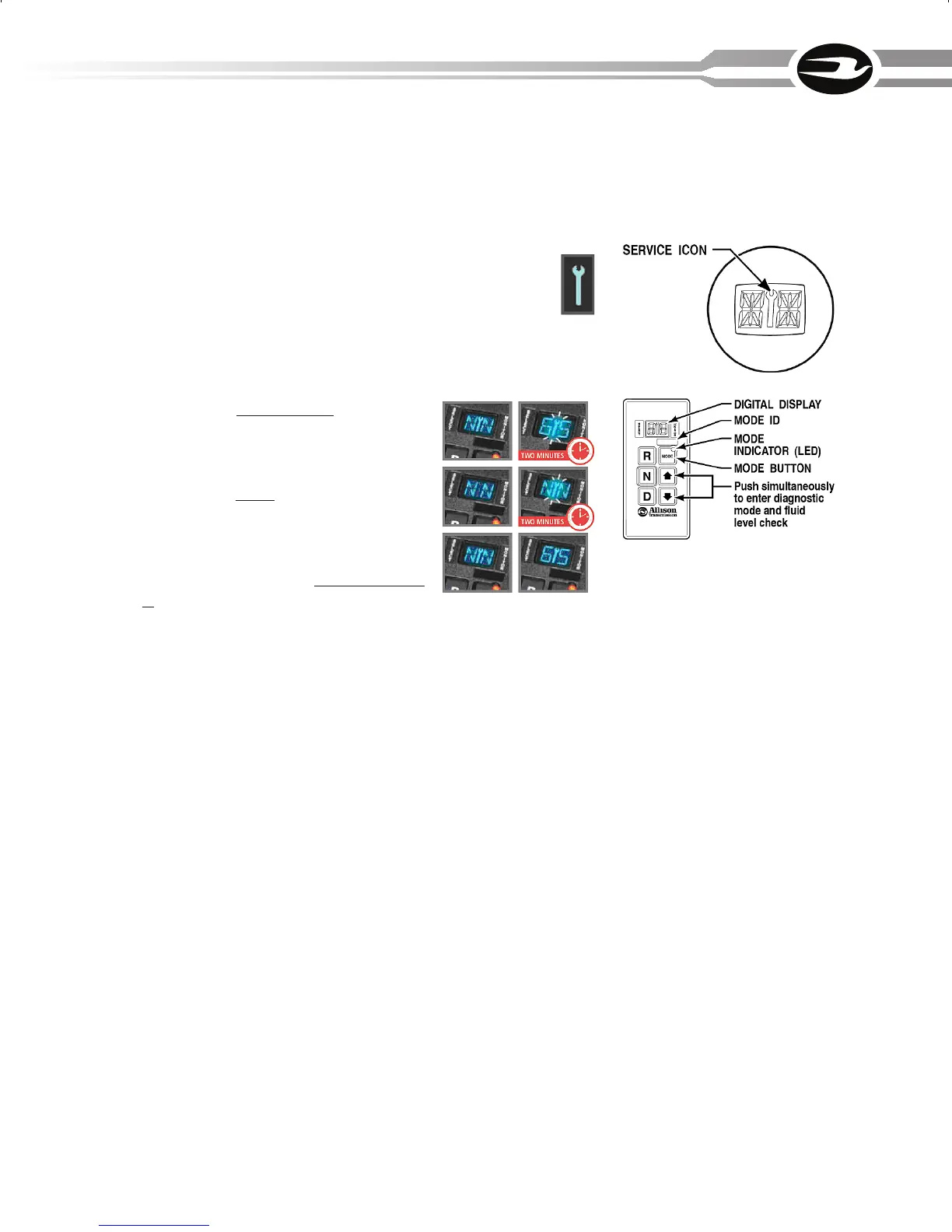
Electronic shift selectors used with 3000 series transmissions have an integrated
service icon in the shape of an open-end wrench located between the SELECT and
MONITOR displays, which illuminates or flashes when a specified service threshold is
reached for one of the three prognostic parameters.
When service is due for Allison 3000/4000 Series transmissions, a wrench
icon on the shift selector’s digital display alerts the operator. You can check
the status of all three prognostics (oil, filter, clutch) simply by advancing
through the shift selector’s display using the diagnostic button or the up/
down arrow buttons.
When the fluid is due for a change:
The wrench icon stays illuminated for two minutes
after the Drive range is selected.
When the filter(s) is due for a change:
The wrench icon flashes on and off for two minutes
after the Drive range is selected.
When clutch maintenance is due:
The wrench icon comes on and stays on in all rang-
es.
Hydraulic Retarder (If Equipped)
• Thehydraulicretardercontrolleverismountedontheverticalpanel,leftof
the driver. It has five positions (one “off” and four retard positions). Each high-
er number increases the amount of retardation to slow the vehicle.
• Remembertheretarderisavehicleslowingdevice,notastoppingdevice.A
full stop must be accomplished with the service brakes.
• Alwaysreleasetheacceleratorcompletelybeforeapplyingtheretarder.
• Donotusetheretarderwhenroadsurfacesareslippery.
• Consulttheretardermanufacturer’sOwner’sorOperator’sManualforaddi-
tional information.



 To Next Page