Operation
of Controls ......
The
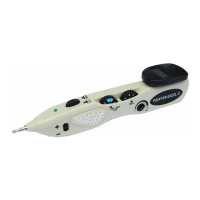
device consists
of
the following controls
:
O
One sensitivity control knob
on
the
right
hand side of
the
unit
to
control
the
sensitivitv of the
device
during the location of
the
trigger
poirrt.
The levcl oI sensitivity
(h1'
touching
the
stimulation
probe
with the
ground pole)
can
be read from the Digital Chamber
Display. Thc
higher the
value,
the higher
the
sensitivity. During location of trigger
or
acupuncture points.
the
nuntber vlrics anrl rcach ntaximurn
r"hen
the exact
poittt
is located.
I
An intensity
and
ON/OFF control knob on the lefl hand side of
the
unit
to
control
thc intensirv
of
the output
throush
the metal
probe
electrode,
which is located al the
front
tip of the
unit.
O
A
push
llpe
button on the
front
top
of
the unit. Press
this hutton
t()
activatc
the stinrulation r)rrrtle
A continuuus elecrric
pulsc
of 1 to
l6
Hz
(adjustable)
is
emitted through
the
metal probe
.
I
A
frequency
ad.justment dial which
is
located under the sensitivity control knob. to
adlust the
lrequencv of stinrulation frorn I Hz to 16
Hz.
The
frequencl' selc'cted can
he read lrom
the
display chamber
rvhen pressinu
dor.r,n the
push
type
buttun on thc front top
of thc u11it.
O
The
Digital
Display chamber is located
on thc
rear top side
of the
unit.
It
leatures
a digital
display to show thc frequencv
(from
I
to
l6
Hz)
of stinrulation
during operation.
and
nunrerical
displal
(rnaxinrunr
around
-500
when sensitivitl'ad.justnrent tt)
hi,shcst rance)
to shou
tlre
sensitivity of detection
during
the
Iocation of
acupuncturc
poinrs.


 To Next Page