EasyManua.ls Logo

Blue point EEBC100A - User Manual

Blue point EEBC100A
48 pages
Print Icon
To Next Page IconTo Next Page
Loading...
0099001760-01
EEBC100A-Z
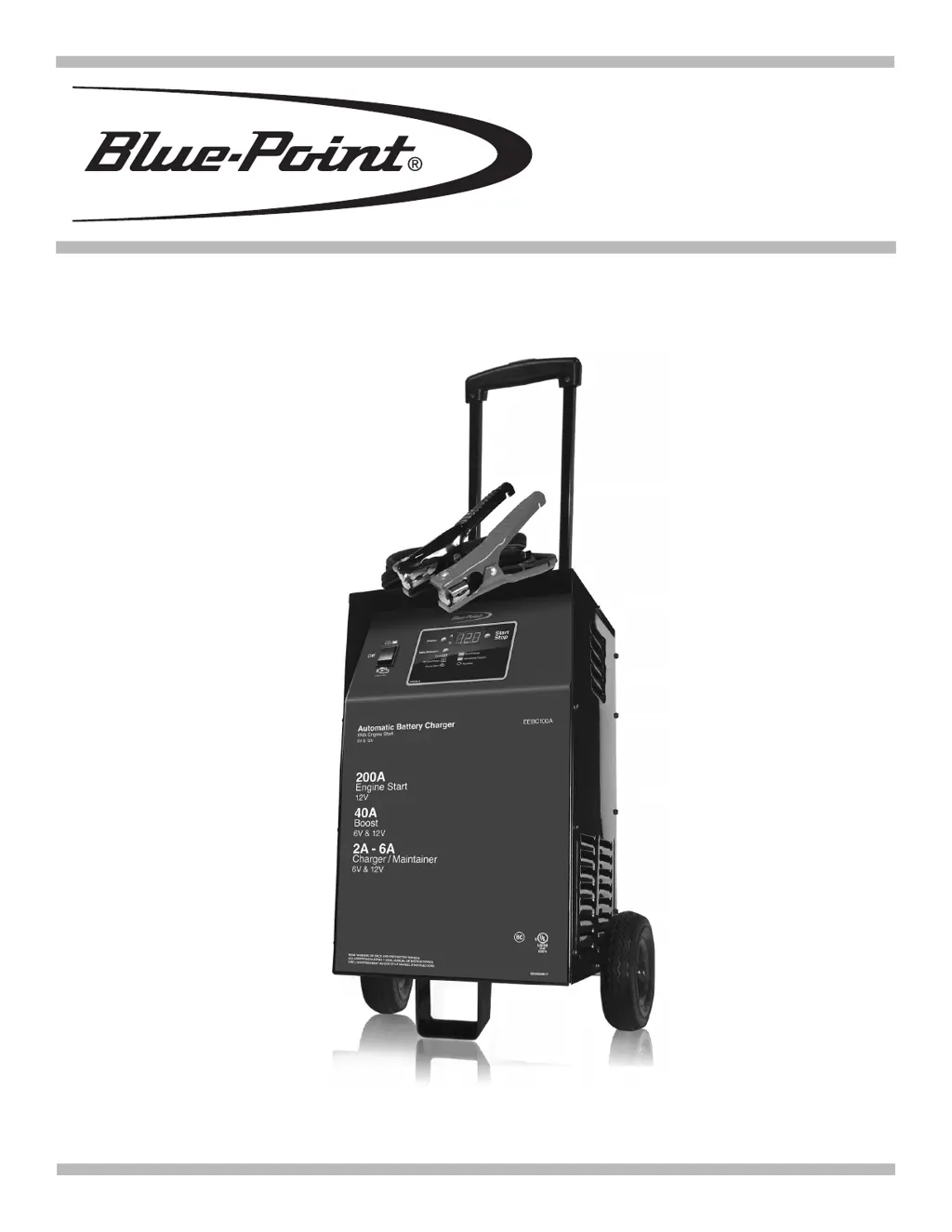
AUTOMATIC BATTERY CHARGER
EEBC100A
Voltage: 6, 12
Amperage: 6<>2, 40, 200

Questions and Answers

  • C
    Clifford GoodAug 17, 2025
    How to fix Blue point EEBC100A Automobile Battery Charger that will not turn on?
    • J
      Jennifer ZunigaAug 17, 2025
      If the charger doesn't turn on when properly connected, check the AC outlet for an open fuse or circuit breaker. Inspect the power and extension cords for loose connections. Also, have the battery checked for defects. The issue might stem from a dead AC outlet, a poor electrical connection, or a defective battery.
  • S
    stanleycooperAug 20, 2025
    What to do if Blue point Automobile Battery Charger can't keep battery fully charged?
    • B
      Barbara SheaAug 20, 2025
      If the charger fails to maintain a full charge in maintain mode, ensure there are no loads on the battery; if present, remove them. If no loads are present, have the battery checked or replaced. The issue may arise if the battery won’t hold a charge, due to a drain or a bad battery.
  • C
    Carrie MitchellAug 22, 2025
    What to do if engine start does not work on Blue point EEBC100A Automobile Battery Charger?
    • M
      Matthew Gonzalez Jr.Aug 22, 2025
      If the engine start function isn't working, select boost or charge modes by pushing the rate selection button, then press the Start button to begin charging. If the Engine Start LED is blinking, allow a 3-minute rest before attempting another crank. Ensure the charger vents are clear, as the thermal protector might have tripped; wait longer for it to reset. For a severely discharged battery, use the Boost rate for several minutes to aid cranking. The issue may arise from drawing more than 200 amps, not waiting 3 minutes between cranks, overheating, or a severely discharged battery.
  • K
    Kellie ClarkAug 25, 2025
    How to correct reversed connections on Blue point EEBC100A?
    • G
      Gail SmithAug 26, 2025
      If the connections to the battery are reversed, unplug the charger and reverse the connections to the battery. This is because the battery is connected backwards.
  • T
    Teresa NealAug 27, 2025
    Why is the Boost/Charge LED flashing on my Blue point EEBC100A Automobile Battery Charger?
    • J
      Jonathan CoxAug 27, 2025
      If the Boost/Charge LED is flashing, it means the charger has stopped in Boost or Charge mode, indicating a bad battery. Disconnect the charger from the AC outlet, remove the clamps, and discontinue charging attempts. Have the battery checked and replaced if necessary. The charger cannot complete the boost or charge because the battery is bad.
  • T
    Timothy WhiteAug 30, 2025
    What to do if Blue point Automobile Battery Charger doesn't reach full charge voltage?
    • R
      rowlandmarkAug 30, 2025
      If the battery doesn't reach the full charge voltage, try again with a higher current setting or have the battery checked or replaced. This issue may be caused by trying to charge a large battery or bank of batteries on too low of a current setting.
  • J
    Jose HallSep 1, 2025
    What happens when Blue point EEBC100A detects a sulfated battery?
    • R
      Rachel ClaySep 1, 2025
      The charger will enter desulfation mode. If desulfation is unsuccessful after 10 hours, the charger will enter abort mode.
  • D
    Donna WashingtonSep 3, 2025
    What to do if Blue point Automobile Battery Charger does not detect a low voltage battery?
    • E
      Edward JohnsonSep 4, 2025
      If the charger doesn't detect a low voltage battery, switch it to the OFF position and connect it to the battery. Then, set the switch to the Boost/Charge/Maintain position and push the rate selection button to turn on the charger. This is because the clamps are only active for the first 5 minutes after the charger is turned on before connecting to the battery; the charger was on for more than 5 minutes before it was connected to the battery.
  • E
    espinozamelissaSep 6, 2025
    What if Blue point EEBC100A shows low voltage after charging?
    • K
      Kimberly ParkerSep 6, 2025
      If the battery voltage remains below 10V (for a 12V battery) or 5V (for a 6V battery) after 2 hours of charging, have the battery checked or replaced, as it could be bad.
  • C
    Carl CollierSep 9, 2025
    What to do if Blue point Automobile Battery Charger detects thermal runaway?
    • T
      Timothy OlsenSep 9, 2025
      If the charger detects that the battery may be getting too hot (thermal runaway), have the battery checked or replaced.

Summary

Safety Notice

Read All Instructions

Guidance on understanding hazard signals and safety messages within the manual.

Important Safety Instructions

Risk of Electric Shock and Fire

Precautions against electrical hazards and fire risks associated with the charger.

Risk of Explosive Gases

Critical safety advice concerning explosive gases generated by batteries during operation.

Preparing to Charge

Risk of Contact with Battery Acid

Safety precautions for handling battery acid, a highly corrosive sulfuric acid.

Charger Location

Risk of Explosion and Contact with Battery Acid

Guidelines for safe placement to prevent explosions and acid contact.

DC Connection Precautions

Battery Installation and Connection

Spark Hazard in Vehicle

Warning about sparks near batteries and the risk of explosion when installed in a vehicle.

Battery Outside Vehicle Procedures

Spark Hazard Outside Vehicle

Safety warning regarding sparks near batteries and potential explosions when outside the vehicle.

Grounding and AC Power Cord

Risk of Electric Shock and Fire

Essential information about grounding and AC power cord safety.

Using an Extension Cord

Guidelines and recommendations for using extension cords with the charger.

Product Features

Charger Assembly Instructions

Battery Charger Controls Overview

On;Off Switch Operation

Description of the main switch for selecting charger modes.

Digital Display Functions

Explanation of the digital display indications for voltage and amperage.

Display Button Functionality

Function of the button used to change the digital display output.

Start;Stop Button Operation

Operation of the button to initiate or halt the charging process.

Rate Selection Button Usage

How to choose between different charging or boosting rates.

LED Indicator Meanings

Meaning of the different LED lights indicating charger status.

Operating Instructions

Boost and Maintain;Charge Modes

Steps for using the Boost and Maintain/Charge functions.

Engine Start Feature Usage

Instructions for jump-starting a vehicle using the engine start function.

Operating States and Tips

Aborted and Desulfation Modes

Handling of aborted charges and the desulfation mode for batteries.

Charge Completion and Maintenance

Indications of a full charge and the maintain mode operation.

General Charging Advice

Tips for efficient charging, battery revival, and vehicle operation.

Calculating Charge Times

Charge Time Chart Method

Using tables to estimate charge times based on battery type and rating.

Charge Time Hydrometer;Electronic Method

Calculating charge time using battery charge percentage and Amp Hour rating.

Maintenance, Care, and Storage

Troubleshooting and Error Codes

Charger Error Codes

List and explanation of error codes displayed by the charger.

Common Troubleshooting Issues

Common problems, their possible causes, and solutions.

Replacement Parts Diagram

Warranty Information

Blue point EEBC100A Specifications

General IconGeneral
Input Voltage120V AC
Output Voltage6V/12V
Charging Current/Rate10A
Battery TypeAGM, Gel
Protection FeaturesReverse Polarity Protection, Short Circuit Protection