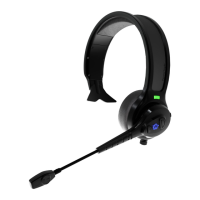
For voice dialing, tap the MFB and wait for your audio device to respond. After your
device responds, speak your command, “Call John Doe”.
To mute/unmute the microphone, double press “Mute” button to mute the mic and
double click “Mute” button again to unmute the MIC.
Another call comes in while you're talking:
Short press MFB to end the current call and answer that in-coming call.
Double press MFB to keep the current call and ignore / reject the in-coming
call.
Hold MFB for 1 second to receive the new call and keep the current call, hold
and press MFB for 1 second to switch between current and incoming call.
(Three way calling must be supported by your mobile phone.)


 To Next Page