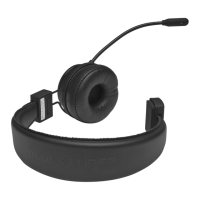
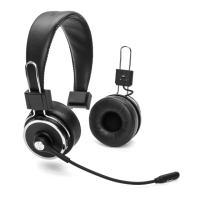
D. What if I do not hear sound coming from the right/detachable speaker?
Disconnect the speaker. Make sure the electrical contacts are free of debris
such as lint, dust and dirt. You may need to clean the contact points gently with
a dry, soft cloth. Do not use water. Re-attach the speaker firmly. Take care not
to disconnect the speaker while adjusting the headband.
If you still hear no sound, please contact Blue Tiger USA at 800-935-1165
for support.
E. How can I clear the pairing list on the headset?
With the headset in the ON state, press the MFB, Volume +, and Volume -
buttons (all 3 buttons) simultaneously for 5 seconds. You will hear a double
tone and the red and blue LED will illuminate for 1 second to acknowledge
the pairing list is cleared. If the headset was connected, it will also enter the
pairing mode.


 To Next Page