12 | P a g e w w w . b l u e t i g e r u s a . c o m | 8 0 0 - 9 3 5 - 1 1 6 5
CHARGING THE HEADSET
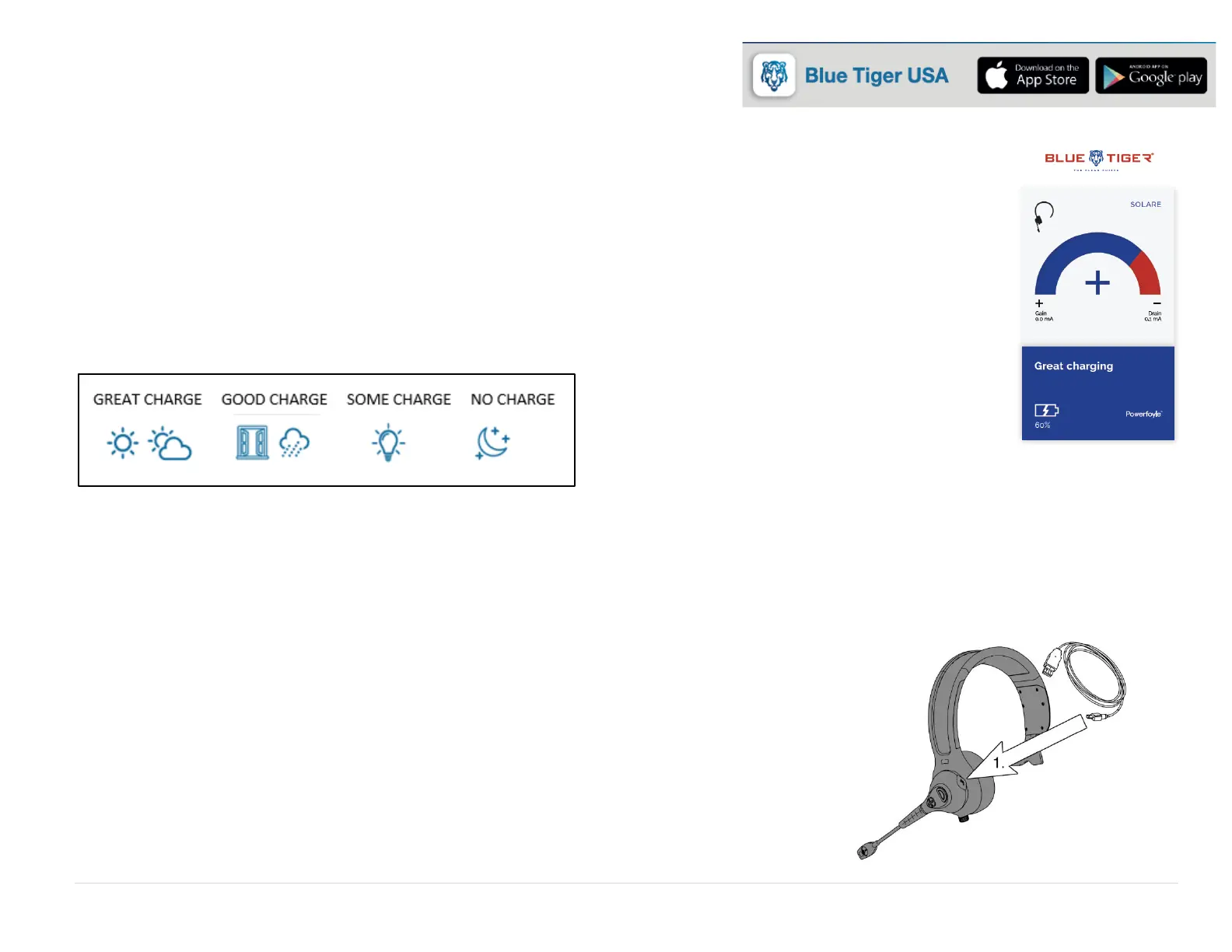
USING SOLAR POWERED ENERGY
1. Download the app: Blue Tiger USA
2. Monitor your light exposure live in the app. The charging screen on the app will let you know if
your headset is receiving great charging or poor charging depending on the light exposure.
3. The gain/charge of the headset will increase as the exposure to sunlight increases.
4. A hook is provided as a way of mounting the headset for optimal light exposure when the headset
is not in use.
More Light. More Power.
USING A MICRO-USB CHARGER
During low light situations, there is a USB port that can be used with an optional USB wall charger and cable.
1. Remove the USB Charging Port Cover and connect Charging Cable to a USB adapter.
2. Insert the Charging Cable into the Headset USB Port.
3. Charge for 3 hours prior to use.
Solid Red LED indicates charging.
Solid Blue LED indicates headset is fully charged.


 To Next Page