EasyManua.ls Logo

Blueant X3 - Page 6

Blueant X3
12 pages
Print Icon
To Next Page IconTo Next Page
To Previous Page IconTo Previous Page
Loading...
Using
the
Buttons
for
Music
and
Calls
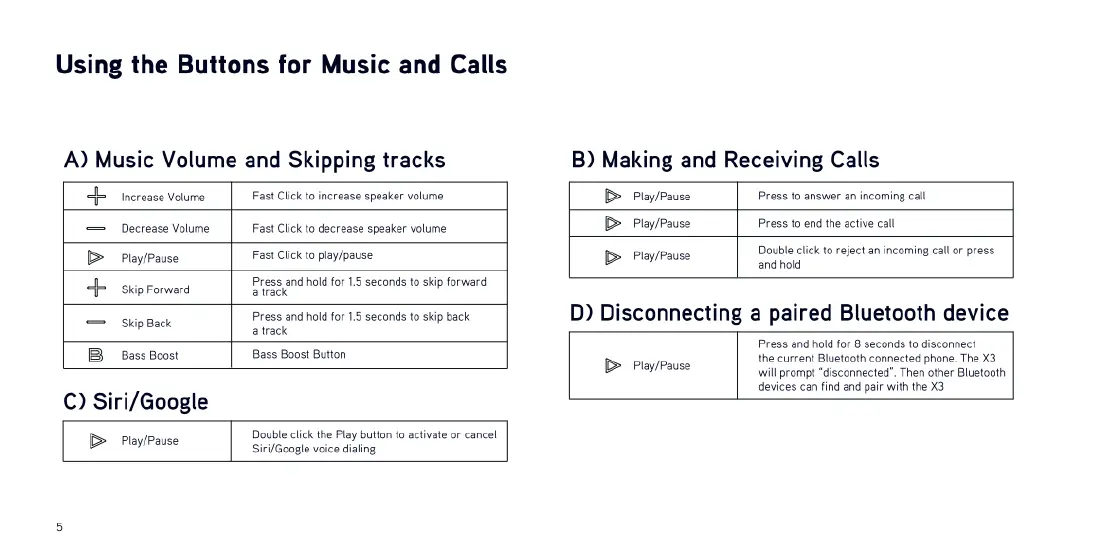
A)
Music
Volume
and
Skipping
tracks
B)
Making
and
Receiving
Calls
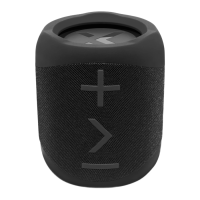
<
increase
volume
Fast
Click
to
increase
speaker
volume
B
Play/Pause
Press
to
answer
an
incoming
call
Decrease
Volume
Fast
Click
to
decrease
speaker
volume
B>
Play/Pause
Press
to
end
the
active
call
B
Play/Pause
Fast
Click
to
play/pause
B>
Play/Pause
Double
click
to
reject an
incoming
callor
press
ondhold
Press
and
ol
for
15
seconds
o
3p
forward
4
siip
Forward
Presss
e
Press
and
hold
for
15
secands
t
sk
back
D)
Disconnecting
a
paired
Bluetooth
device
a
rack
Press
and
ol
for
8
seconds
o
discomect
Bass
Boost
Bess
Boost
Button
B
Playposse
the
current
Bluetooth
connected
phone.
The
X3
)
will
prompt
“disconnected”.
Then
other
Bluetooth
devices
ca
find
and
par
with
the
X3
C)
Siri/Google
Double
click
the
Play
button
fo
activate
or
cancel
B
Pley/Pase
Sii/Google
voice
diing

Related product manuals