7
www.BlueBoxOptics.com V2.4
niji
3 System Set-Up and Operating Instruction
3.1 Unpacking and Inspection
The system comprises the following:
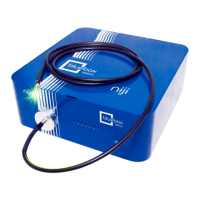
niji Unit
Filter paddles
Power Supply
Power Cable
USB or RS232 Cable
USB stick with Software and user manual
Interlock keys
3mm Hex Key for fastening Liquid light guide
1.5mm Hex Key for filter paddle grub screw
Optional accessories
o Liquid Light guide
o Microscope Collimator
o Collimator adapter rings
o TTL BNC breakout cable
Any inconsistencies or damage should be reported to your supplier immediately.
Carefully remove all packing material and check that the above system components
are present and undamaged. Any screws that have loosened in transit should be re-
secured with the appropriate tool.
3.2 Software
The niji PC application allows the user to control each individual channel, software is
provided with each unit and written exclusively for Bluebox Optics.
3.3 Driver Setup (USB control only)
The drivers for this unit will compile automatically when running Windows 10. Any
previous version of Windows will require a manual driver install.
The required driver is the MCP2221 Windows Driver from microchip. Once installed the
equipment should be connected to a free USB port.
A driver is not required for RS232 control unless using a USB serial dongle. Refer to the
operation manual for the dongle.
3.4 Software Setup
The niji software is a self-contained executable and does not require installation. A
copy should be made and transferred to the control PC to allow the software to
operate.
3.5 Hardware Placement and Ventilation
Place the equipment on a clean, clear and even surface, ensuring reasonable free
space for rear and underside ventilation. Air intake vents are located on the underside


 To Next Page