
 Need help?
Do you have a question about the Blueridge BM12Y19 and is the answer not in the manual?
Explains WARNING/CAUTION symbols and child safety guidelines for appliance use.
Lists critical safety rules for operating the air conditioner to prevent hazards.
Provides essential safety precautions and warnings related to cleaning the unit.
Notes on the presence and handling of fluorinated gases in the unit.
Details the indoor unit's display window indicators and their meanings.
Describes additional features like Auto-Restart, Anti-mildew, Wireless Control, and more.
Specifies the recommended indoor and outdoor temperature ranges for optimal performance.
Instructions on setting vertical and horizontal airflow angles for comfort.
Explains how to operate the unit using the manual control button on the unit.
Step-by-step guide on how to safely clean the indoor unit's casing.
Instructions for cleaning and maintaining the air filters for efficiency and health.
Details optional reminders for air filter cleaning and replacement.
Guidance on preparing the unit for long periods of non-use or seasonal storage.
Steps for inspecting the unit before the cooling or heating season begins.
Important safety advice to follow before attempting any troubleshooting steps.
Lists common problems, their possible causes, and initial solutions.
Solutions for issues like inadequate cooling, blocked vents, and heat sources.
Diagnosing problems with the unit not starting, stopping frequently, or not working.
Troubleshooting poor heating performance and understanding error code indicators.
This document is an Owner's Manual for a BLUERIDGE Split-Type Room Air Conditioner, covering models BM09Y18, BM12Y19, BM18Y19, and BM24Y17. It provides essential information for the safe operation, installation, care, and troubleshooting of the air conditioning unit.
The manual begins with a "Safety Precautions" section, emphasizing the importance of reading these guidelines before operation and installation to prevent serious damage or injury. It uses "WARNING" and "CAUTION" symbols to differentiate between instructions that could lead to death or serious injury, and those that could cause moderate injury or property damage. Key warnings include not inserting fingers or objects into air inlets/outlets, avoiding flammable sprays near the unit, not operating near combustible gases or in wet rooms, and not exposing the body directly to cool air for prolonged periods. It also advises against allowing children to play with the unit and recommends thorough ventilation if the air conditioner is used with other heating devices to prevent oxygen deficiency. For specific functional environments like kitchens or server rooms, the use of specially designed air-conditioning units is recommended.
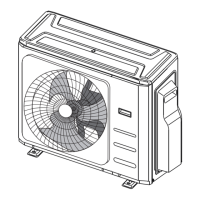
"Cleaning and Maintenance Warnings" advise turning off and disconnecting power before cleaning to avoid electrical shock. Users are warned not to use excessive water or combustible cleaning agents, which could cause fire or deformation. Cautions for long-term non-use include turning off and unplugging the unit during storms and ensuring proper water condensation drainage. Operating the unit with wet hands is prohibited due to electric shock risk, and the device should only be used for its intended purpose. Climbing or placing objects on the outdoor unit is discouraged. The manual also warns against prolonged operation with open doors/windows or in very high humidity. Installation instructions refer to the "INSTALLATION MANUAL" for detailed steps.
A "Note about Fluorinated Gasses" section, relevant for European Union products, highlights that the unit contains fluorinated greenhouse gases. It directs users to the unit's label or the "Owner's Manual - Product Fiche" for specific gas type and amount. It states that installation, service, maintenance, repair, uninstallation, and recycling must be performed by a certified technician. For equipment containing 5 tonnes or more of CO2 equivalent, leak checks are required every 24 months if a leak-detection system is installed, with proper record-keeping strongly recommended.
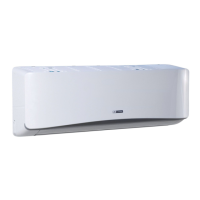
The "Unit Specifications and Features" section details the indoor unit display, which includes indicators for ECO function, temperature (lighting up in different colors for COOL/DRY and HEAT modes), and wireless control. The display also shows temperature, operation features, and error codes, with specific codes for TIMER ON/OFF, FRESH, SWING, TURBO, SILENCE, SOLAR PV ECO features, anti-cold air, defrosting, self-cleaning, and 8°C heating. It notes that different models have varying front panels and display windows, and illustrations are for explanatory purposes.
Under "Other Features," the manual describes "Auto-Restart," where the unit resumes prior settings after a power loss. "Anti-mildew" function operates at low power after turning off from COOL, AUTO (COOL), or DRY modes to dry condensed water. "Wireless Control" allows mobile phone control via a wireless connection, with USB device access, replacement, and maintenance requiring professional staff. "Louver Angle Memory" ensures the louver returns to its former angle upon startup. "Refrigerant Leakage Detection" causes the indoor unit to display "EC" if a leak is detected.
The "Sleep Operation" feature is designed to decrease energy use during sleep. It can only be activated via remote control and is unavailable in FAN or DRY modes. In COOL mode, the temperature increases by 1°C (2°F) after 1 hour, and another 1°C (2°F) after a second hour. In HEAT mode, the temperature decreases by 1°C (2°F) after 1 hour, and another 1°C (2°F) after a second hour. For some units, this feature stops after 8 hours, with the system continuing at the final settings, while for others, the unit turns off after 7 hours.
"Normal Operating Temperature" specifies the temperature ranges within which the air conditioner operates safely. Exceeding these ranges activates safety protection features, disabling the unit. The manual provides tables for Inverter Split Type and Fixed-speed Type units, detailing COOL, HEAT, and DRY mode temperature ranges for both room and outdoor temperatures. It includes specific notes for models with low-temp cooling systems and special tropical models. For outdoor units with auxiliary electric heaters, it recommends keeping the unit plugged in below 0°C (32°F) for smooth performance. A note on room relative humidity advises setting the vertical airflow louver to its maximum angle and HIGH fan mode if humidity exceeds 80% to prevent condensation. To optimize performance, users are advised to keep doors/windows closed, limit energy usage with TIMER ON/OFF, avoid blocking air inlets/outlets, and regularly clean air filters.
"Setting Angle of Air Flow" explains how to adjust the vertical airflow direction using the SWING/DIRECT button on the remote control. Cautions regarding louver angles advise against setting the louver too vertically in COOL or DRY modes to prevent water condensation, and note that too vertical an angle in COOL or HEAT modes can reduce performance. Horizontal airflow adjustment is done manually by gripping the deflector rod, though some units allow remote control adjustment. A note warns against moving the louver by hand, as this can cause it to go out of sync, requiring a unit restart to reset. A caution also warns against putting fingers near the blower and suction side due to the high-speed fan.
"Manual Operation (without remote)" describes how to operate the unit if the remote control is lost. This function is intended for testing and emergency use only. To operate manually, users open the front panel, locate the MANUAL CONTROL button, press it once for FORCED AUTO mode, again for FORCED COOLING mode, and a third time to turn the unit off, then close the front panel. Regular operation should be restored using the remote control after turning the unit off.
The "Care and Maintenance" section provides detailed instructions for cleaning the indoor unit and air filter. Before cleaning, users must turn off and disconnect power. Only a soft, dry cloth should be used for cleaning; for dirtier units, a cloth soaked in warm water is acceptable. Chemical cleaners, benzene, paint thinner, polishing powder, or other solvents are prohibited as they can damage plastic surfaces. Water hotter than 40°C (104°F) should not be used on the front panel to prevent deformation or discoloration.
For air filter cleaning, which should be done every two weeks, the steps are: lift the indoor unit's front panel, use the suspension bar to prop it up, grip the filter's tab, lift and pull it out. If there's a small air freshening filter, unclip it and clean it with a hand-held vacuum. The large air filter should be cleaned with warm, soapy water and a mild detergent, then rinsed with fresh water, shaken off, and dried in a cool, dry place away from direct sunlight. Once dry, re-clip the air freshening filter (if applicable), slide the filter back into the indoor unit, and close the front panel. A caution advises against touching the air freshening (Plasma) filter for at least 10 minutes after turning off the unit.
"Air Filter Reminders (Optional)" describes two reminder functions. After 240 hours of use, the display flashes "CL" to remind users to clean the filter. This reminder reverts to the previous display after 15 seconds. To reset, press the LED button on the remote control 4 times or the MANUAL CONTROL button 3 times. If not reset, "CL" will flash again upon restart. After 2,880 hours, "nF" flashes to remind users to replace the filter, with the same reset procedure.
"Maintenance - Long Periods of Non-Use" advises cleaning all filters, turning on FAN function until the unit dries out completely, turning off the unit, disconnecting power, and removing batteries from the remote control if the unit will not be used for an extended period. "Maintenance - Pre-Season Inspection" recommends checking for damaged wires, cleaning all filters, checking for leaks, and replacing batteries before periods of frequent use. It also emphasizes ensuring nothing blocks air inlets and outlets. Cautions in this section state that outdoor unit maintenance and cleaning, as well as any unit repairs, must be performed by an authorized dealer or licensed service provider.
The "Troubleshooting" section helps users identify and resolve common issues before contacting a repair company. It lists various problems, their possible causes, and solutions.
For "Poor Cooling Performance," possible causes and solutions include:
If "Indicator lamps continue flashing" or an "Error code appears" (e.g., EO, E1, E2..., P1, P2, P3..., F1, F2, F3...), the unit might stop or continue safely. Users should wait about 10 minutes, disconnect/reconnect power, and restart. If the problem persists, they should contact a customer service center.
For "Poor Heating Performance," possible causes and solutions include:
The manual concludes by reiterating that if problems persist after performing these checks, the unit should be turned off immediately and an authorized service center contacted with a detailed description of the malfunction and the model number.
The document also includes a final page stating that design and specifications are subject to change for product improvement, advising users to consult with sales agencies or manufacturers for details. Updates to the manual will be uploaded to the service website.
 General
| Brand | Blueridge |
|---|---|
| Model | BM12Y19 |
| Category | Air Conditioner |
| Language | English |


 To Next Page