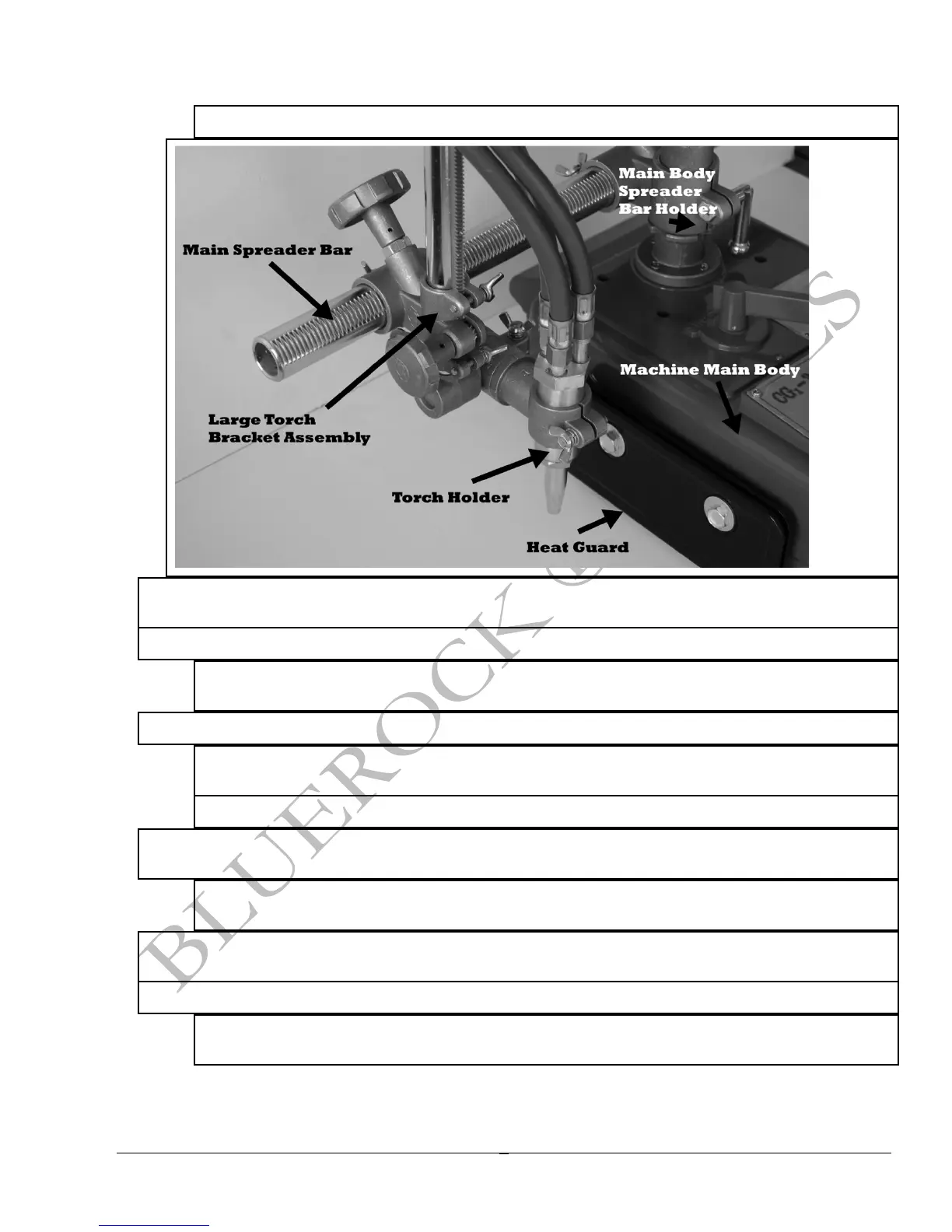
o The side knob will adjust the torch holder up or down.
Ø There are 5 major components located on the machine control panel (see figure below -the white
words indicate the control panel components).
Ø The power cord connection point is where the black power cord plugs in.
o NOTE: Make sure to line up the half round notch in plug with the half round piece in the
plug input.
Ø The machine has a forward/reverse switch located on the main control panel.
o This directional toggle switch has arrows pointing in the direction the machine will
travel.
o NOTE: There is also a neutral position for this switch in between the positions.
Ø When the directional toggle has been activated, the start/stop lever will manually engage the
gearing to start machine movement.
o This lever should be in the “STOP” position if not moving. Turn the “START” position to
engage the movement.
Ø The variable speed switch will increase of decrease the machine speed. 0 symbolizing no
movement and 10 symbolizing fast movement.
Ø The electrical fuse contains a fuse controlling the control board.
o CAUTION: Do not remove the fuse unless the machine is disconnected from power
source.



 To Next Page