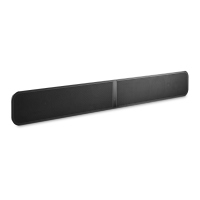
1. STATUS INDICATOR
Below is a table of the LED blink codes and their corresponding descriptions.
LED BLINK CODE DESCRIPTION
Solid green Hotspot Mode
White pulse Software update available
Alternate flashing red and green Upgrading
Flashing red Factory Reset in process
Solid white Indexing
Short blue flash, then red Powering up, rebooting the unit
Flashing green Connecting to Network
Solid red Upgrade Mode
Flashing blue Mute Mode
Solid blue Connected to Network – ready to use with BluOS App
Solid purple Hotspot Mode timed out
2. PLAY/PAUSE: This button has multiple functions – a visual indicator of network connectivity and a
PLAY/PAUSE button. For a full listing of LED Blink Codes, please see #1 – Blink Codes. For an ungrouped
Player, press the button to Play and Pause the stream. If listening to an Internet radio stream, the Pause
function will work for 30 seconds. At this point, the buffer is full and the stream will Stop. When a Player is
grouped, pressing the PLAY/PAUSE button will Mute that Player while other Players continue the stream. The
Player’s LED will flash blue when muted. This button is also used for Factory Reset functions. See steps for
Factory Reset later in this manual
3. +/- VOLUME: Toggle the • buttons to vary volume level. The SOUNDBAR+ is equipped with an internal
accelerometer, so that no matter which direction the Player is mounted, the volume buttons will always function
the same way: pressing the upper button will increase volume; pressing the lower button will decrease volume
4. KICKSTAND FEET (REMOVABLE) : When placing the PULSE SOUNDBAR+ on its own, attach the supplied
Kickstand Feet for support.
5. HDMI eARC: Using the HDMI cable provided, connect one end to the eARC input of the PULSE SOUNDBAR+
and the other end to an ARC-enabled HDMI output on your television. You may be required to enable ARC in
your TV settings. Consult you TV user manual for more information. The HDMI source will appear as HDMI
ARC in the BluOS App.
6. SUBW OUT : The SUBW OUT connection can be used with a subwoofer cable (not provided). This is an
optional connection since the PULSE SOUNDBAR+ can be connected to a Bluesound PULSE SUB+ using a
built-in wireless connection. For wired subwoofers, use the SUBW OUT port. Connect one end of a subwoofer
cable to the SUBW OUT on the PULSE SOUNDBAR+ and the other end to the corresponding input on the
subwoofer. The SUBW OUT crossover is set at 80Hz
7. ANALOG AUDIO IN : Using a 3.5mm Stereo Mini Plug to RCA cable (not provided) connect one end to the
Audio In of the PULSE SOUNDBAR+ and the other end to the corresponding RCA output of a television or other
audio source.
The source will show as an Analog Input in the BluOS App
8. OPTICAL IN : Using the Digital Optical Audio Cable provided, connect one end to the Optical In of the
PULSE SOUNDBAR+ and the other end to the corresponding digital optical output of a television. The source
will show as an Optical Input in the BluOS App.
9. USB (TYPE B) : Use the SERVICE port in conjunction with USB (Type B Mini) to initially load firmware on the
Player. This is not for consumer use. Only Authorized Bluesound Service personnel can access this USB port
and SERVICE control button.
10. USB (TYPE A) : Connect a USB mass storage device to the USB input. Typical USB mass storage devices
compatible with the PULSE SOUNDBAR+ include portable flash memory devices and external hard drives
(FAT32 and NTFS formatted).
11. LAN PORT : The LAN PORT connection can be used with the Ethernet cable provided. This is an optional
connection since the PULSE SOUNDBAR+ can be connected to the network through a Wi-Fi connection to your
router. To setup the PULSE SOUNDBAR+ using the LAN Port a Wired Ethernet connection is required. Using
the Ethernet cable provided, connect one end of the Ethernet cable to the LAN port of your wired Ethernet
broadband router
and the other end to the PULSE SOUNDBAR+’s LAN port.
12. SERVICE : Use the SERVICE port in conjunction with USB (Type B Mini) to initially load firmware on the
Player. This is not for consumer use. Only Authorized Bluesound Service personnel can access this USB port
and SERVICE control button.
13. AC MAINS INPUT : The PULSE SOUNDBAR+ comes supplied with two separate AC power cords. Select the
AC power cord appropriate for your region. Before connecting the plug to the wall outlet, connect firmly the



 To Next Page
 Loading...