LED Indications
LED Colour INDICATES NOTES
Solid Blue RT100 in Transmit (Tx)
Mode
Solid Yellow RT100 in Receive (Rx)
Mode
Solid White USB Audio input Available in Tx Mode only
Solid Magenta Analog Audio input Available in Tx Mode only
Flashing
Green (fast)
RT100 in Pairing Mode Three Red Flashes
indicates failed pairing
Solid Green RT100 paired with another
module
Flashing
Green (slow)
RT100 disconnected from
paired device
Status/Pairing Button:
Pressing the Status/Pairing Button is a quick way to check the
current status of the RT100. The LED will run through a series of
colors, rst indicating mode, then input, and nally pairing status.
For example, if you press the Status/Pairing button and the LED
shows Solid Blue, then Solid Magenta, then Solid Green, the
RT100 is functioning as a transmitter, using the analog audio
input, and is successfully paired with another module.
4
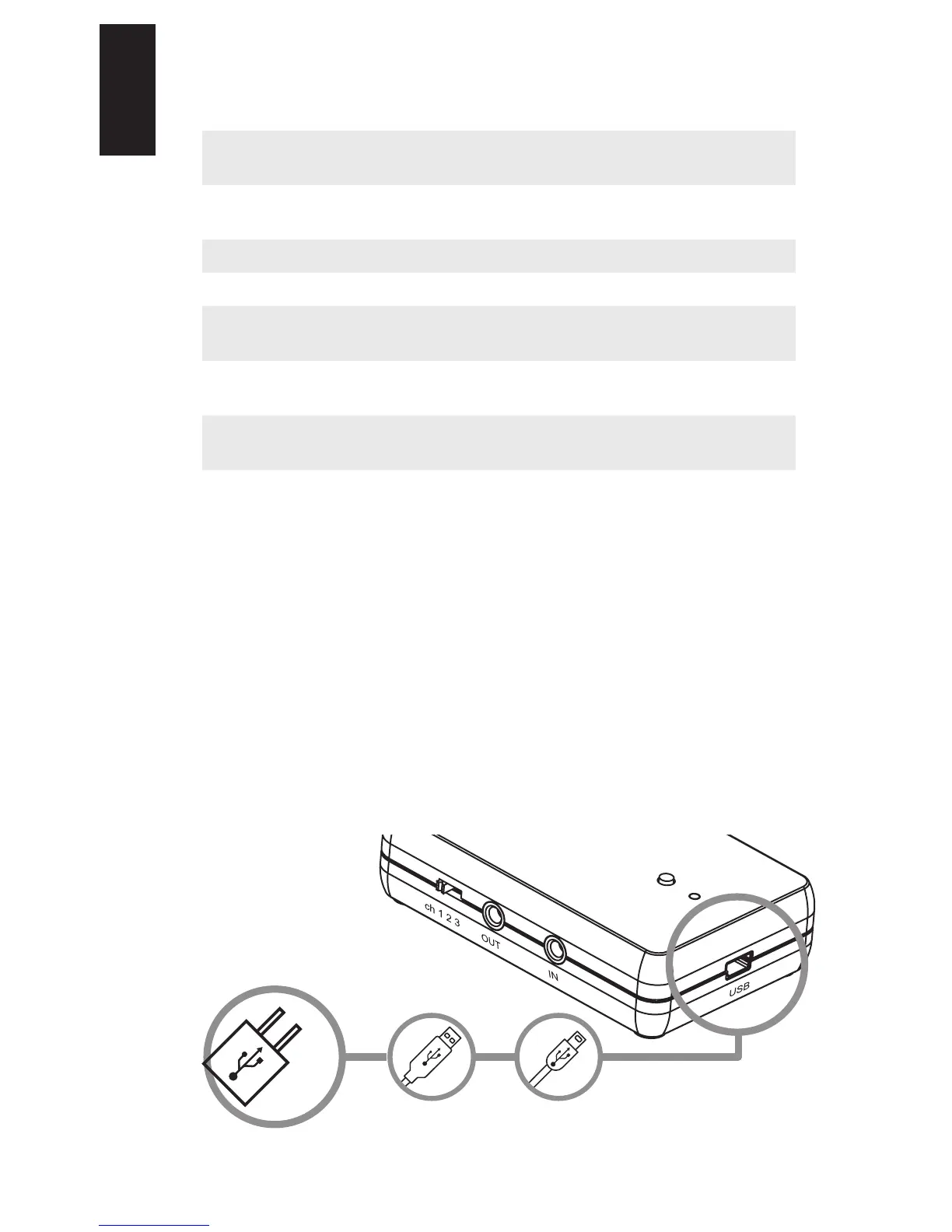
Connect to
powered USB
output
CONNECT FOR POWER
Use the Mini USB Cable provided to power the RT100, by
plugging into a compatible wall charger (not supplied) or powered
USB output located on the intended connected device.
English


 To Next Page