7
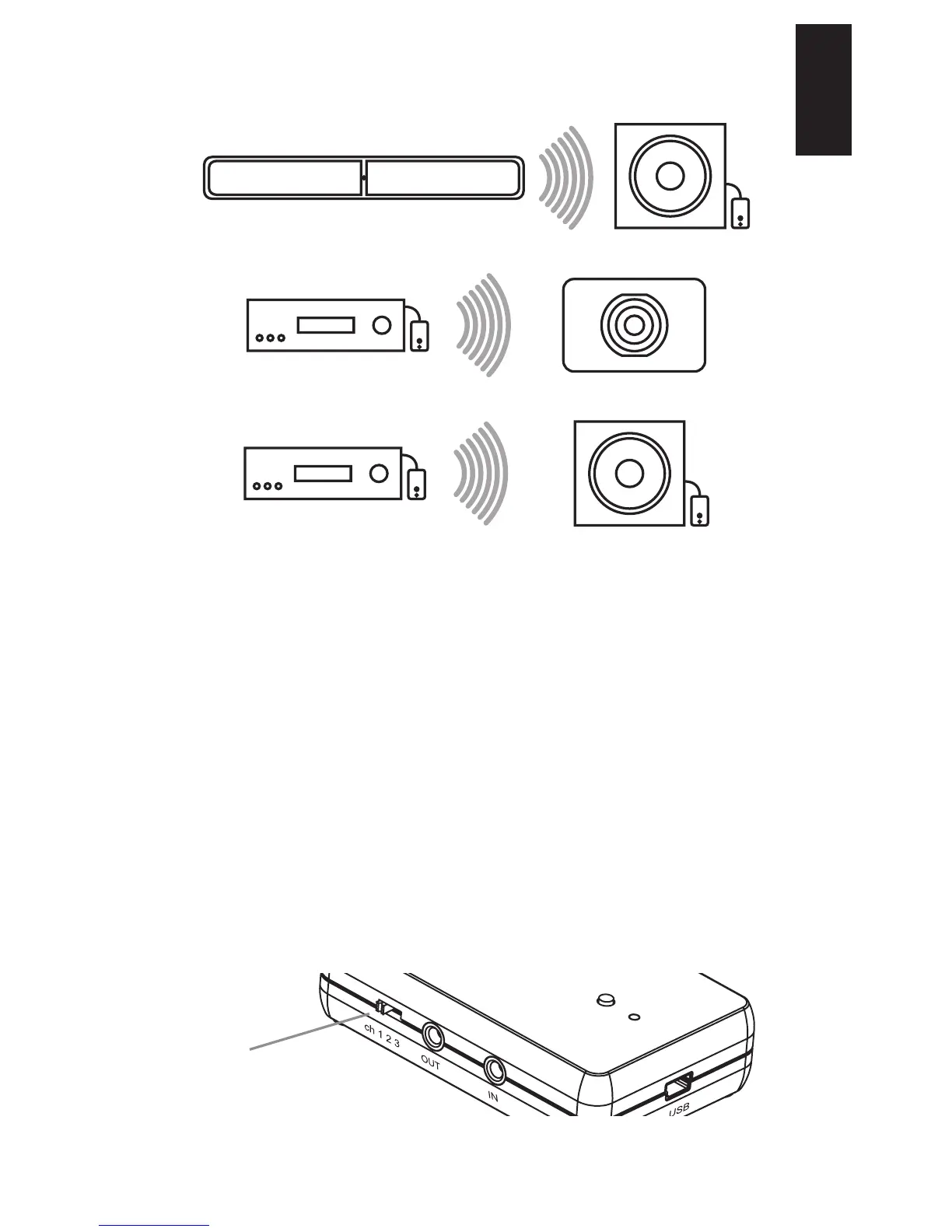
POPULAR CONFIGURATIONS
Tx-Enabled Speaker to Subwoofer
Stereo to Rx-Enabled Subwoofer
Stereo to Powered Speaker/Subwoofer
CONNECTING MULTIPLE RT100
SYSTEMS
The RT100 can operate on three different channel IDs, allowing
you to use up to three different system setups in the same area.
The Channel Selector Switch lets you select the channel ID you
wish to use, so that you can specify which modules should be
paired together. Ensure all devices are on the same channel ID if
they are part of the same setup.
NOTE: Certain synchronous products that can pair with the
RT100 will only work on a specic channel. Please consult the
online help articles for that specic brand and product.
NOTE: If you happen to get interference in the signal between
paired RT100s, you can also adjust the channel selector switch to
see if the connection is improved on a different channel.
Channel Selector Switch
English


 To Next Page