EN
32 <
Handling with multifunction
display
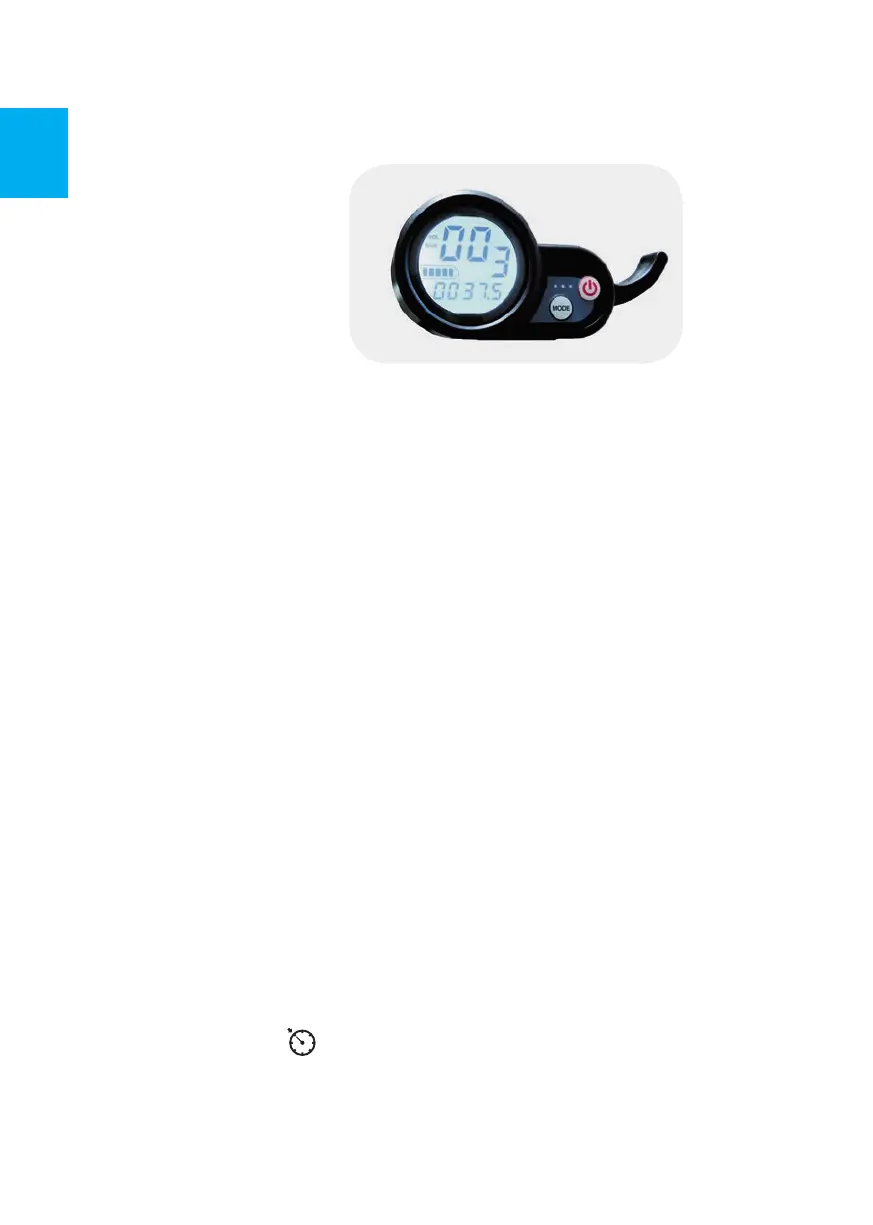
1. Appearance of display
2. Mounting of display
Loosen the clamp retaining bolts of the display and turn the display so that it
is clearly visible and the throttle lever is easy to operate. Subsequently tighten
the fastening screws. Remove the protective film from the display.
3. Control of display
A: press and hold the ON/OFF button to activate the display.
B: press the MODE button for a short time to select another function, displaying
TIME, TRIP, ODO, DST, CHA, VOL etc.
TIME: time from switching on of display
TRIP: total distance traveled from switching on the display (in km); To reset the display
value it is necessary to press the MODE button for a long time.
ODO: total distance traveled (in km)
DST: This functionality is not set up.
CHA: number of charge cycles (only counts when the charge is below about 30 %
of battery capacity)
VOL: current battery voltage
C: press the ON/OFF button for a short time, the speed mode number will fl ash
on the display, then press the MODE button, the speed changes (L1 is low, L2
is medium, L3 is fast), the gears have a memory function, the last used gear
automatically saved. If the battery is fully charged and the charge is less than
70 kg, the appropriate speed is specifi ed below:
L1: max. speed is about 15 km/hr
L2: max. speed is about 25 km/hr
L3: max. speed is about 45 km/hr
Cruise control
Cruise control is activated when the power/speed is maintained for about 6–10
seconds: the symbol
appears on the display. Cruise control maintains engine
power (speed may vary depending on terrain, for example) without holding the throttle.
The cruise control feature is canceled by pressing the brake or throttle lever.
The symbol disappears from the display. The cruise control function can be
removed in the settings of function P6.


 To Next Page
 Loading...