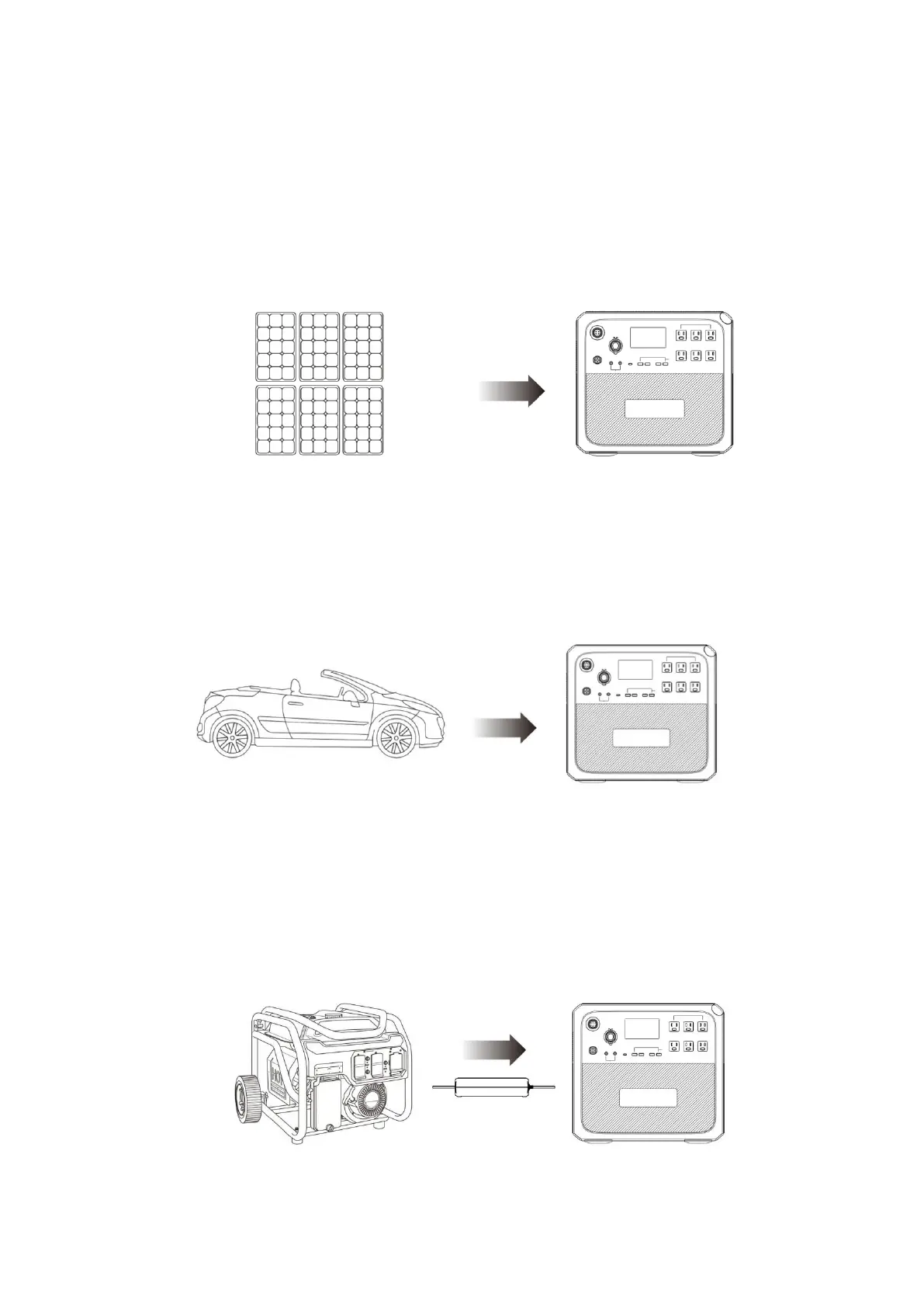
(2) Charging mode 2: From the solar panels
●Choose the solar panel with working voltage DC 35V-150V.
●Connect the solar panel to the product via solar charging cable included.
●Plug and play charging: it will start charging automatically after connecting the solar
panel to the product even it is off status.
● Max. current of the solar is 12A.
(3) Charging mode 3: From the car lighter port
●Press the power button and connect it to the cigarette lighter port through the car
charging cable.
●Enter the setting interface as shown in (Figure2) through the display screen to set DC
input source to car mode; The product can be charged with 8.2A maximum current.
(4) Charging Mode 4: From a generator (gasoline, propane or diesel)
●Connect the AC adapter input to the generator and the output port to the AC charging
port of the machine.
●Press the power button, the product will be charged, the charging will automatically stop
when it reaches 100%.



 To Next Page