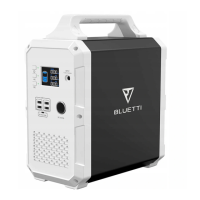
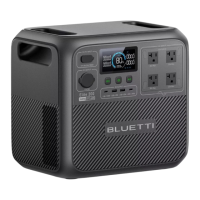
The BLUETTI EB55 is a portable power station designed to provide reliable energy storage for both indoor and outdoor use. It aims to deliver an eco-friendly experience, making it suitable for various applications, from powering household appliances to supporting outdoor adventures. The device is equipped with multiple output ports, allowing it to charge and power a wide range of electronic devices and small appliances.
Function Description
The BLUETTI EB55 serves as a versatile power source, capable of delivering both AC and DC power. It features a built-in battery management system (BMS) that ensures safe and efficient operation, protecting against over-voltage, over-current, over-temperature, and short-circuiting. The power station supports pass-through charging, meaning it can charge connected devices while simultaneously being recharged itself.
The device's LCD screen provides real-time information about its operational status, including battery capacity, input power, output power, and alerts for temperature anomalies, overloads, or short circuits. An ECO mode is available to conserve power by automatically shutting off AC/DC output when the load is low or non-existent for a set period.
Usage Features
The EB55 offers a variety of charging and discharging options to suit different needs:
- Powering On/Off: The device is activated by pressing the corresponding AC, DC, or DC 12V power buttons. The LCD screen illuminates for 30-60 seconds upon activation. To keep the display on longer, at least one of these ports (AC/DC/DC 12V) must be enabled. To power off, simply press and hold the respective power buttons.
- AC Output: The power station provides AC output through standard outlets, suitable for powering most household appliances within its rated capacity. The AC frequency can be switched between 50Hz and 60Hz in the setting mode.
- DC Output: Multiple DC output options are available, including a cigarette lighter port, DC5521 ports, USB-A ports, and a USB-C PD3.0 port. These are ideal for charging smaller electronic devices, laptops, and other compatible gadgets.
- Wireless Charging: The EB55 includes a wireless charging pad, which is enabled by turning on the DC power. This feature allows for convenient charging of compatible smartphones and other devices without the need for cables.
- Charging the EB55: The power station can be recharged through several methods:
- AC Charging: Simply plug the EB55 into a standard wall outlet using the provided AC adapter.
- PV Charging (Solar): Connect compatible solar panels (in series or parallel) to the EB55 via a solar charging cable. The device supports a specific range of open circuit voltage (OCV), input current, and input power from solar panels.
- Car Charging: The EB55 can be charged directly from a vehicle's cigarette lighter port using the car charging cable.
- Generator Charging: Connect the AC adapter input plug to a generator, and the output plug to the DC charging port of the EB55.
- Dual Charging: For faster recharging, the EB55 supports dual charging methods, such as combining adapter and PV charging, or using two adapters simultaneously (an extra adapter and DC7909-XT60 Female Cable are required for dual adapter charging).
- ECO Mode: This mode, accessible under 'Setting Mode', helps conserve power by automatically turning off AC/DC output if the load is low (≤10W for AC, ≤1W for DC) or if there is no load for a period of 4 hours. This feature is designed to prevent unnecessary power drain.
- Setting Mode: When the AC output is off, pressing the AC and DC power buttons simultaneously activates the setting mode, indicated by a flashing frequency indicator. In this mode, users can toggle ECO mode on/off by pressing the DC power button and switch the AC frequency by pressing the AC power button.
Maintenance Features
To ensure the longevity and optimal performance of the BLUETTI EB55, certain maintenance practices are recommended:
- Initial Charge: It is advised to fully charge the machine before storing it for the first time.
- Power Off: Always turn off all power buttons when the device is not in use or before storage.
- Battery Lifespan: To preserve the battery's lifespan, the device should be used and recharged at least once every 6 months.
- Cleaning: In case of dirt, the unit can be wiped clean with a cloth wrung with water.
- Storage Conditions:
- Store the product in a clean, dry environment, away from direct sunlight, heat sources, flammable, or explosive gases.
- Avoid exposing the product to rain or using it in humid environments.
- Ensure proper ventilation during use and storage; do not obstruct fan openings.
- Do not stack anything on top of the unit while in storage or in use, as inadequate ventilation or improper storing may cause damage.
- Keep the product away from children and pets.
- Handling: Do not move the unit while it is operating, as vibrations and sudden impacts can lead to poor internal connections.
- Fire Safety: In the event of a fire, only a dry powder fire extinguisher should be used.
- Internal Components: Do not attempt to replace the internal battery or any other component yourself. Service and repair should only be performed by authorized personnel to avoid risks of fire or electric shock.
- Ventilation during Charging: When charging the internal battery, ensure the area is well-ventilated and do not restrict ventilation in any way.

 Need help?
 General

 To Next Page