Operation
* The LCD screen is on for 30-60 seconds. Please enable at least one of these ports (AC/DC/DC
12V) if you want the display to stay on longer.
Note: Please turn on the DC power to enable the wireless charging.
Powering on: Press the AC/DC/DC 12V Power Button to start up corresponding output.
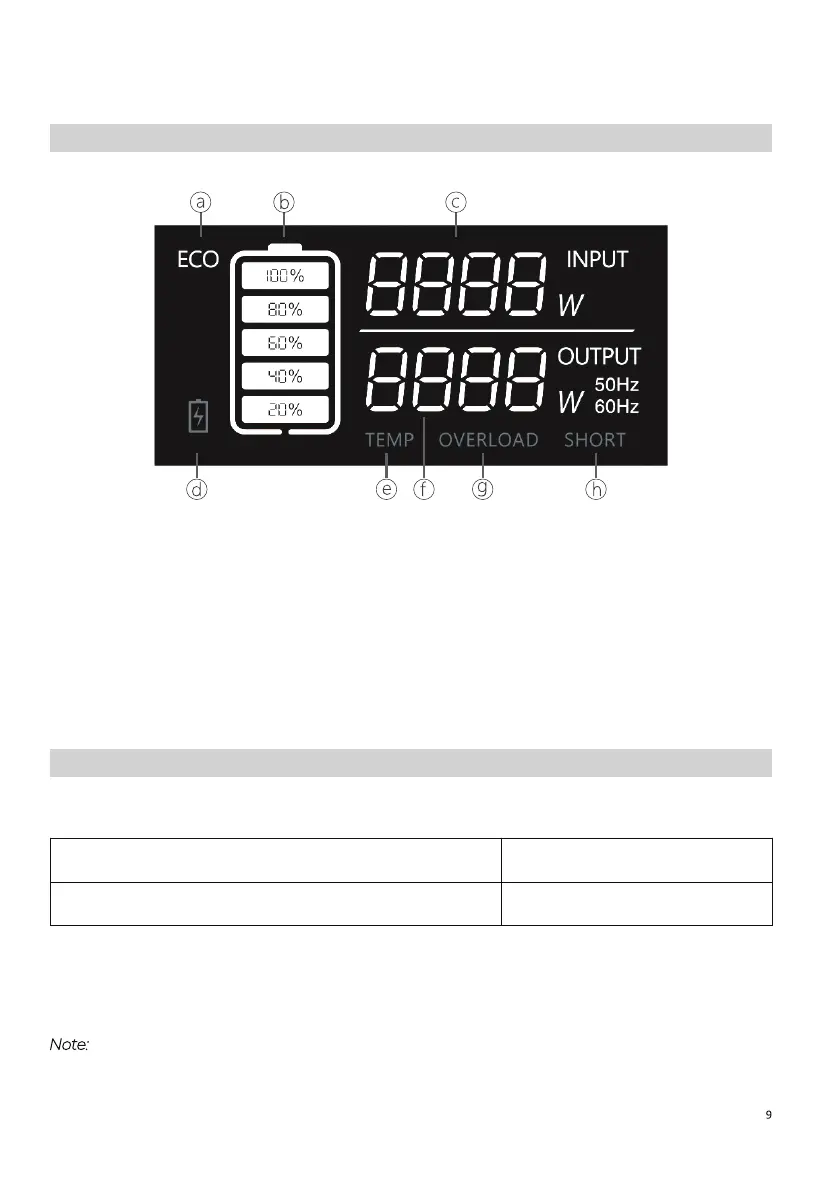
LCD Screen
a: ECO Mode
b: Battery Capacity
c: Input Power
d: Low-battery Alert
e: Temperature Anomaly Alert
f: Output Power
g: Overload Alert
h: Short-circuit Alert
Powering On/Off
Green light(on the button)
LCD Display
ON
ON*



 To Next Page