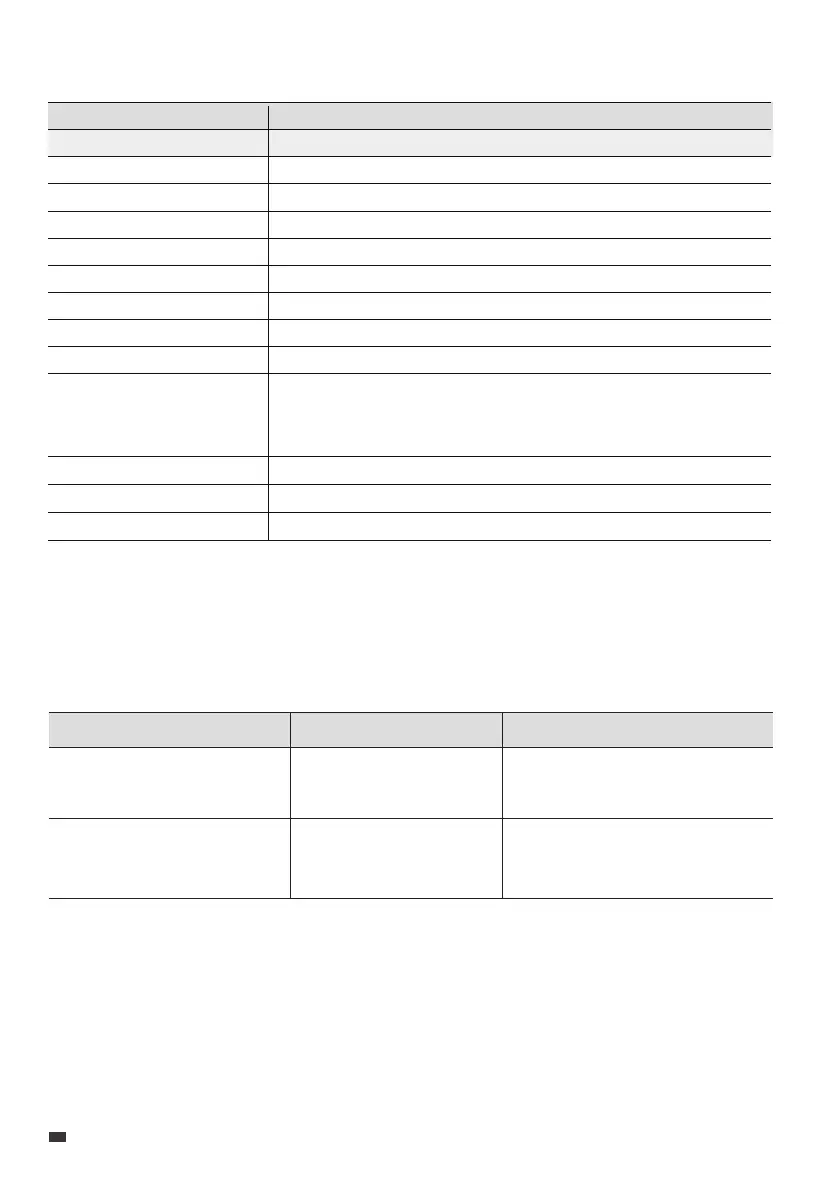
7. Specifications
If the B70 fails, the SoC indicator will flash. Please refer to the table below for helpful guidance.
8. Troubleshooting
Battery Capacity
Cell Type
Charging Voltage
Charging Current
Discharging Current
Weight
Dimensions (L × W × H)
Charging Temperature
Discharging Temperature
716.8Wh (25.6VDC / 28Ah)
Lithium Iron Phosphate (LFP)
28.8VDC Max.
33.6A Max.
48A Max.
8.5kg / 18.7lbs
134mm × 160mm × 350mm / 5.3in × 6.3in × 13.8in
0°C to 40°C / 32°F to 104°F
-20°C to 40°C / -4°F to 104°F
Working Humidity
Working Altitude
Protection Class
10% to 90%
2000m / 6561ft
IP54
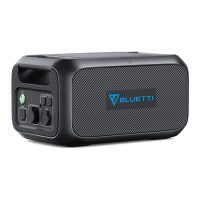
Model B70
Up to 1 month: -20°C to 45°C / -4°F to 113°F
Up to 3 months: -20°C to 30°C / -4°F to 86°F
Up to 12 months: -20°C to 25°C / -4°F to 77°F
Storage Temperature
Flashing Indicator Description
Output short circuit
/
5 SoC Indicators
Others
Troubleshooting
Clear any metal debris on the
output terminals to prevent
short circuits.
Please contact BLUETTI
support for assistance.
EN
JUST POWER ON
14



 To Next Page