4. Operating Instructions
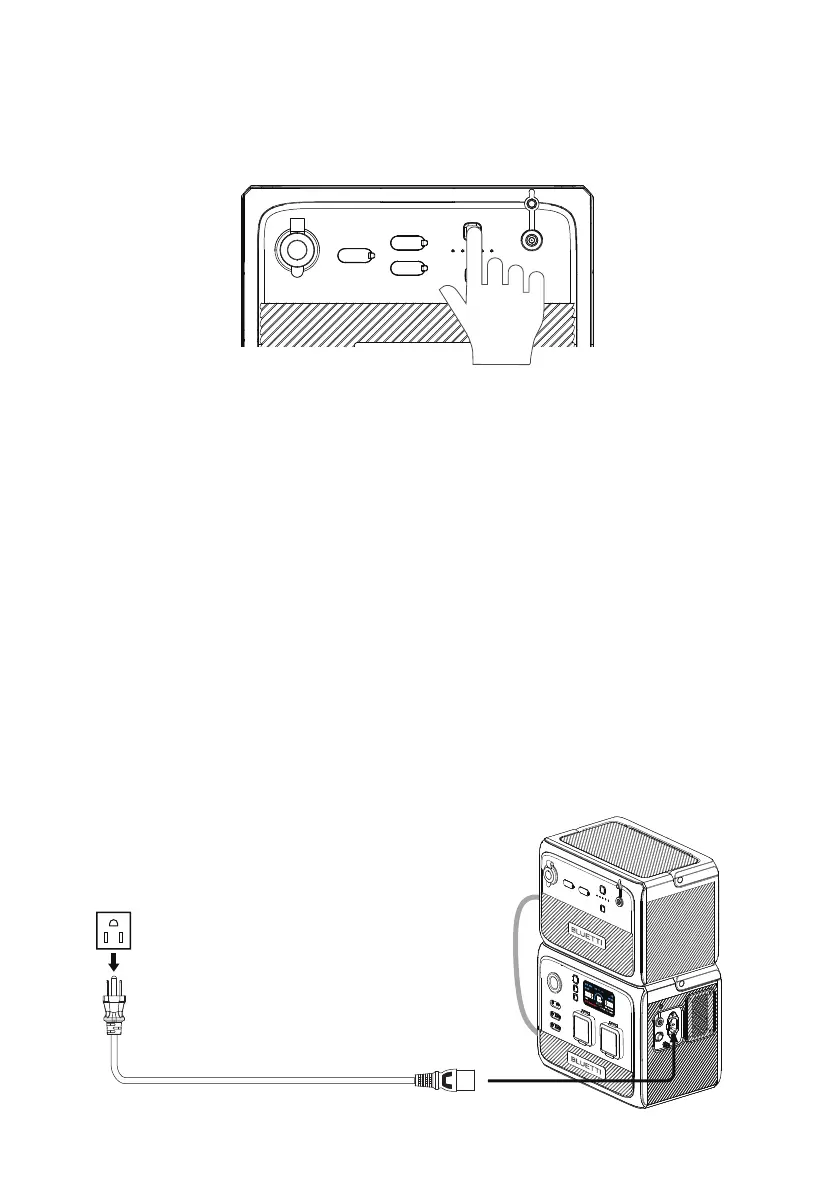
B80 has a power button and a DC output button.
• Press the power button to start up B80. Press and hold for more than 2 seconds to turn
it off.
• Press the DC power button to turn on/off the DC output (cigarette lighter and USB
output).
BLUETTI B80 has 5 LED indicators. From left to right, they represent 20%, 40%, 60%, 80%,
100% SoC, respectively.
B80 supports 4 charging methods: AC60 charging, solar, car (cigarette lighter) and adapter.
4.3.1. AC60 Charging
Connect the AC60 and B80 and plug the AC60 into a wall outlet via the AC charging
cable. The AC60 will automatically charge the B80.
4.3 Charging
4.1 Buttons
4.2. Power indicator
DANGER: This device is intended to be used indoors only. Do not use outdoors.
JUST POWER ON12


 To Next Page