02
5.Assemble and install
Turn off all switches on the inverter and batteries to prevent electric shock!
5.1 Binding
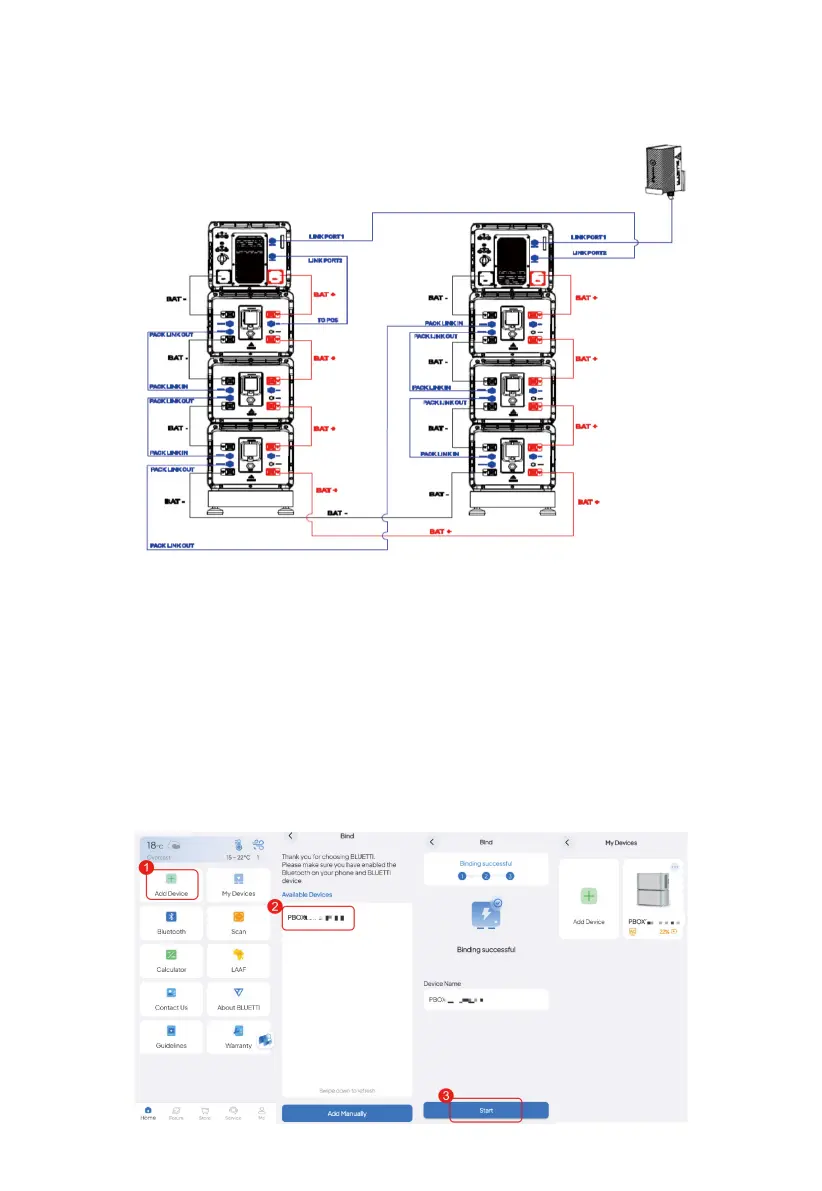
1) Tap Add Device on the Home page, or tap My Devices > Add Device > Add Manually.
2) On the Bind page, select your device from the Available Devices list, and tap OK to complete
the binding.
3)You can view the bound devices on the My Devices page.
4.The final batteries and communication wiring diagram is as
follows, please follow this quick guide to finish the work.



 To Next Page