03
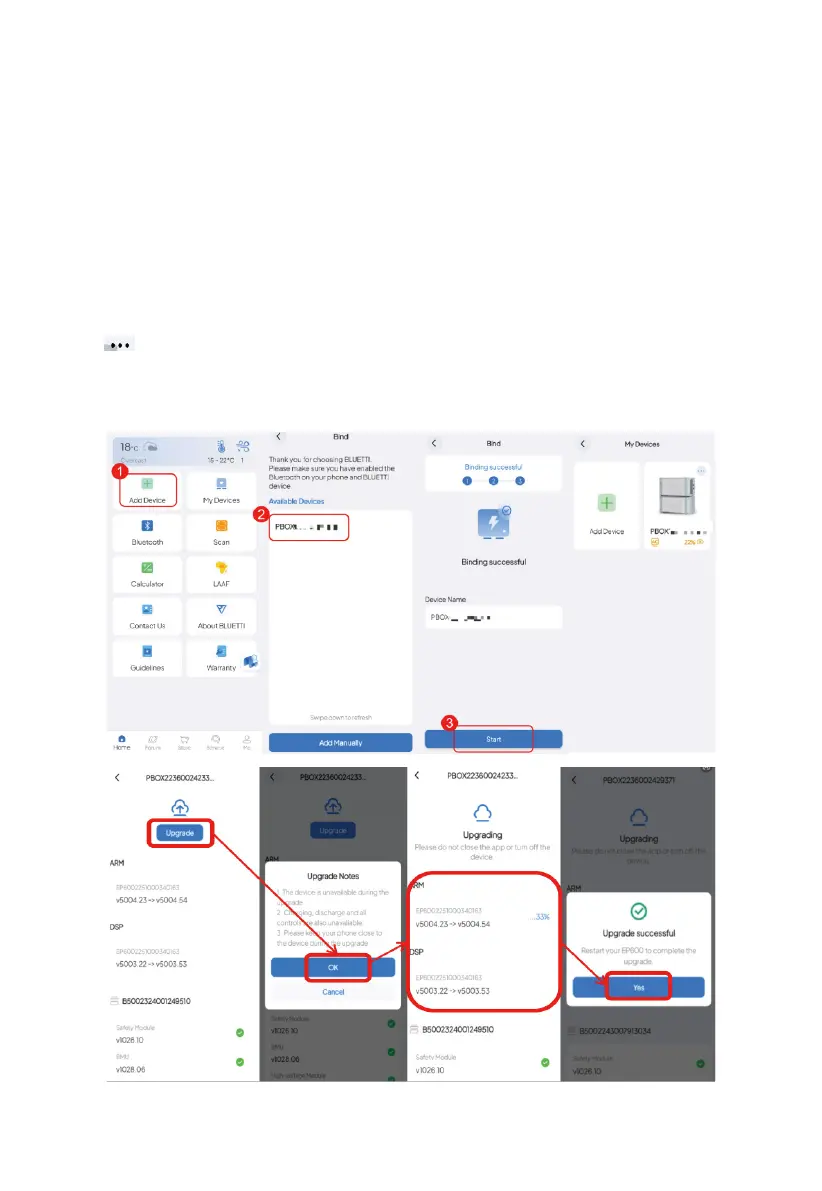
Note: Make sure you’ve enabled Bluetooth and location service (e.g. GPS) on your phone. If you
can’t find your device, get closer and Swipe down to refresh the list (recommended range: 5m).
5.2 Firmware Upgrade
Note:
●
Only available when you connect to the EP600 ESS via Bluetooth.
●
For a stable connection, keep your phone and EP600 ESS close together
(recommended range: 5m).
●
During the upgrade, you cannot perform charging, discharging, or any other operations.
1.Tap My Devices on the app’s Home page.
2.Tap in the upper right corner of the device you want to upgrade on the My Devices page.
3.Tap Upgrade.
4.The app will jump to the Firmware Upgrade page.



 To Next Page