EasyManua.ls Logo

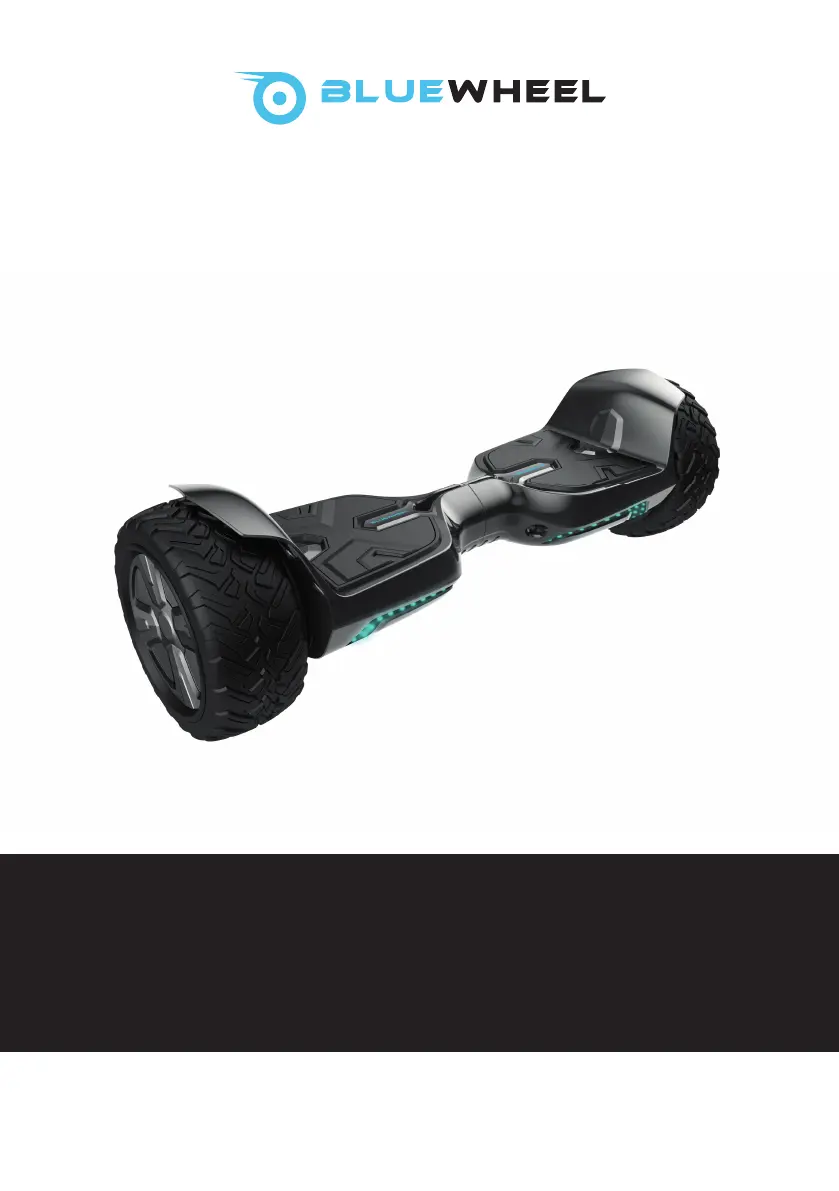
Bluewheel HX500 - User Manual

Bluewheel HX500
114 pages
Go to English
Print Icon
To Next Page IconTo Next Page
Loading...
HX500
Self Balancing Scooter

Questions and Answers

Summary

Quick Start Video Guide

General Information

Technical Data

Provides technical specifications for the Bluewheel Scooter, battery charger, and battery.

Signs and Symbols

High Risk Warnings

Explains high-risk symbols and their severe consequences.

Medium Risk Warnings

Explains medium-risk symbols and their potential for serious injury.

Low Risk Warnings

Explains low-risk symbols and their potential for minor injuries.

Device and Use Information

Indicates additional data about the device and its usage.

European Conformity (CE)

Signifies compliance with strict European safety guidelines.

Read Manual Before Use

Instruction to read the manual carefully before first use.

Battery Charger Connection

Symbol indicating connection for the battery charger.

Indoor Dry Conditions

Symbol for indoor use in dry conditions only.

Maximum Speed Limit

Recommended maximum speed of 10 km/h.

User Weight Limits

Specifies user weight between 20kg and 120kg.

Protective Equipment

Recommendation to wear protective equipment.

Single Person Use

Indicates the device is for one person only.

Level and Dry Ground

Guidance to drive on level and dry ground.

Alcohol;Medication Warning

Warning against using the device under the influence of alcohol or medication.

Age and Supervision Recommendation

Recommends age 7+ and adult supervision.

Scope of Delivery

Operating the Device

Battery Indicator While Charging

Explains LED indicators for battery charging status.

Battery Indicator While Riding

Explains LED indicators for battery level during riding.

Application (App)

Details on downloading and using the Tomoloo app for the device.

Bluetooth Music Feature

Instructions for connecting to a mobile device for music playback.

Important Safety Instructions

Exact Use of the Device

Defines the correct and permitted usage scenarios for the hoverboard.

General Safety Instructions

Driving Hazards and Patience

Advises patience and learning the device gradually due to potential hazards.

Speed and Warning Signals

Details the maximum speed and associated warning signals.

Prohibited Users

Lists categories of people not allowed to use the hoverboard.

Alcohol and Medication Use

Prohibits use after consuming alcohol or medication.

Safe Mounting and Environment

Ensures safe boarding and awareness of the surroundings.

Driving Practices

Guidelines for safe speed, distance, turning, and avoiding distractions.

Terrain and Conditions

Advises on avoiding wet, icy, or uneven terrain and poor visibility.

Device Defects and Reporting

Instructions for stopping use and contacting support if a defect is found.

Appropriate Clothing and Footwear

Recommends suitable clothing and footwear for safe operation.

Training Routes and Control

Advice on choosing routes and mastering basic controls.

Notes on Battery Safety

Battery Protection

Instructions to protect the battery from heat, fire, and sunlight to prevent explosion.

Battery Charging Schedule

Guidance on charging the battery when not in use for extended periods.

Battery Handling and Maintenance

Warnings against opening the battery, touching components, and using proper charging methods.

Battery Removal and Repair

States that batteries are fixed and cannot be removed or replaced by users.

Low Battery Operation

Advice to stop use when battery level drops below 10% to prevent damage.

Notes on Charger Safety

Charger Usage Restrictions

Prohibits children and unsupervised individuals from using the charger.

Charger Cable and Maintenance

Instructions for handling defective charger cables and proper cleaning.

Charger Power and Cooling

Advice to turn off and cool down the charger after use.

Moisture and Electrical Shock

Warning about protecting electrical parts from moisture to prevent electric shock.

Charger Disassembly and Fire Risk

Prohibits charger disassembly and warns against use near flammable objects.

Charger Safety Details

Charger Connection and Compatibility

Ensures charger compatibility with power supply and proper connection.

Confined Space Charging

Recommends charging in a confined space for indoor use only.

Charger for Hoverboard Only

States the charger is only for the hoverboard to prevent fire or shock.

Charger Air Vents

Instructs to keep charger air vents open during charging.

Charger Placement and Heat

Advises against covering the charger or placing it near heat sources.

Power Cord Safety

Ensures power cords are laid to prevent tripping or damage.

Charger Removal

Proper method for disconnecting the charger from the power cord.

Operating the Device

First Use of the Hoverboard

Instructions for unpacking, checking, and preparing the hoverboard for initial use.

Charging the Battery

Guidance on charging the battery, including warnings about low power levels.

Charging Port and Indicator Lights

Driving with the Bluewheel Hoverboard

Learning to Drive Safely

Encourages gradual learning and practicing with others for safety.

Correct Foot Placement

Instructions for placing feet on foot pads simultaneously to avoid sudden turns.

Activating and Deactivating

How to turn the hoverboard on and off using the power button.

Controlling Movement with Body Weight

Explains how to control speed and direction by shifting body weight.

Driving Safety Precautions

Speed Reduction and Dismounting

Guidance on reducing speed and safely dismounting the hoverboard, preferably backward.

Avoiding High-Speed Turns

Warns against hasty turns at high speeds due to danger.

Enable and Disable Self Balancing Function

Self-Balancing Function Operations

Step-by-step guide to enable and disable the self-balancing feature of the hoverboard.

Clean, Maintain and Service

Cleaning the Hoverboard

Instructions for cleaning the device using damp cloths and avoiding harsh chemicals.

Storage and Transport

Guidelines for storing the hoverboard in a clean, dry place and safe transport methods.

Hoverboard Service and Transport

Battery Transportation Restrictions

Notes on transporting the Li-Ion battery, especially on aircraft, requiring checks with carriers.

Hoverboard Service and Repairs

States that the device requires no user service and directs to contact the dealer for any issues.

Troubleshooting

Device Not Responding

Troubleshooting steps for when the hoverboard does not respond, including activation and charging.

LED Warning Light Active

Explains causes and corrections for the active LED warning light and signal.

Locked Wheels

Troubleshooting for locked wheels, including speed reduction, dismounting, and cleaning.

Low Battery Issues

Addresses issues related to low battery levels, advising speed reduction and immediate charging.

Hoverboard Disposal

Battery Removal Instructions

Detailed steps for removing the integrated battery for separate disposal by trained personnel.

Disposal Regulations

European Disposal Directive

Guidance on disposing of the device according to the European Disposal Directive 2002/96/EG.

Battery Disposal Regulations

Legal obligations for end-users to return used batteries for environmentally friendly disposal.

Packaging Recycling

Information on recycling packaging material in accordance with legal provisions.

EC-Declaration of Conformity

Bluewheel HX500 Specifications

General IconGeneral
CategoryScooter
Motor Power500W
Charging Time4-6 hours
Max Load120 kg
Wheel Size10 inches
BrakesDisc Brakes
FeaturesLED display, foldable, cruise control

Related product manuals