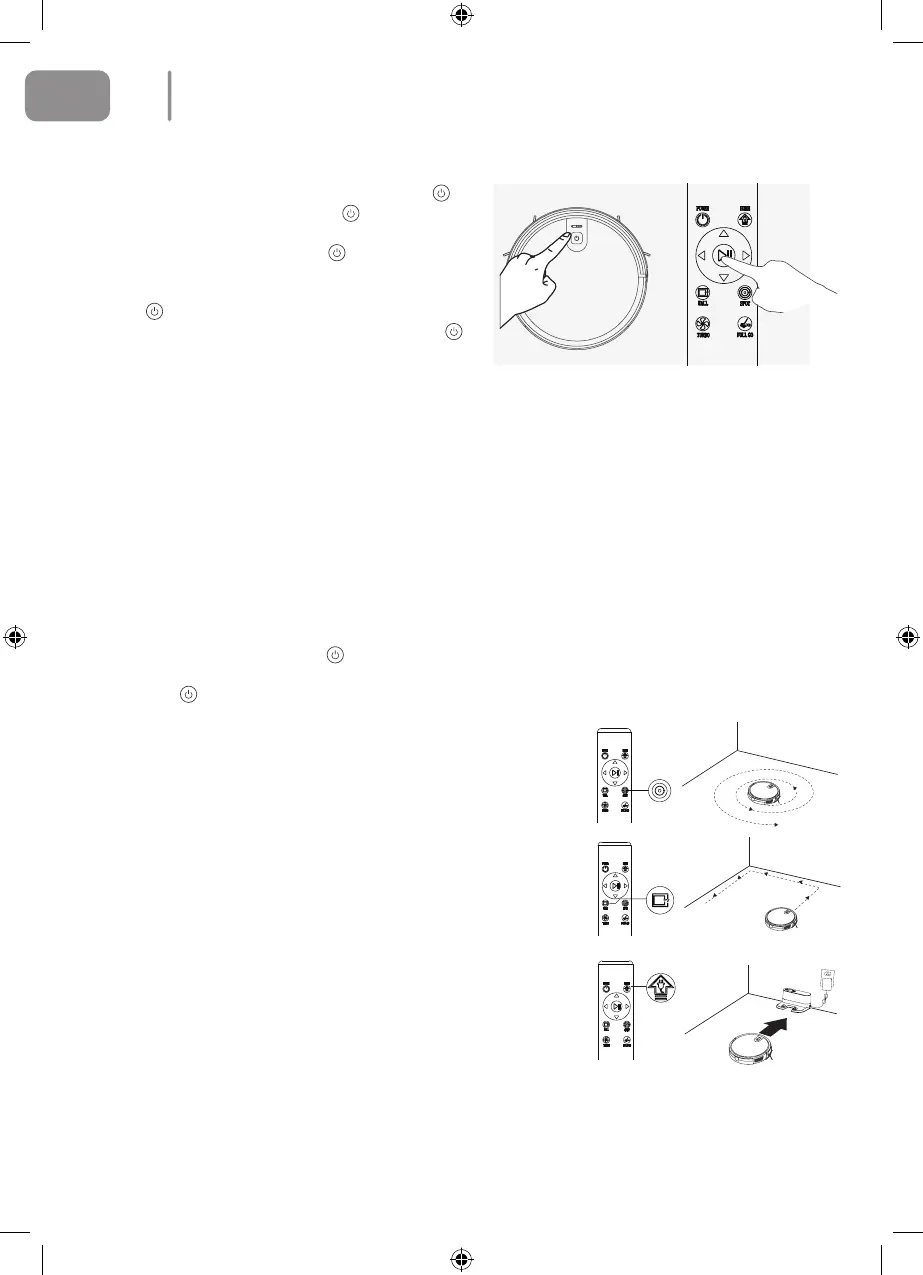
Start/Stop Cleaning
1. Start or Stop by pressing the main unit’s
key or the remote control’s
10 key.
L Note: Before selecting the mode, make sure
that the outer ring of the
key is blue and
the main unit has been activated. If this is not
the case, briey press the main unit’s key
. The main unit will enter sleep mode after
10 minutes of being on standby and if the
key light is o.
2. If you need to select another mode, please
refer to the Mode Selection section.
Mode Selection
In order to adapt to dierent oor conditions and achieve deep
cleaning this product has a variety of cleaning modes which can
be selected by remote control if necessary.
The remote control can be used to switch directly to any mode.
Before starting operations in a particular mode, you should make
sure that the outer ring of the
key is blue and that the main
unit is activated. If this is not the case, briey press the main
unit’s key
.
Fixed-point Mode
This mode is suitable for cleaning areas where dirt is concentra-
ted. The cleaning operations will then focus on the designated
area, and the cleaner will operate in accordance with a ‘spiral’
route.
Edge Mode
This mode is suitable for cleaning the corners of the room. The
main unit will clean around the edge of a xed object (such as a
wall) and return to the charging dock.
Return Charging Mode
During the cleaning process the main unit will sense that it is low
on power and will automatically return to the charging dock to be
charged. You can also press the ‘Home’ button or press the ‘Po-
wer’ button twice to make the main unit return to the charging
dock in order to be charged.
Twice Cleaning Mode
Select this mode by pressing the ‘Full Go’ button on the remote
control. After initial cleaning the robot will now return to the
charging dock until it is fully charged and will then automatically
go back to cleaning again.
10
EN
2021-08-11 OCG BluMill Robot Stofzuiger ManualV01.indd 102021-08-11 OCG BluMill Robot Stofzuiger ManualV01.indd 10 23-08-2021 10:0223-08-2021 10:02


 To Next Page