Blusens H305
39
ENGLISH
Remote Control Shortcut Keys
The last two row keys on the remote control are used for USB
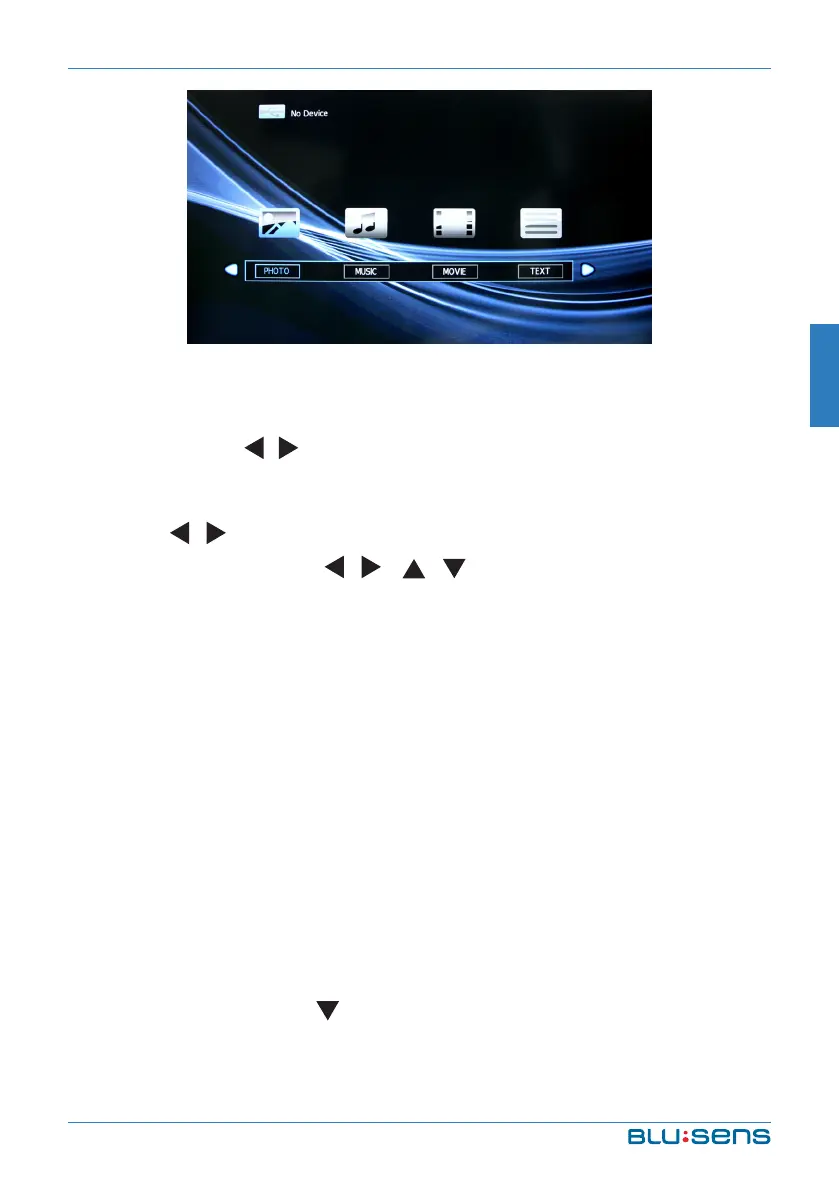
operation. Press / key or VOL+/VOL- to select the adjustment sort
menu, which includes 4 sort: PHOTO, MUSIC, VIDEO and TEXT.
Press / key to select PHOTO and OK to confirm and read your
photo documents. Press / / / key to select photo and press
OK (selected and the file lower right corner shows a red hook, you
can choose photos to join playlist). Press INDEX key to play. When you
choose nothing, the machine will join all the photos in the file in playlist
automatically.
NOTE:
The operation method of the MUSIC, VIDEO and TEXT are the same
as PHOTO languages. Please refer to PHOTO options. Press PLAY key
to play.
Basic Function
When photos are playing, press INFO key and a toolbar will display
under the screen (press key to hide toolbar).


 To Next Page