USER’S MANUAL
40
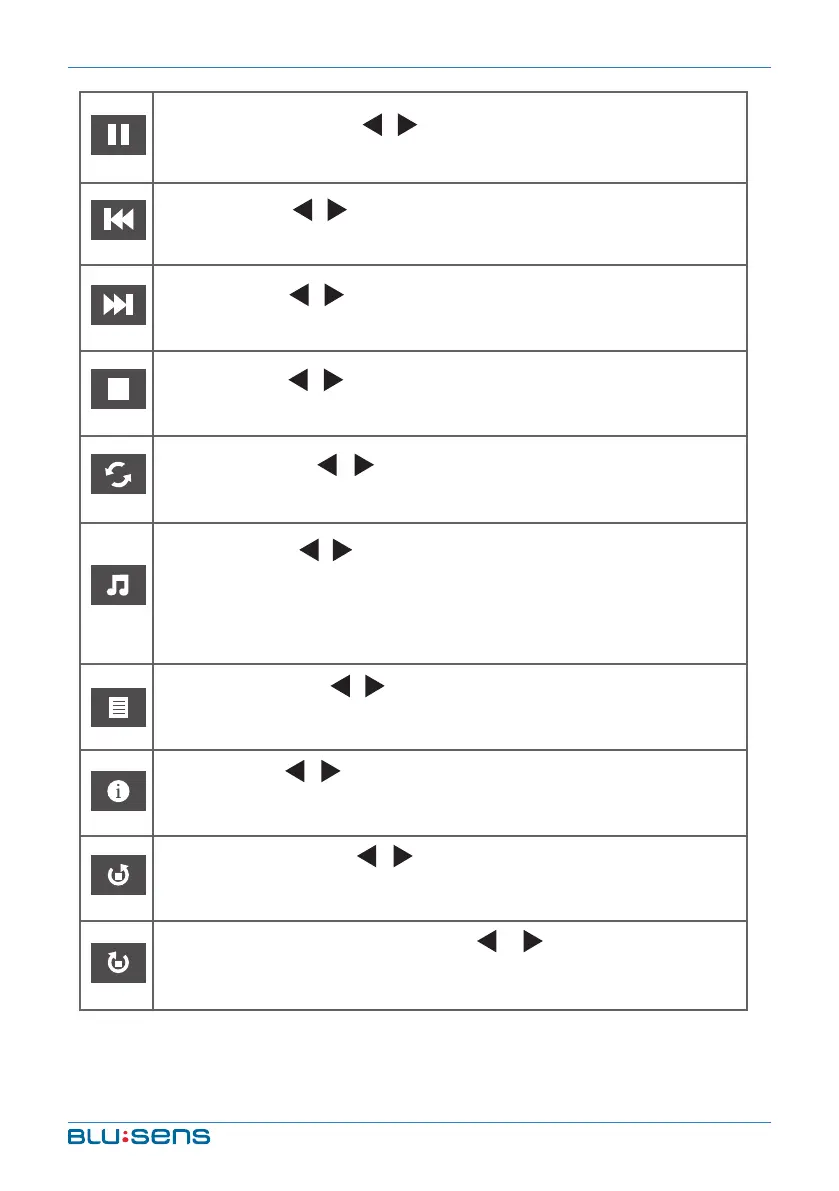
PLAY/PAUSE: Press / key to select this function. Press
OK key to play or pause.
PREV.: Press / key to select this function. Press OK key
to read previous photo.
NEXT: Press / key to select this function. Press OK key
to read next photo.
STOP: Press / key to select this function. Press OK key
to stop playing and return to previous menu.
REPEAT: Press / key to select this function. Press OK
key to select repeat One or repeat all or not repeat.
MUSIC: Press / key to select this function. Press OK key
to paly background music.
(Music and photos need to place in the identical folder, or
you may select some music in music file first).
PLAYLIST: Press / key to select this function. Press OK
key to show playlist.
INFO: Press / key to select this function. Press OK key
to show the information of photo, including resolution, size
and so on.
CLOCKWISE: Press / key to select this function. Press
OK key to clockwise rotation photo.
COUNTER-CLOCKWISE: Press / key to select this
function. Press OK key to counter-clockwise rotation photo.


 To Next Page