Blusens H305
41
ENGLISH
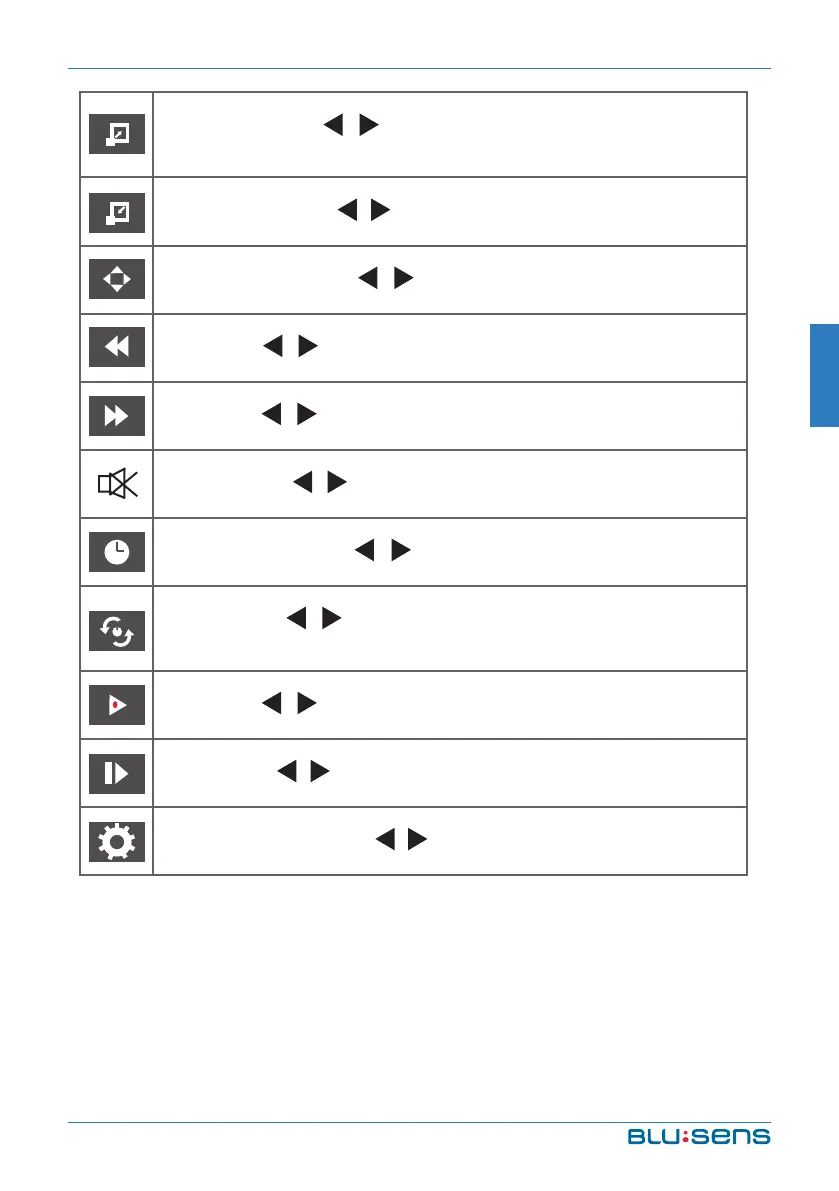
ZOOM IN: Press / key to select this function. Press OK
key to enlarge picture.
ZOOM OUT: Press / key to select this function. Press OK
key to reduce picture.
MOVIE VIEW: Press / key to select this function. Press
OK key to move the picture.
FB: Press / key to select this function. Press OK key to
fast back. Press PLAY key to play normally.
FF: Press / key to select this function. Press OK key to
fast forward. Press PLAY key to play normally.
MUTE: Press / key to select this function. Press OK key
to switch off sound.
GO TO Time: Press / key to select this function. Press
OK key to select the time to play.
SET A: Press / key to select this function. Press OK key
to set A and B, the film will circulating play in the time of A
to B.
SF: Press / key to select this function. Press OK key to
slow down play speed. Press PLAY key to play normally.
STEP: Press / key to select this function. Press OK key to
play one step by step. Press PLAY key to play normally.
ASPECT RATIO: Press / key to select this function. Press
OK key to select Auto, 4:3, 16:9 or PC Mode.


 To Next Page